
Deskripsyon
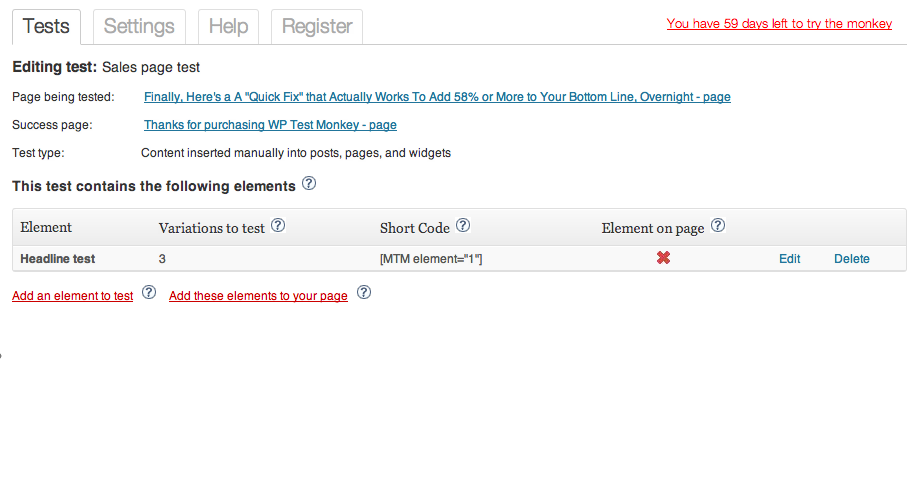
This is the free version of WP Test Monkey — the first multivariate testing plugin solution for WordPress. So easy to use – tests can be created on any WordPress post or page in just minutes. A comprehensive admin stats console is provided that will show you your winning combination and most importantly, your ROI.
It’s hands down, the easiest way to test headlines, offers, prices, etc.. on your site without having to code or do battle with complex 3rd party systems.
Simply grab the plugin and BOOYA — you’ll feel like you’ve won the internet marketing lottery as you instantly find the “golden combination” of headline, copy, and price that will deliver a windfall of sales and profits from your site, day in, day out.
This plugin has no time limit — it will work forever. But it’s limited to 1 test at a time and 2 testing elements per test. There is a paid version that removes those limits.
Mga Screenshot




Pag-install
- Upload the entire contents of the ZIP file to the
/wp-content/plugins/directory - Activate the plugin through the ‘Plugins’ menu in WordPress
Mga Review
Wala pang reviews para sa plugin na ito.
Mga Contributor at Developer
Ang “WP Test Monkey” ay open source software. Ang mga sumusunod na tao ay nag-ambag sa plugin na ito.
Mga Contributor
Isalin ang “WP Test Monkey” sa iyong wika.
Interesado sa development?
Tingnan ang code, i-check ang SVN repository, o mag-subscribe sa development log sa pamamagitan ng RSS.
Changelog
1.0
- First version