Lumaktaw patungo sa content
WordPress.org

Tagalog

  • Themes
  • Plugins
  • Mga Balita
  • Suporta
  • Tungkol Sa
  • Mag-translate
  • Makipagkita
  • Makipag-uganayan
  • Taga-pangangasiwa
  • WPUGPH
  • Get WordPress
Get WordPress
WordPress.org

Plugin Directory

WP ShareX

  • Mag-submit ng plugin
  • Aking mga paborito
  • Mag-log in
  • Mag-submit ng plugin
  • Aking mga paborito
  • Mag-log in

Ang plugin na ito ay hindi pa nasusubukan sa pinakabagong 3 major release ng WordPress. Maaaring hindi na ito minamantine o sinusuportahan at maaaring may mga isyu sa compatibility kapag ginamit sa mas bagong bersyon ng WordPress.

WP ShareX

Ni joomdev
I-download
  • Mga Detalye
  • Mga Review
  • Pag-install
  • Development
Suporta

Deskripsyon

WP ShareX is an advanced WordPress Social Share plugin enables you to add social share buttons on Posts and pages. You can assign buttons on Top of the Content, Bottom of the Content, Sidebar and on media.

Features of WP Social Share by JoomDev
1. 24 Social Network
2. You have the option to select either Icons or Icons with Text
3. 3 Button Shapes
4. 4 Button Animations
5. URL Shortening Option with Bitly and Goo.gl
6. Embed Twitter Handle and desired tags with Tweet
7. 4 Button display Location e.i. Top of the Content, Bottom of the content, Media, and Sidebar
8. Hide On Mobile Ability
9. Default Share Count Option. (You can play with your user’s mind)
10. Encourage your Audience to share your content with Share Incentive Feature

Mga Screenshot
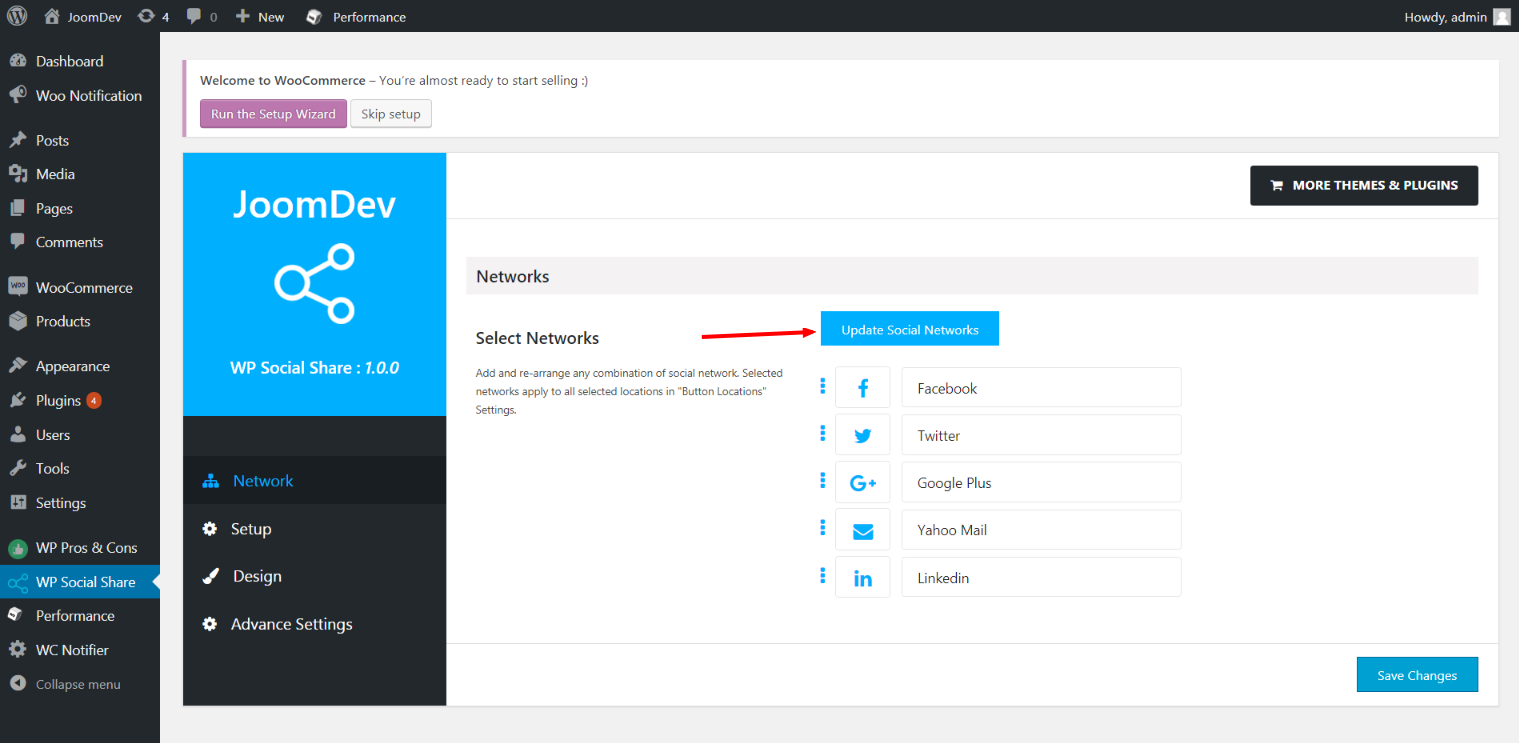
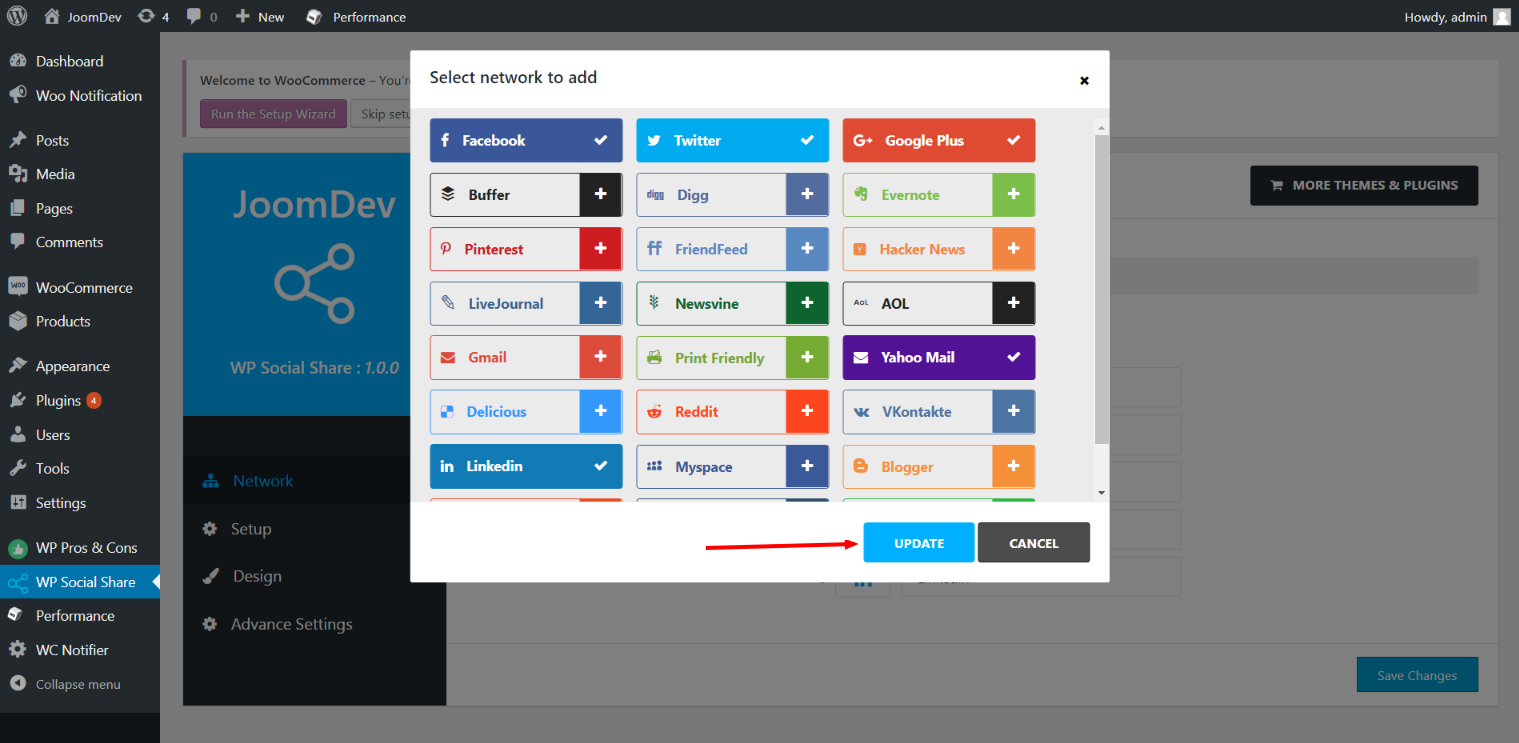
Click here to select networks
Update networks after selecting them.
Setup plugin and api settings.
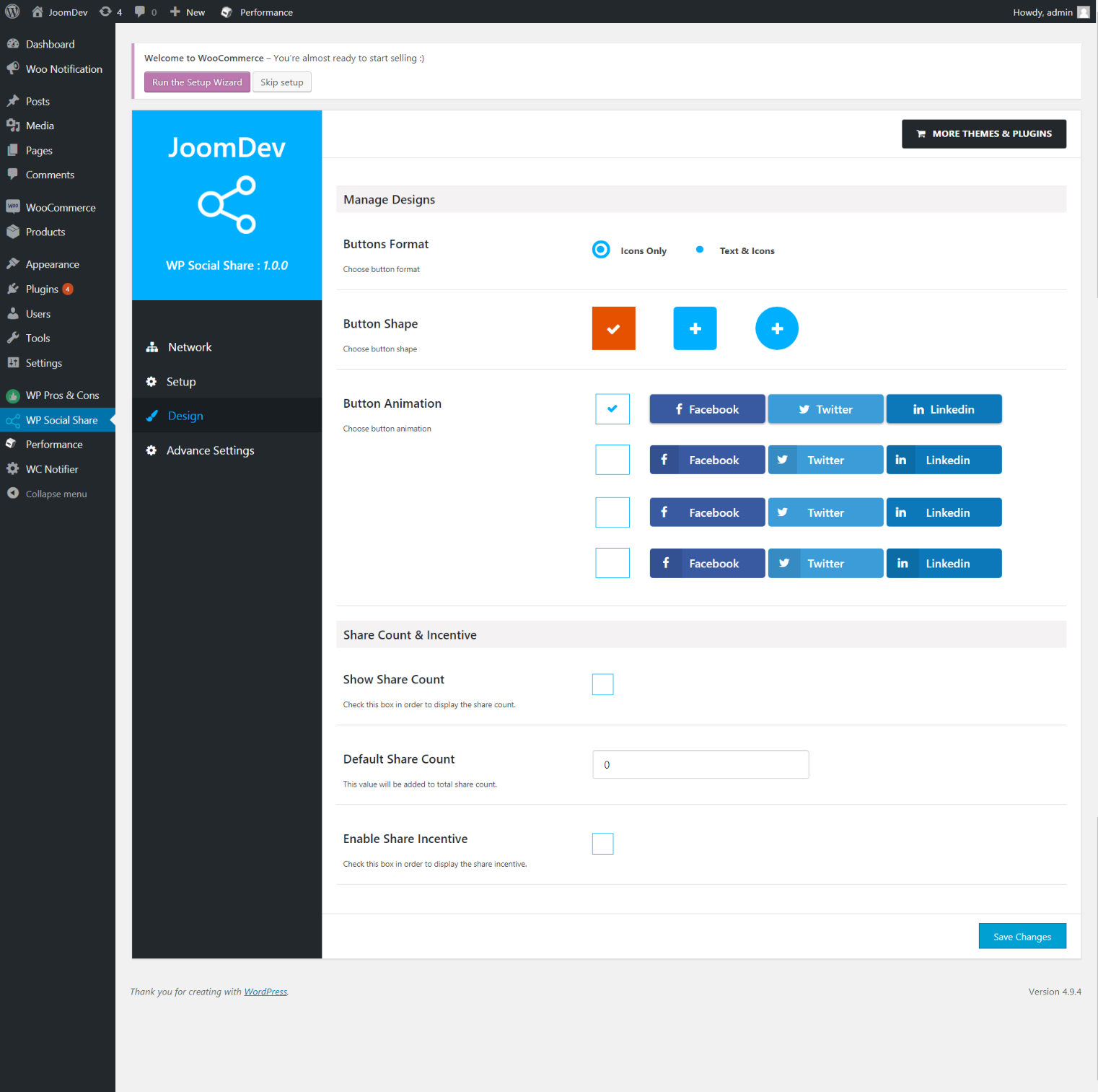
Select any design to display the buttons.
For mobile
For mobile

Pag-install

Way 1: 1. Upload joomdev-wp-social-share.zip to the /wp-content/plugins/ directory 2. Extract the zip file. 3. Activate the plugin from wordpress plugins page. And you have done.

Way 2: 1. Go to plugins page in admin. 2. Click on Add New button. 3. Search for “WP ShareX”. 4. Click install on WP Social Share. 5. Activate the plugin.

FAQ

Installation Instructions

Way 1:
1. Upload joomdev-wp-social-share.zip to the /wp-content/plugins/ directory
2. Extract the zip file.
3. Activate the plugin from wordpress plugins page. And you have done.

Way 2:
1. Go to plugins page in admin.
2. Click on Add New button.
3. Search for “WP ShareX”.
4. Click install on WP Social Share.
5. Activate the plugin.

How do I use this plugin?

See description.

Mga Review

Excellent!

Arnab Mohapatra Marso 16, 2018 1 na reply
Incredible plugin. It allows to add any sharing button on the page simply and fast!
Basahin lahat ng 1 review

Mga Contributor at Developer

Ang “WP ShareX” ay open source software. Ang mga sumusunod na tao ay nag-ambag sa plugin na ito.

Mga Contributor
  • joomdev

Isalin ang “WP ShareX” sa iyong wika.

Interesado sa development?

Tingnan ang code, i-check ang SVN repository, o mag-subscribe sa development log sa pamamagitan ng RSS.

Changelog

1.0.0

  • New Plugin initialized.

Meta

  • Bersyon 1.0.0
  • Huling na-update 8 taon ang nakalipas
  • Mga aktibong installation 10+
  • Bersyon ng WordPress 3.0 o mas bago
  • Sinubukan hanggang 4.9.29
  • Wika
    English (US)
  • Mga Tag
    sharesocialsocial share
  • Advanced View

Mga Rating

5 out of 5 stars.
  • 1 5-star review 5 stars 1
  • 0 4-star reviews 4 stars 0
  • 0 3-star reviews 3 stars 0
  • 0 2-star reviews 2 stars 0
  • 0 1-star reviews 1 star 0

Your review

Tingnan lahat ng review

Mga Contributor

  • joomdev

Suporta

May gusto kang sabihin? Kailangan ng tulong?

Tingnan ang support forum

Mag-donate

Gusto mo bang suportahan ang pagpapaunlad ng plugin na ito?

Mag-donate sa plugin na ito

  • About
  • News
  • Hosting
  • Privacy
  • Showcase
  • Themes
  • Plugins
  • Patterns
  • Learn
  • Support
  • Developers
  • WordPress.tv ↗
  • Get Involved
  • Events
  • Donate ↗
  • Five for the Future
  • WordPress.com ↗
  • Matt ↗
  • bbPress ↗
  • BuddyPress ↗
WordPress.org
WordPress.org

Tagalog

  • Visit our X (formerly Twitter) account
  • Bisitahin ang aming Bluesky account
  • Visit our Mastodon account
  • Bisitahin ang aming Threads account
  • Visit our Facebook page
  • Visit our Instagram account
  • Visit our LinkedIn account
  • Bisitahin ang aming TikTok account
  • Visit our YouTube channel
  • Bisitahin ang aming Tumblr account
Ang Code ay Tula.
The WordPress® trademark is the intellectual property of the WordPress Foundation.