
Deskripsyon
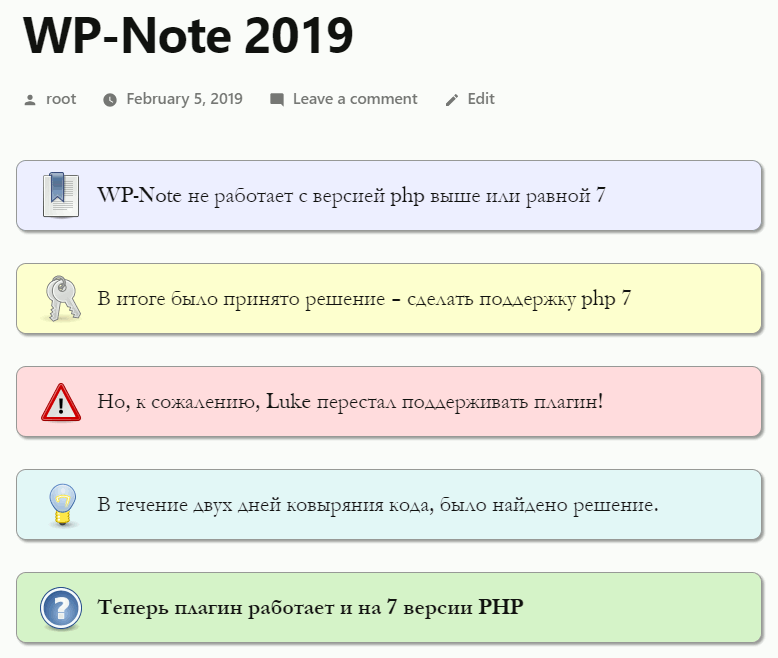
Beautiful design of notes in posts. The plugin fully supports the old version of the WP-Note plugin from Luke.
Mga Screenshot
Pag-install
- Extract the contents of the archive
- Upload the contents of the wp-note-2019 folder to your \’wp-content/plugins\’ folder
- Log in to your WordPress admin and got to the \’Plugins\’ section. You should now see WP-Note-2019 in the list of available plugins
- Activate the plugin by clicking the \’activate\’ link
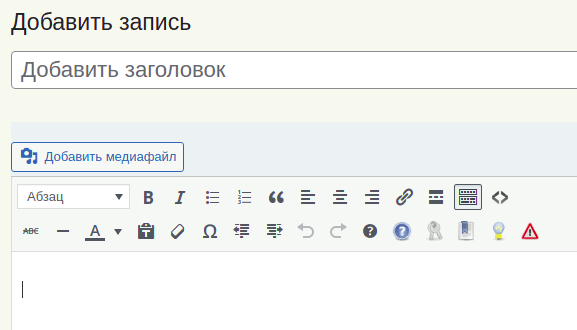
- Now you add quicktags such as note, important, tip, warning, help in your post.
Mga Review

Marso 31, 2019
The plugin is compatible with the old wp-note and works on php 7.2
Thank.
Плагин совместим со старым wp-note и работает на php 7.2
Спасибо.
Mga Contributor at Developer
Ang “WP-Note 2019” ay open source software. Ang mga sumusunod na tao ay nag-ambag sa plugin na ito.
Mga Contributor
Ang “WP-Note 2019” ay naisalin na sa 1 (na) locale. Salamat sa mga tagasalin para sa kanilang mga kontribusyon.
Isalin ang “WP-Note 2019” sa iyong wika.
Interesado sa development?
Tingnan ang code, i-check ang SVN repository, o mag-subscribe sa development log sa pamamagitan ng RSS.
Changelog
1.2
- Tested up 5.9 version
- Added buttons to the editor panel Classic Editor
1.1.1
- Tested up 5.5 version
- Remove file – css-test.html
- Change css style – change right alignment, value = -6px
1.1
- Bug fixed – Warning: call_user_func_array(). The error did not appear for all users.
1.0
- Initial release.