

Deskripsyon
A widget that allows your site to call in the RSS feeds from jpost.com (The Jerusalem Post)
Mga Screenshot
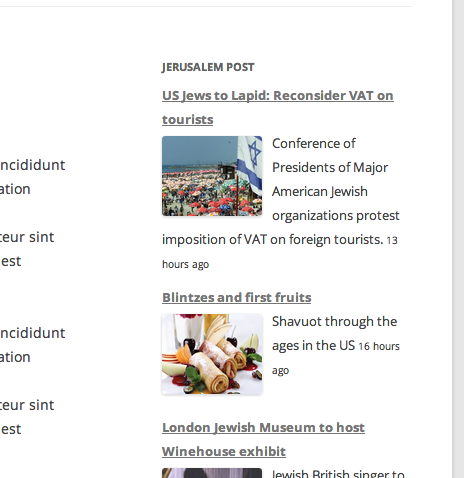

Pag-install
- Unzip and upload the plugin into the plugins directory and then activate it.
- Go to the Widgets and drag the jPost bar into a sidebar.
- Make sure you put the Foursquare Feed’s URL.
- Add some CSS to you liking.
FAQ
- Why did you write this plugin?
-
I had a client that needed the feed to show up on their site. I am in no way employed or even involved with The Jerusalem Post. Nor did they ask me to write this plugin.
- Why does the feed have duplicate entries?
-
That is a good question. All my plugin does is get the feed and displays it, the front page RSS feed has duplicate content sometimes because some articles will appear on home page in multiple sections.
- Why do some of the posts dated in the future?
-
Again, good question. jpost.com’s timestamps from the feed are often off, and it isn’t a simple timezone issue. Israel is 6 or 7 hours ahead of me, and I have seen timestamps that are 24 hours ahead of the real time. Maybe they schedule new posts in the future on the site and they don’t have a filter on the RSS feed and it calls in future posts. :/
Mga Review
Wala pang reviews para sa plugin na ito.
Mga Contributor at Developer
Ang “WP Jerusalem Post” ay open source software. Ang mga sumusunod na tao ay nag-ambag sa plugin na ito.
Mga Contributor
Isalin ang “WP Jerusalem Post” sa iyong wika.
Interesado sa development?
Tingnan ang code, i-check ang SVN repository, o mag-subscribe sa development log sa pamamagitan ng RSS.
Changelog
1.0.1
- Adds UL tags for more correct CSS
1.0.0
- Initial release