

Deskripsyon
Ever since the WordPress roles and capabilities system implemented in WordPress verion 2.0 back in 2005, there has been no easy way to implement a user hierarchy.
With the User Hierarchy plugin, you can control which user roles can edit which other user roles. For example, you can add a new user role called “Manager” that can view all users, but only create and edit users with the “Author” user role. This plugin gives you full control over your user management, even when you are using a complex role hierarchy.
Mga Screenshot
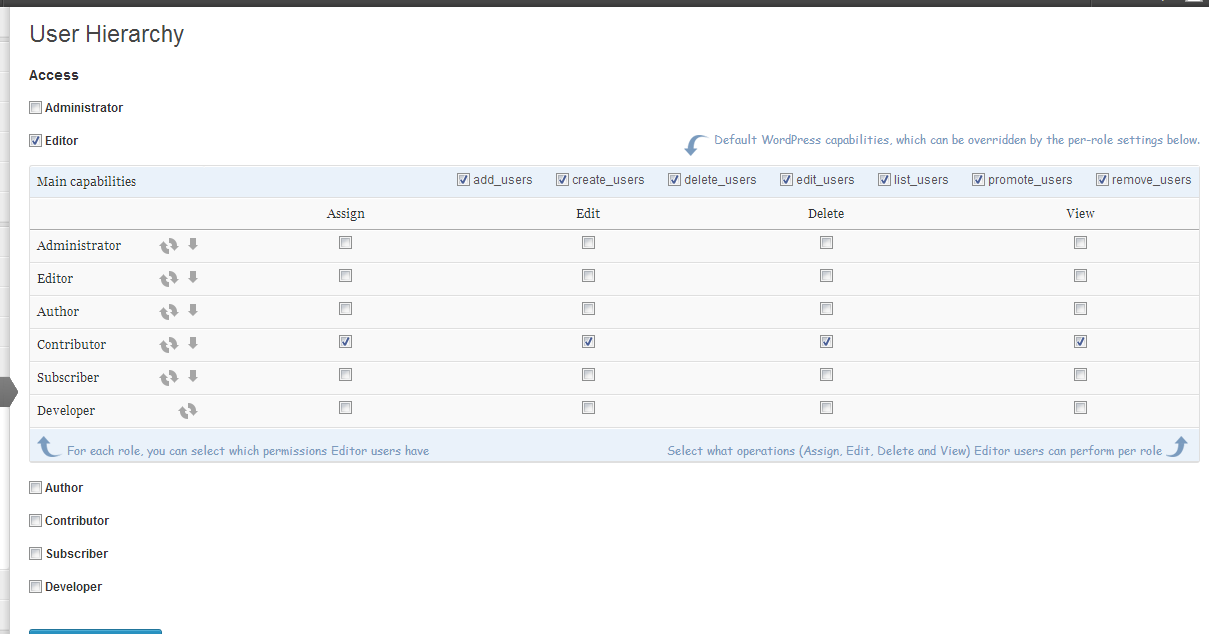
Manage user creation, editing and removal permissions on a per-role basis
Pag-install
For automatic installation, just click “Install”, activate the plugin and you’re ready to go!
- Upload the folder
user-hierarchyto your plugins folder - Go the the “Plugins” page in your admin panel and activate the plugin
- Done! Did we even need a list for that…
FAQ
What were you expecting to find here? This plugin has just been released, no questions have been asked whatsoever about this plugin, let alone frequently.
Mga Review
Wala pang reviews para sa plugin na ito.
Mga Contributor at Developer
Ang “User Hierarchy” ay open source software. Ang mga sumusunod na tao ay nag-ambag sa plugin na ito.
Mga Contributor

Isalin ang “User Hierarchy” sa iyong wika.
Interesado sa development?
Tingnan ang code, i-check ang SVN repository, o mag-subscribe sa development log sa pamamagitan ng RSS.
Changelog
0.1.2
- Removed functionality for listing users due to a slow query that can currently not be properly fixed
0.1.1
- Fixing minor issue for when the plugin is installed and plugin actions are performed without the plugin options being set
0.1
- Initial release