

Deskripsyon
Enhance your WordPress content with a fun & lively look in Gutenberg using unlimited emoji collections – SmileyHub Emoji Kit is the emoji block plugin you need.
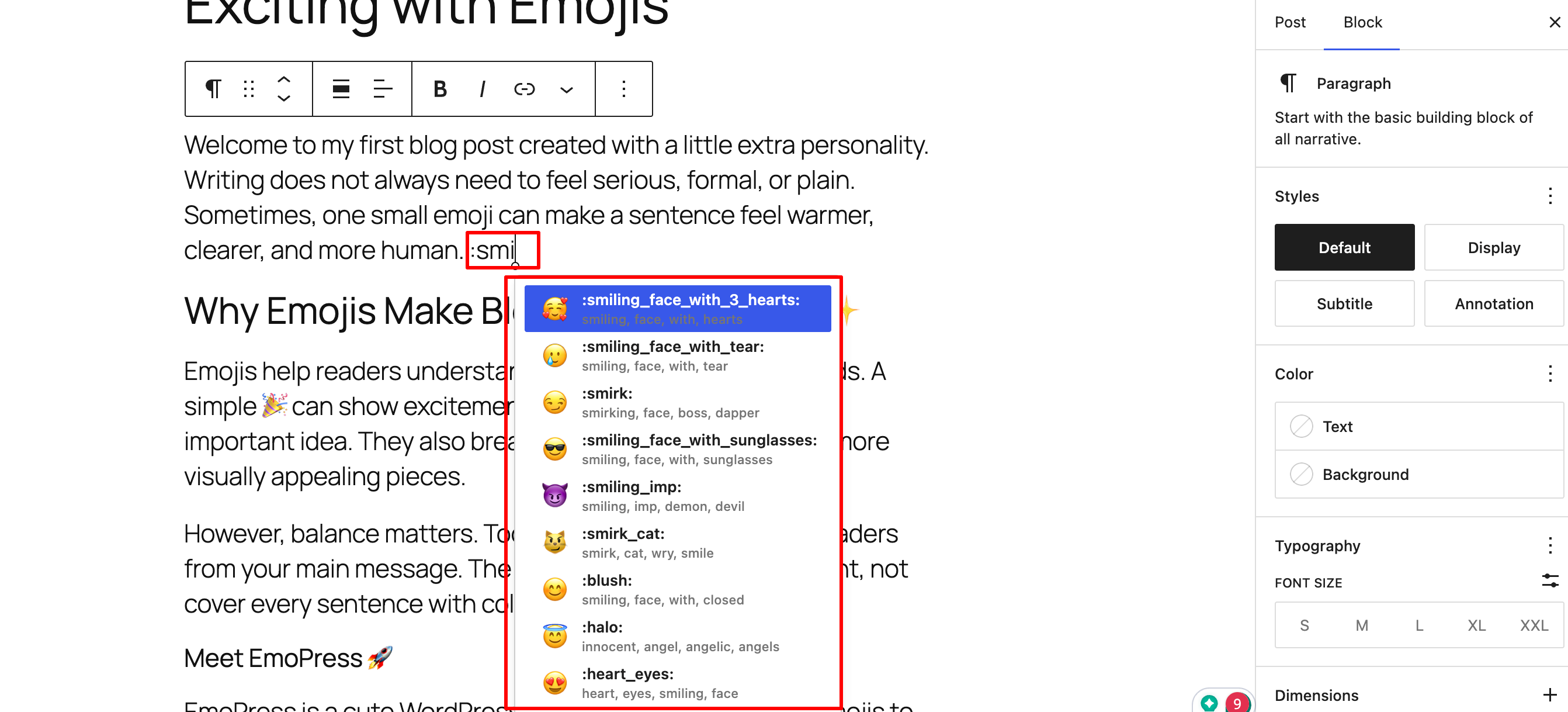
Introducing a modern emoji workflow inside the WordPress block editor. Just type a colon trigger such as :fire, :rocket, or :happy into rich-text blocks, and emoji suggestions will appear instantly, like in Slack, Discord, or Google Docs.
😊😍💪✅⚡️👍🎁🚀😻🐶☠️💀✨🧨⭐🔥
Autocomplete Emoji Suggestions In Gutenberg
Just include a colon (:) and type the suitable word of your emoji into your text in the Gutenberg editor, and all relevant emoji suggestions will appear. No need for copy-pasting or back-and-forth to add a simple emoji in WordPress content.
Emoji Picker Inside Gutenberg RichText Toolbars
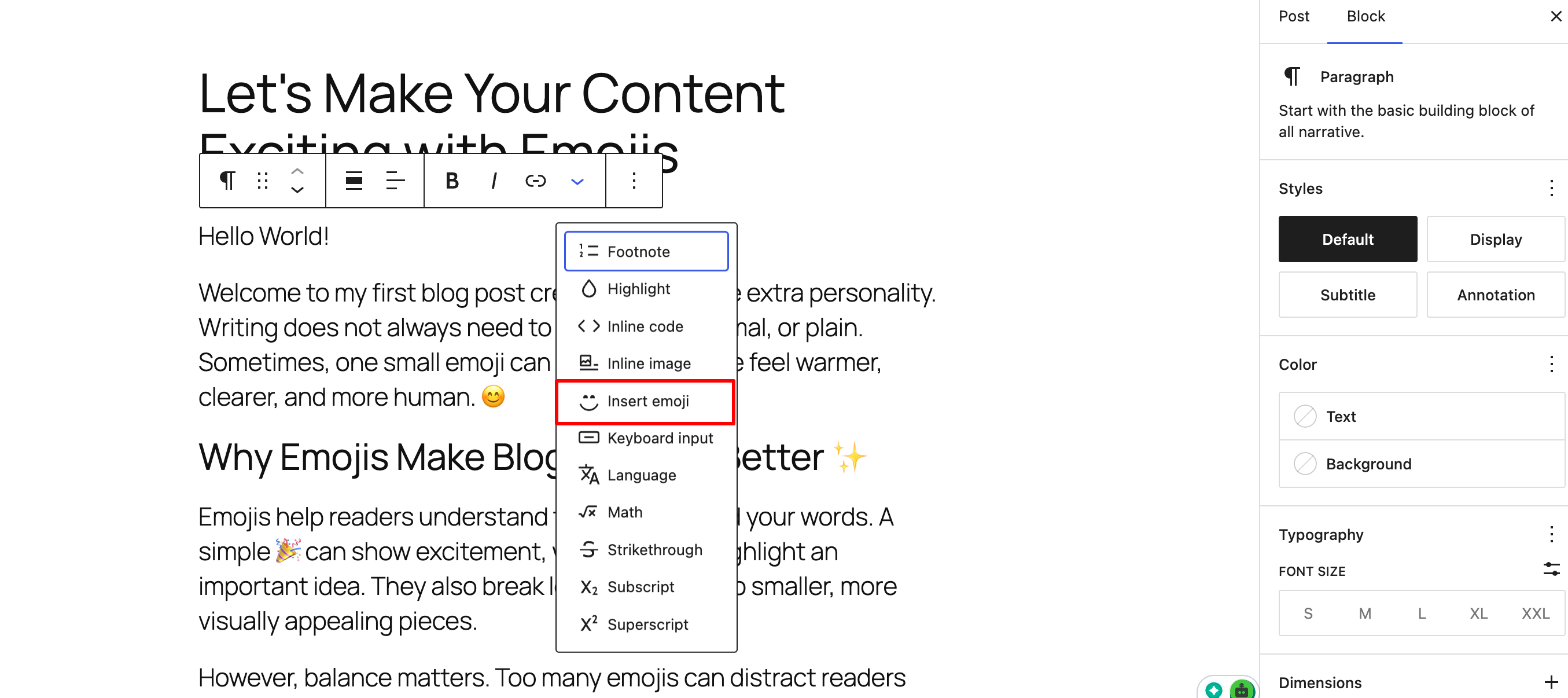
With every RichText content block, you can find SmileyHub Emoji Kit emojis in the toolbar. Just hover over a block, click the three dots, and there you will find the option to insert an emoji. You will find SmileyHub Emoji Kit emojis in every RichText toolbar.
1900+ Emojis Collection Available By Emojibase
SmileyHub Emoji Kit is enriched by one of the most powerful emoji databases—Emojibase. You can get access to thousands of emojis of different colors, shapes, and categories. With SmileyHub Emoji Kit, you can add 1900+ emojis to your WordPress website.
Search Emojis By Name And Related Keywords
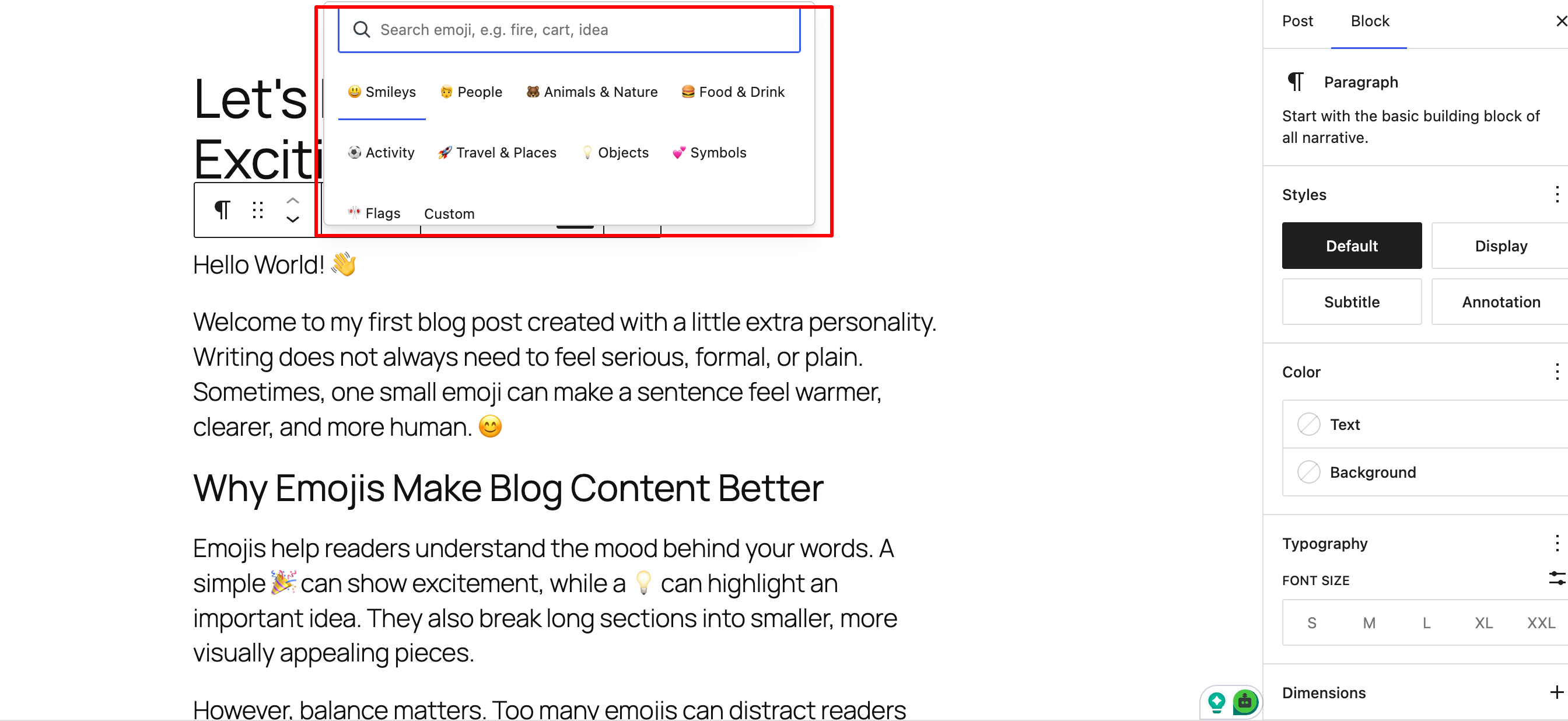
Not only can you add emojis by adding shortcodes, but you can also search for them in the toolbar and pick the right emoji for your content. From the toolbar, you can access the search option for emojis.
Custom Emoji Uploads From The Media Library
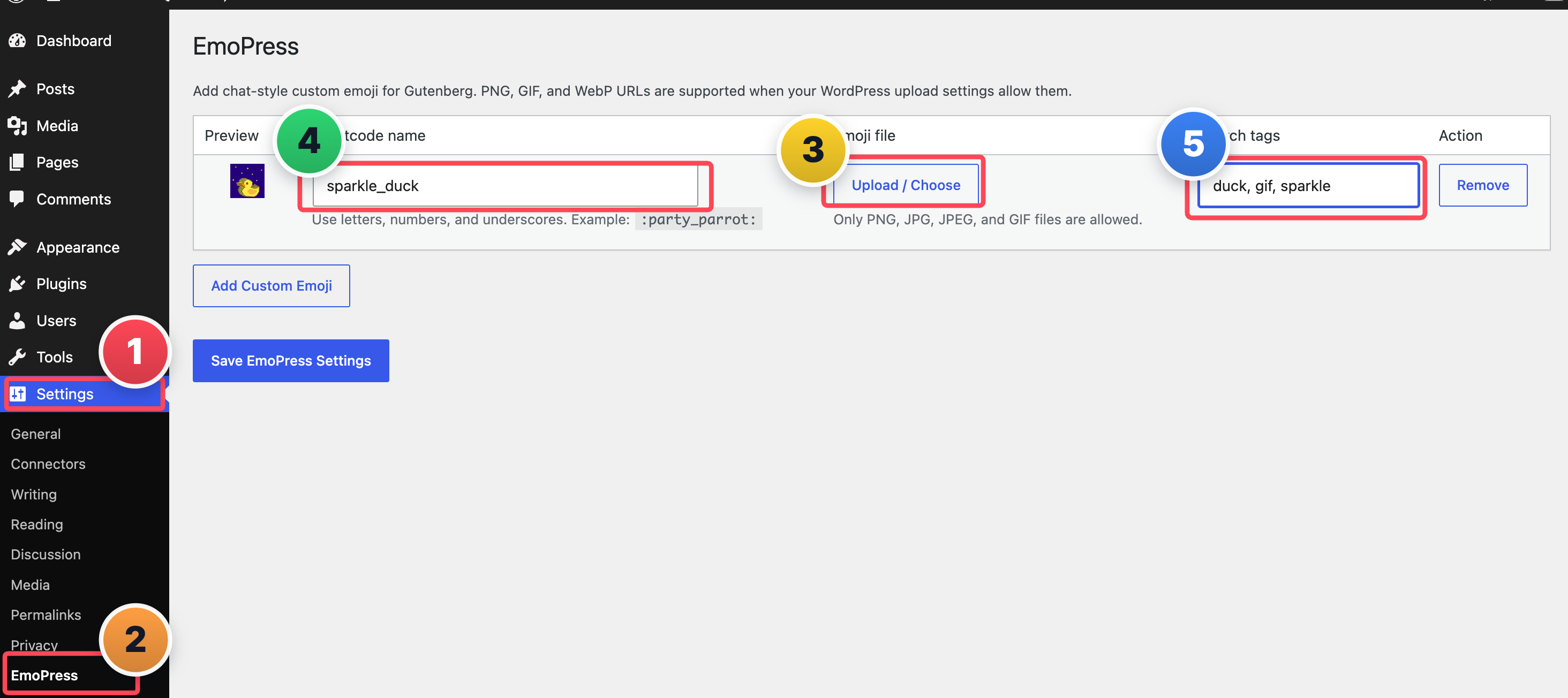
Upload custom emojis to your content to give it a more personalized feel. SmileyHub Emoji Kit allows you to add your own emojis and customize the appearance of your content. Custom emoji formats such as PNG, JPG, JPEG, and GIF are supported. Frontend rendering is also available for custom emoji shortcodes such as ‘:party_parrot:’.
Gutenberg Blocks Compatible with SmileyHub Emoji Kit Emojis
SmileyHub Emoji Kit is compatible with all RichText-powered blocks; here are a few.
* Paragraph.
* Heading.
* List.
* Quote.
* Button text.
* Notice.
* And many third-party blocks that use WordPress RichText.
✅ No external tracking. ✅ No remote scripts.
Privacy Policy
SmileyHub Emoji Kit uses Appsero SDK to collect some telemetry data upon user’s confirmation. This helps us to troubleshoot problems faster & make product improvements.
Appsero SDK does not gather any data by default. The SDK only starts gathering basic telemetry data when a user allows it via the admin notice. We collect the data to ensure a great user experience for all our users.
Integrating Appsero SDK DOES NOT IMMEDIATELY start gathering data, without confirmation from users in any case.
Learn more about how Appsero collects and uses this data.
Mga Screenshot
Pag-install
- Upload the plugin files to the
/wp-content/plugins/smileyhub-emoji-kitdirectory, or install the plugin through the WordPress plugins screen. - Activate the plugin through the Plugins screen in WordPress.
- Open the block editor.
- Click inside a text-based block such as Paragraph or Heading.
- Use the smiley toolbar button or type
:to start emoji autocomplete.
FAQ
-
Where does the emoji data come from?
-
SmileyHub Emoji Kit uses Emojibase metadata for emoji labels, shortcodes, groups, and search data.
-
Does SmileyHub Emoji Kit load remote scripts or external assets?
-
No. SmileyHub Emoji Kit does not load remote scripts for the editor experience.
-
Which custom emoji file types are supported?
-
PNG, JPG, JPEG, and GIF files uploaded or selected from the WordPress Media Library.
-
Where can custom emojis be added?
-
Go to Settings SmileyHub Emoji Kit in the WordPress dashboard. Upload the emoji in PNG,JPG or GIF format.
-
How do custom emoji shortcodes work?
-
If an admin creates a custom emoji named
party_parrot, users can insert it with:party_parrot:. SmileyHub Emoji Kit renders that shortcode as an image on the frontend. -
Does this work in the Classic Editor?
-
SmileyHub Emoji Kit is designed for the WordPress block editor, Gutenberg.
Mga Review


Mga Contributor at Developer
Ang “SmileyHub Emoji Kit” ay open source software. Ang mga sumusunod na tao ay nag-ambag sa plugin na ito.
Mga Contributor
Isalin ang “SmileyHub Emoji Kit” sa iyong wika.
Interesado sa development?
Tingnan ang code, i-check ang SVN repository, o mag-subscribe sa development log sa pamamagitan ng RSS.
Changelog
1.0.0
- Added shortcode-style emoji autocomplete.
- Added colon trigger support.
1.0.2
- Added Appsero SDK for usage analytics
- Added multiple searchable tags per emoji.
- Added custom emoji uploads by uploading PNG,JPG or GIF.
- Improved toolbar search results.
- Added larger emoji library with Emojibase.