

Deskripsyon
Move Your Login Page
Tired of bots finding your WordPress login page? SP Move Login allows you to change your login URL to protect it from automated attacks and brute force attempts.
This plugin contains the Move Login module from SecuPress, a comprehensive WordPress security plugin. While this plugin focuses solely on moving your login page, the full SecuPress version includes many other security features such as:
Why move your login page?
By default, WordPress login pages are located at /wp-login.php and /wp-admin/, making them easy targets for bots and attackers. SP Move Login allows you to:
- Change your login URL to a custom slug
- Protect your registration page (if enabled)
- Block access to the default login pages
- Display custom error messages or redirect to a custom page when someone tries to access the old login URL
Features:
- Simple and easy to use
- Change your login URL with just a few clicks
- Works with pretty permalinks
- Compatible with multisite installations (includes Single Sign-On support)
- Custom error messages for blocked access
- Redirect to custom page option
- Lightweight – focused solely on moving your login page
Note: This plugin requires pretty permalinks to be enabled. You can activate them in Settings > Permalinks.
For more advanced security features, check out the full SecuPress version.
Mga Screenshot
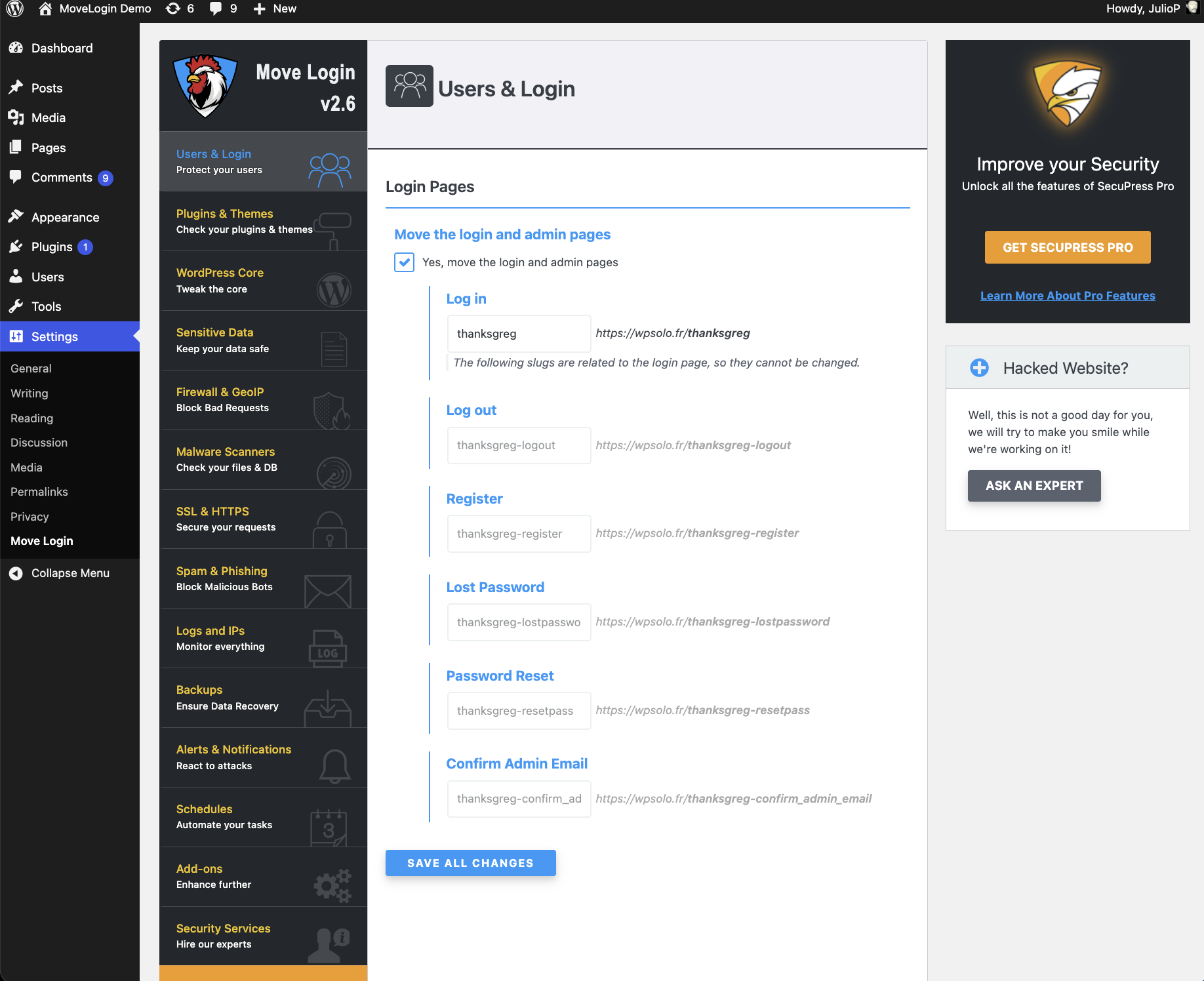
Settings from Move Login (showing available modules in the full version of SecuPress)
Pag-install
- Upload the plugin files to the
/wp-content/plugins/sp-move-logindirectory, or install the plugin through the WordPress plugins screen directly. - Make sure you have pretty permalinks enabled (Settings > Permalinks – any setting except “Plain”).
- Activate the plugin through the ‘Plugins’ screen in WordPress.
- Go to Settings > Move Login to configure your new login URL.
FAQ
-
What does SP Move Login do?
-
SP Move Login allows you to change your WordPress login URL from the default
/wp-login.phpto a custom URL of your choice. This helps protect your site from automated bots and brute force attacks that target the default login page. -
Why do I need to move my login page?
-
By default, every WordPress site has its login page at the same location (
/wp-login.php), making it an easy target for automated attacks. By moving your login page to a custom URL, you make it much harder for bots to find and attack your login page. -
Is SP Move Login compatible with multisite installations?
-
Yes! SP Move Login is fully compatible with WordPress multisite installations and even includes Single Sign-On (SSO) support for multisite networks.
-
What if I get locked out?
-
If you get locked out, you can use the emergency bypass by adding this constant to your
wp-config.phpfile:
define( ‘SFML_ALLOW_LOGIN_ACCESS’, true );Remember to remove this constant after you regain access!
-
Is SP Move Login compatible with all server types?
-
SP Move Login works best with Apache servers. For Nginx servers, you’ll need to manually add the rewrite rules to your server configuration. The plugin will provide you with the necessary rules.
-
Can I use SP Move Login with other security plugins?
-
Yes, SP Move Login can work alongside other security plugins, but we recommend using the full SecuPress version for a complete, integrated security solution.
-
Where can I find more security features?
-
Check out the full SecuPress version which includes many more security features like firewall, malware scanning, backups, and more.
Mga Review


Mga Contributor at Developer
Ang “SP Move Login” ay open source software. Ang mga sumusunod na tao ay nag-ambag sa plugin na ito.
Mga Contributor


Ang “SP Move Login” ay naisalin na sa 2 (na) mga locale. Salamat sa mga tagasalin para sa kanilang mga kontribusyon.
Isalin ang “SP Move Login” sa iyong wika.
Interesado sa development?
Tingnan ang code, i-check ang SVN repository, o mag-subscribe sa development log sa pamamagitan ng RSS.
Changelog
2.6
- 02 December 25
- New Owner, thanks Greg 🙂 Initial release of SP Move Login
- Extracted Move Login module from SecuPress
- Compatible with WordPress 6.7+ and PHP 8.0+