Deskripsyon
A contact form can break without anyone noticing: a plugin update, an expired SMTP password or a hosting change, and enquiries quietly stop arriving. Pulbeat watches for exactly that and tells you by email or Telegram.
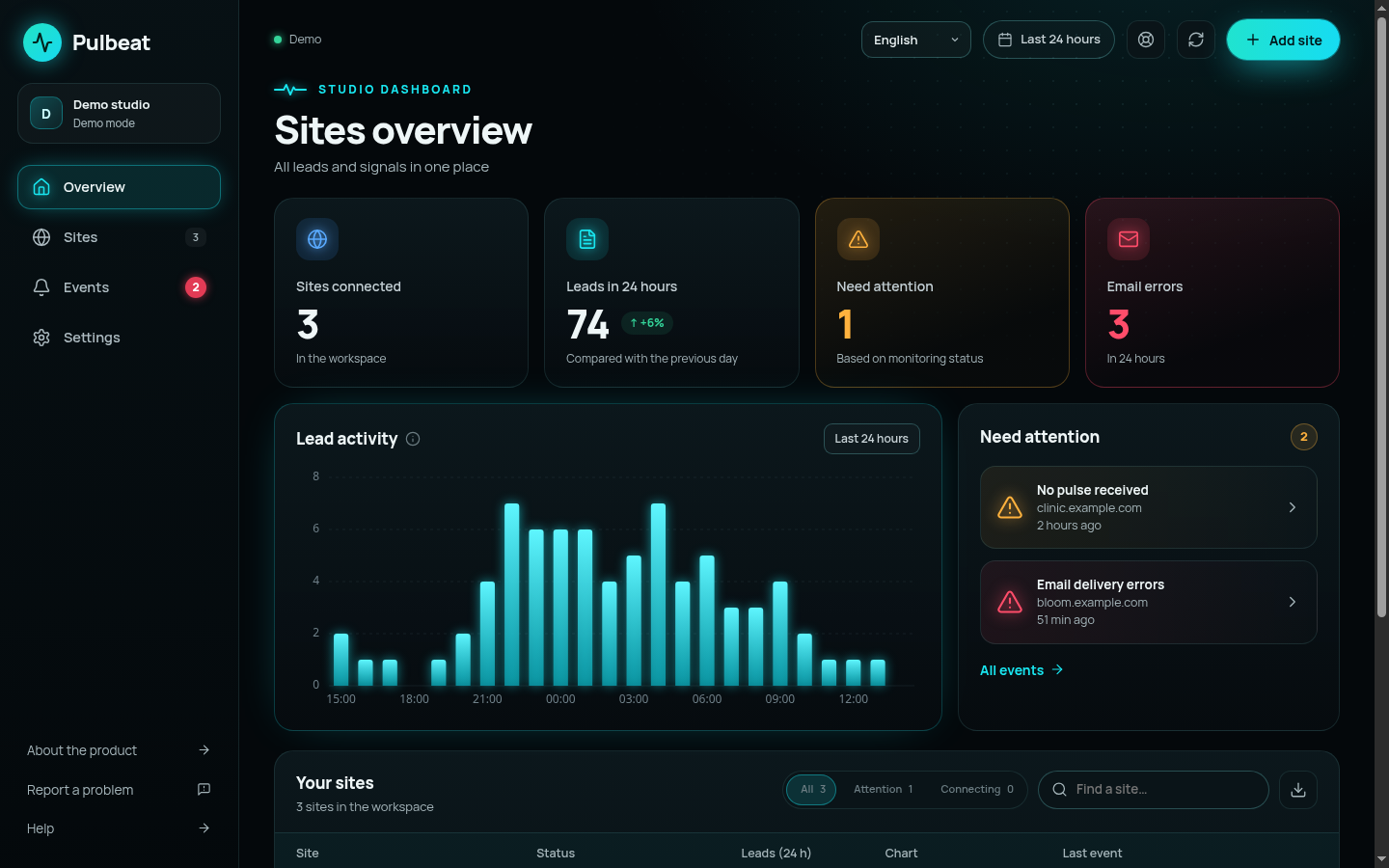
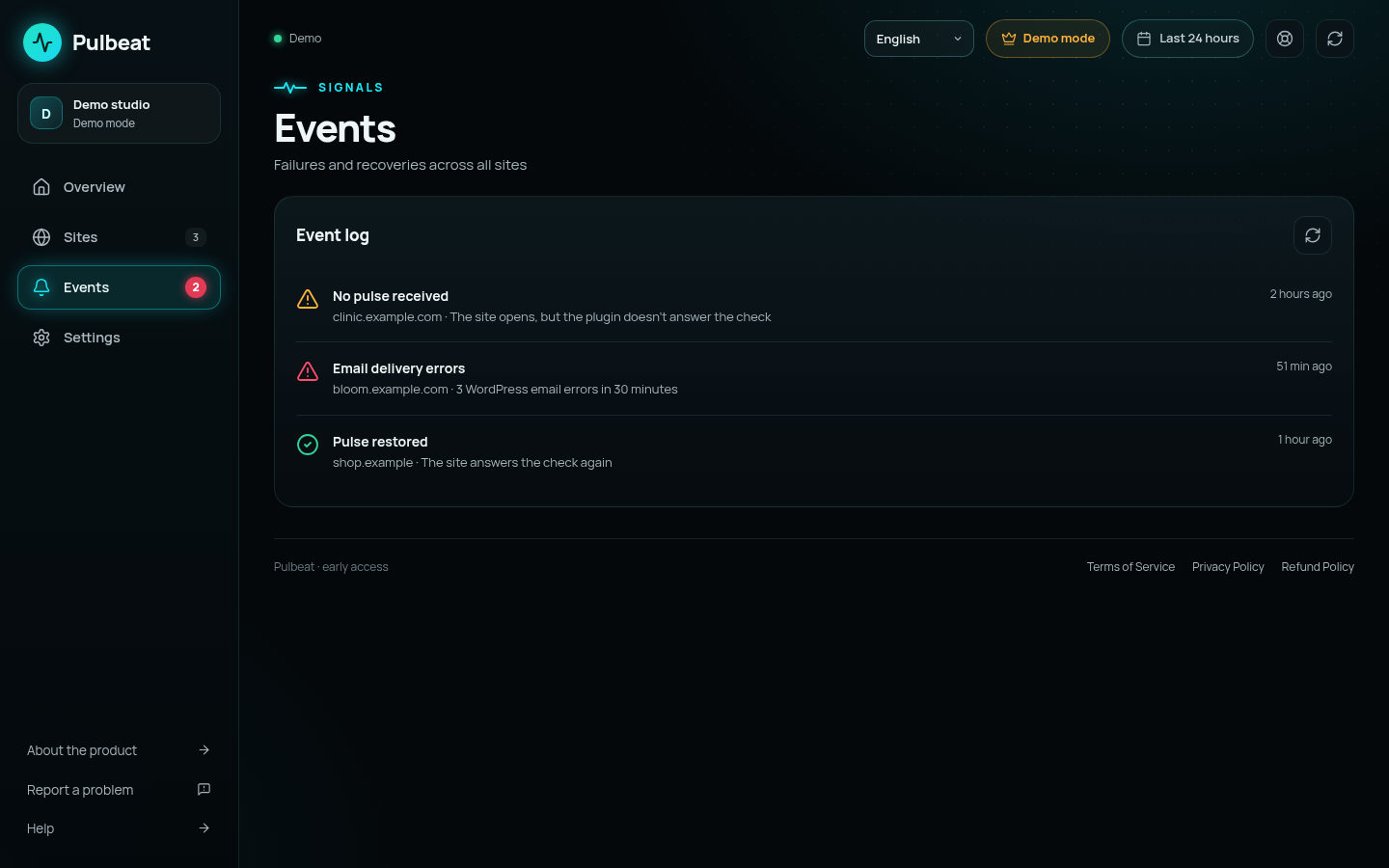
What Pulbeat notices
- Email delivery failures when WordPress cannot send a form notification (
wp_mailerrors). - Unusual silence: no form submissions or orders for longer than is normal for your site at that time of day.
- The site is down or not responding.
- Monitoring is blocked (for example, by a security plugin or a firewall), or the site returns a response that does not pass signature checks.
Supported sources
- Contact Form 7
- Elementor Pro forms
- WooCommerce orders
- Any email sent through
wp_mail
Privacy by design
The plugin stores only five-minute aggregate counters: how many submissions succeeded, how many emails failed, how many were marked as spam, how many orders were created or failed. It never collects or sends form contents, names, email addresses, phone numbers, IP addresses or order details. Forms are identified only by a salted hash, not by their title or ID.
Until an administrator connects the site with a one-time code from the Pulbeat dashboard, the plugin makes no external requests at all.
How it works
- Create a free account at pulbeat.com and add your site in the dashboard. You will get a one-time connection code.
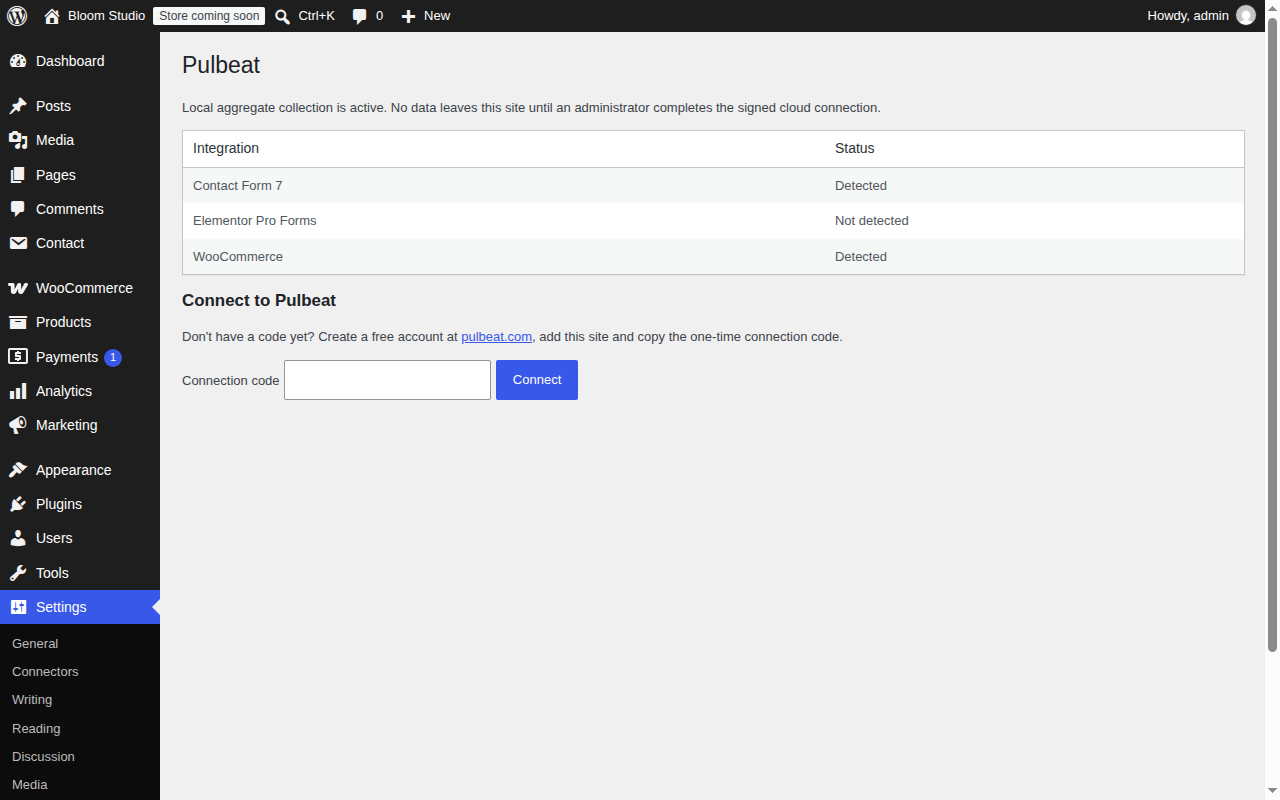
- Install and activate this plugin, open Settings Pulbeat and enter the code.
- The Pulbeat cloud checks your site every few minutes over a signed connection and alerts you when something goes wrong.
Pulbeat is currently in a free public beta. The Solo plan (one site) is free during the beta; paid plans will be announced at least 14 days in advance and nothing is ever charged without your explicit action.
External services
This plugin connects to the Pulbeat cloud service (https://pulbeat.com), which is required for monitoring and alerts. No connection is made until a site administrator enters a connection code in Settings Pulbeat.
- When connecting: the plugin sends the one-time connection code, the site address (scheme and host of the home URL), a newly generated public key of the site and the plugin version to
https://pulbeat.com/v1/sites/connect, together with a timestamp, a random nonce and a signature in request headers. The request is signed with the site’s private key, which never leaves the site. While this request is open, the Pulbeat cloud calls the plugin’s REST endpoint once to verify that it controls the site. - During monitoring: the Pulbeat cloud requests the plugin’s REST endpoint (
/wp-json/pulbeat/v1/pulse) every few minutes. Each request is signed by the cloud and verified by the plugin; unsigned requests are rejected. The plugin replies with the aggregate counters described above (per five-minute interval, with the source plugin of each form and a salted hash identifying the form), the site ID assigned by Pulbeat, the current server time, the plugin version, the WordPress version and the PHP version, signed with the site’s key. - No personal data of your visitors or customers is sent: no form fields, names, email addresses, phone numbers, IP addresses or order contents.
- Disconnecting in Settings Pulbeat or deleting the plugin stops all communication; deleting the plugin also removes all local data it stored.
The service is provided by Pulbeat: Terms of Service, Privacy Policy.
Mga Screenshot
Pag-install
- In WordPress go to Plugins Add New, search for “Pulbeat”, then click Install and Activate. (Or upload the plugin folder to
/wp-content/plugins/and activate it.) - Make sure your site runs over HTTPS at the domain root and that permalinks are not set to “Plain”.
- Create an account at pulbeat.com, add your site and copy the connection code.
- In WordPress open Settings Pulbeat, paste the code and click Connect.
FAQ
-
Does Pulbeat read or store my form submissions?
-
No. The plugin only counts events in five-minute buckets. Form contents and any personal data stay on your site and are never sent anywhere.
-
Will it slow down my site?
-
No noticeable effect. Each form submission or order only increments a counter in a small database table. The cloud checks the site a few times per hour with a lightweight request.
-
Which form plugins are supported?
-
Contact Form 7, Elementor Pro forms and WooCommerce orders. Email failures are detected for any email sent through
wp_mail, which covers most form plugins. -
Do I need an account?
-
Yes. Alerts are sent by the Pulbeat cloud service, so you need a free account at pulbeat.com. During the public beta the Solo plan (one site) is free.
-
Why does the connection fail?
-
The site must be reachable over HTTPS at the domain root, permalinks must not be “Plain”, and the WordPress REST API must not be blocked by a security plugin or firewall for requests from the Pulbeat cloud.
-
How do I disconnect?
-
Open Settings Pulbeat and click Disconnect. Deleting the plugin also removes its table and settings.
Mga Review
Wala pang reviews para sa plugin na ito.
Mga Contributor at Developer
Ang “Pulbeat” ay open source software. Ang mga sumusunod na tao ay nag-ambag sa plugin na ito.
Mga Contributor
Isalin ang “Pulbeat” sa iyong wika.
Interesado sa development?
Tingnan ang code, i-check ang SVN repository, o mag-subscribe sa development log sa pamamagitan ng RSS.
Changelog
0.1.1
- WooCommerce: an order is counted when checkout is completed (abandoned block-checkout drafts are not counted), and a failed order is counted once even if the customer retries the payment.
- Works on hosts without the PHP sodium extension.
- Settings page: clearer integration names and a hint on where to get the connection code.
0.1.0
- First public release: Contact Form 7, Elementor Pro, WooCommerce and wp_mail monitoring; signed cloud connection; alerts by email and Telegram.