

Deskripsyon
myEasy-Preloader displays a full-screen loading screen with your logo and a line of text, then fades out once the page has finished loading.
Features
- Upload your own logo from the Media Library
- Custom loading text with size, font, weight, italic, capitalisation and letter-spacing controls
- Live preview on the settings page that updates as you change options
- Background, text and accent colours
- Nine animations: spinning ring, pulse, bouncing dots, equaliser bars, progress bar, ripple, bouncing logo, flipping logo, or none
- Use any font already loaded on your site by typing its name
- Minimum display time and fade-out time
- Show on all pages, the homepage only, only on selected pages, or everywhere except selected pages
- Option to show only once per browser session
- Skips the admin area, feeds and page-builder editors/previews
- Respects reduced-motion accessibility settings
- No external services, no tracking, no front-end credits
Mga Screenshot

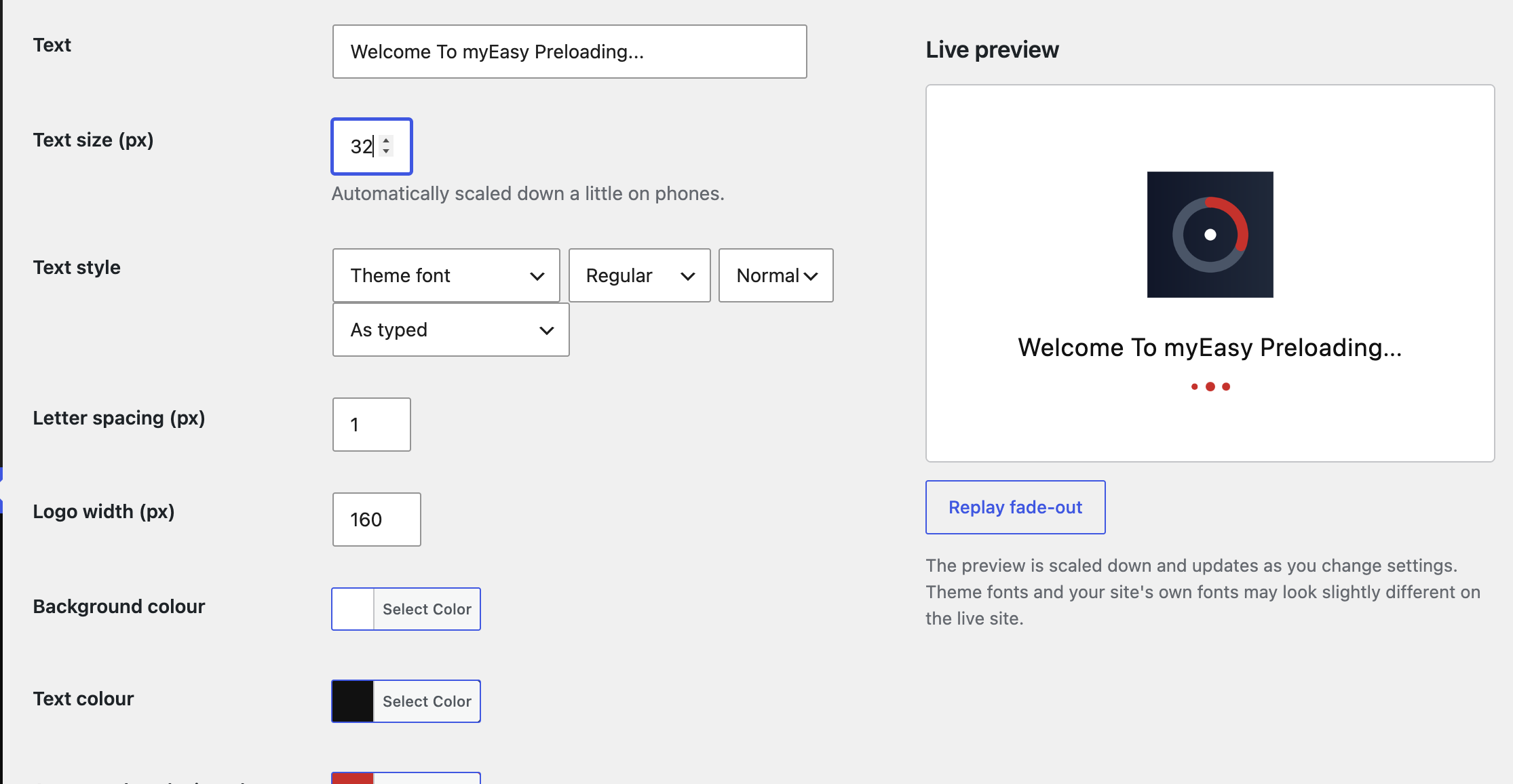


Pag-install
- Upload the
myeasy-preloaderfolder to/wp-content/plugins/, or install the zip via Plugins > Add New > Upload Plugin. - Activate the plugin.
- Go to Settings > myEasy-Preloader to choose your logo, text and options.
- If you use a caching plugin, clear the cache after saving.
FAQ
-
Does it send any data anywhere?
-
No. The plugin does not contact external servers and does not track visitors. The only thing stored in the browser is a small session flag, and only if you enable “Show only once per browser session”.
-
Will it slow my site down?
-
The plugin adds a small amount of inline CSS and JavaScript and no extra network requests.
-
The preloader does not appear.
-
Check that it is enabled, that the “Where to show” setting includes the page, and clear any caching plugin.
-
Can I use Google Fonts or my own fonts?
-
Choose “Custom font name” and type the name of a font your site already loads, for example one installed through the WordPress Font Library, your theme, or a self-hosted font plugin. The plugin does not download fonts or contact Google or any other server. If the font has not finished loading when the preloader appears, a sans-serif fallback is used until it does.
Mga Review
Wala pang reviews para sa plugin na ito.
Mga Contributor at Developer
Ang “myEasy-Preloader” ay open source software. Ang mga sumusunod na tao ay nag-ambag sa plugin na ito.
Mga Contributor
Isalin ang “myEasy-Preloader” sa iyong wika.
Interesado sa development?
Tingnan ang code, i-check ang SVN repository, o mag-subscribe sa development log sa pamamagitan ng RSS.
Changelog
1.3.1
- Fixed the settings page scripts and styles so the live preview, logo picker, colour pickers, custom font field and page selector work.
1.3.0
- Added five animations: bouncing dots, equaliser bars, progress bar, ripple, and bouncing/flipping logo.
- Added a live preview to the settings page.
- Added a custom font name option for fonts already loaded on the site.
1.2.1
- Renamed to myEasy-Preloader and switched to a unique code prefix.
- Admin text is now translatable and saved values are validated again on output.
- Styles and scripts now added using the WordPress enqueue API.
- Added uninstall cleanup, readme and license URI.
1.2.0
- Added text size, font, weight, italic, capitalisation and letter-spacing settings.
1.1.0
- Added “Where to show” page targeting.
1.0.0
- Initial release.