

Deskripsyon
LLMark gives AI agents a clean Markdown version of your WordPress content, so assistants like ChatGPT, Claude and Perplexity (and crawlers like GPTBot and ClaudeBot) read what you mean instead of your cluttered HTML. Humans keep seeing your normal site, and there’s nothing to set up.
- Automatic. Install, activate, done. Markdown is generated on the fly when an agent asks; browsers always get your normal HTML.
- Works with page builders. Bricks, Elementor, Beaver Builder, Oxygen and the rest: LLMark converts the page your visitors actually see, not just the post content.
- WooCommerce-aware. Products come with the real price, stock, SKU and variations, read live from WooCommerce instead of scraped off the page.
- Private stays private. Nothing you’ve set to
noindex, private or password-protected is ever exposed to agents. - Easy to discover. An optional
llms.txtindex and link hints point agents straight at your Markdown. - Solid under the hood. Markdown is produced by league/html-to-markdown, an open-source converter with over 30 million downloads, and comes with clean YAML frontmatter. No bloat, no phone-home, no lock-in.
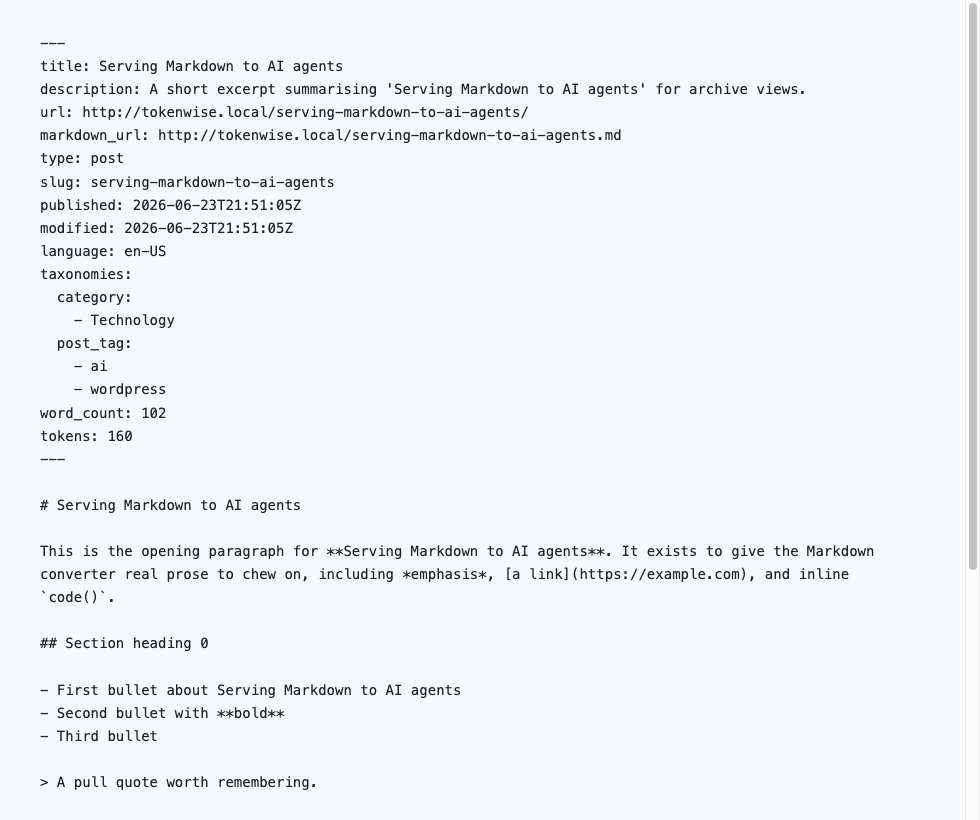
Agents fetch the Markdown by adding .md to any URL, with ?output_format=md, or via an Accept: text/markdown header.
Mga Screenshot
FAQ
Does this change what my human visitors see?
No. Browsers receive your normal HTML. Markdown is only served when an agent explicitly asks for it via a
.mdURL,?output_format=md, or anAccept: text/markdownheader.Will my noindex or private content be exposed to AI agents?
No. LLMark withholds Markdown for any content that is
noindex, private, password-protected, or excluded per-post. The same gate also governs the discovery hints and thellms.txtlisting.Does it work with Bricks, Elementor and other page builders?
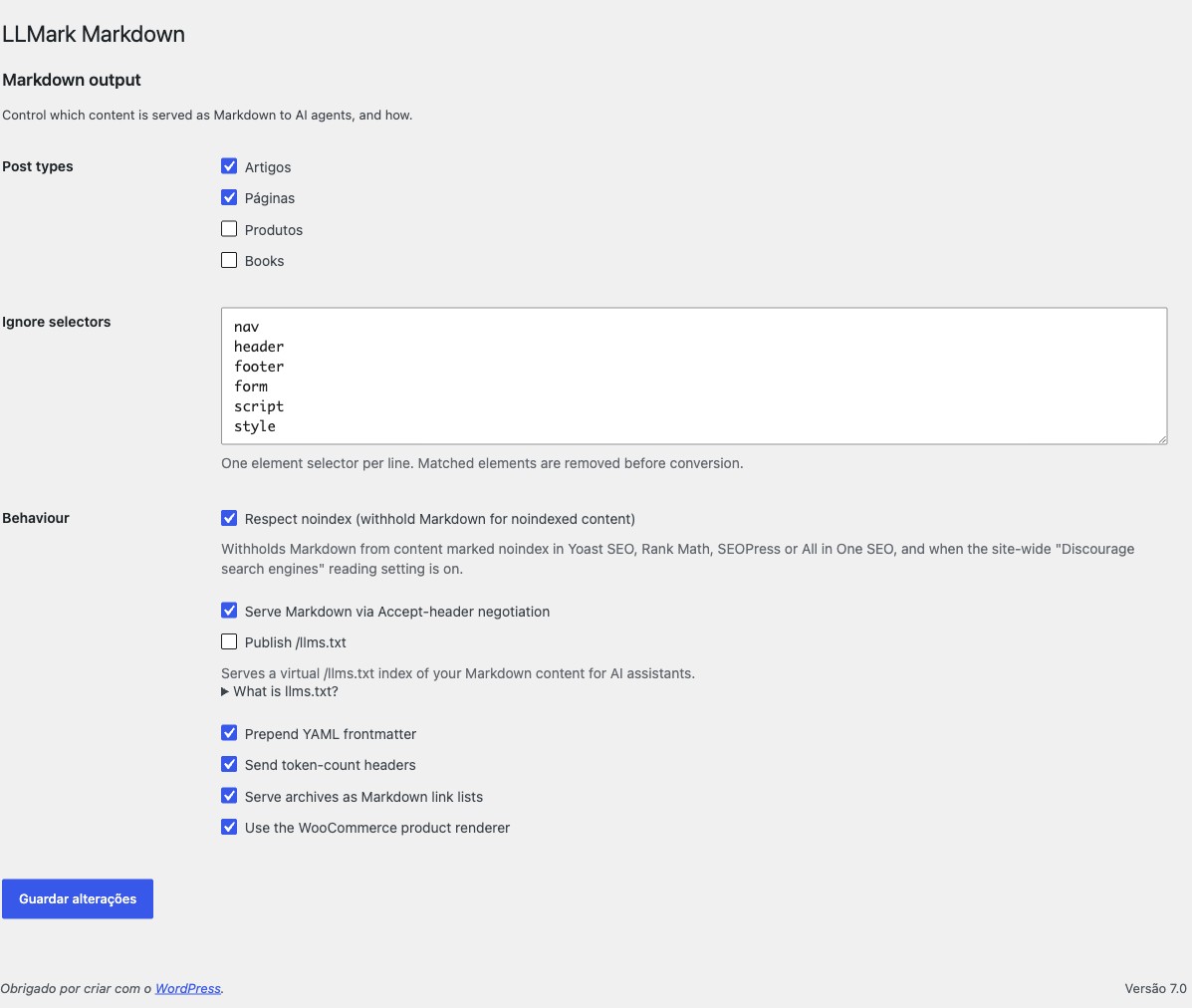
Yes. LLMark renders the page the way a visitor sees it and converts its main content area, leaving out the header, footer, menus and comments. Use the ignore selectors on the settings screen to drop anything else, such as a cookie banner or a newsletter box.
Does it work with WooCommerce?
Yes. Products are rendered from the WooCommerce data layer with accurate price, SKU, stock, attributes and a variations table.
I get a 404 when I add .md to a URL. Why?
Pretty permalinks must be enabled. Go to Settings Permalinks, pick any structure other than “Plain”, and save once to refresh the rewrite rules. The
?output_format=mdparameter works regardless of permalink settings.Is this AEO / GEO / AI SEO?
It’s the plumbing for it. Answer Engine Optimization (AEO) and Generative Engine Optimization (GEO) are about being legible to AI search and assistants. LLMark hands those crawlers a clean, token-light Markdown copy of your content, WooCommerce products included, so they ingest what you mean instead of wading through themed HTML.
Do I have to configure anything?
No. Once active, eligible content is served as Markdown on the fly. Visit Settings LLMark only to change which post types are exposed or tune the behaviour.
Can developers customise the output?
Yes. LLMark exposes filters to control eligibility and shape the Markdown and its frontmatter:
llmark_is_eligibledecides whether a given post is served as Markdown.llmark_frontmatter_data(andllmark_product_frontmatter_datafor WooCommerce) adds or changes YAML frontmatter fields.llmark_response_headersadjusts the headers sent with Markdown responses.
Which post types are exposed is set on the Settings screen, so the common case needs no code.
Does the plugin phone home?
No. LLMark sends no data to any external service.
Mga Review
Wala pang reviews para sa plugin na ito.
Mga Contributor at Developer
Ang “LLMark – Markdown for AI Agents & LLMs” ay open source software. Ang mga sumusunod na tao ay nag-ambag sa plugin na ito.
Mga Contributor
Isalin ang “LLMark – Markdown for AI Agents & LLMs” sa iyong wika.
Interesado sa development?
Tingnan ang code, i-check ang SVN repository, o mag-subscribe sa development log sa pamamagitan ng RSS.
Changelog
1.0.1
- Fix: Markdown was plain text without headings, links or tables, because the bundled converter was not loading.
- Fix: pages built with Bricks, Oxygen and other page builders came out empty. LLMark now converts the rendered page, so any builder works.
- Fix: headings after images, tables and layout blocks ran into the previous block.
- Fix: YouTube and other embeds, audio and video become links instead of raw HTML.
- Fix: ignore selectors now accept classes and IDs (
.cookie-banner,#promo), not only tag names. - Fix: a static front page requested with
?output_format=mdreturned the blog archive, and its discovery link pointed at a broken URL. - Fix: cookie banners and popups no longer end up in the Markdown.
- Fix: once a visitor had entered the password of a protected post, its Markdown could be cached and served to everyone. Password-protected content is never served as Markdown.
- Improvement: strikethrough text uses Markdown
~~strikethrough~~. - Improvement: the cache clears itself when a page builder, a site template or the theme changes.
1.0.0
- Initial release.
- Three ways for agents to request Markdown:
.mdURLs,?output_format=md, andAccept: text/markdowncontent negotiation. - Eligibility gate that respects
noindex, private, password-protected and per-post-excluded content (Yoast, Rank Math, SEOPress, All in One SEO). - WooCommerce-aware product rendering from the data layer: price, SKU, stock, attributes and a variations table.
- Safe YAML frontmatter, archive link-lists, optional
llms.txt, discovery hints, and a cache that purges itself on edits.