

Deskripsyon
- Bootstrap Icons (2000+ icons).
- Add pixel perfect web font icons.
- Easy and simple integration.
- Autofilter.
- Can be used with any WordPress theme.
- Only compatible with WordPress (Gutenberg) Core. Third-party page builders have not been tested.
- Privacy by Design: No CDN hosted files.
The Bootstrap Icons library (MIT License) is brought to you by the Bootstrap team https://github.com/twbs/icons. We are not affiliated with Bootstrap.
More
If you like this plugin and regularly use Emojis in your posts you may find our 😀 Emoji Toolbar plugin useful.
Contribution?
- The plugin development can be followed via GitHub <3
- We are happy to receive feature suggestions and pull requests: https://github.com/them-es/i-toolbar
More information
Mga Screenshot
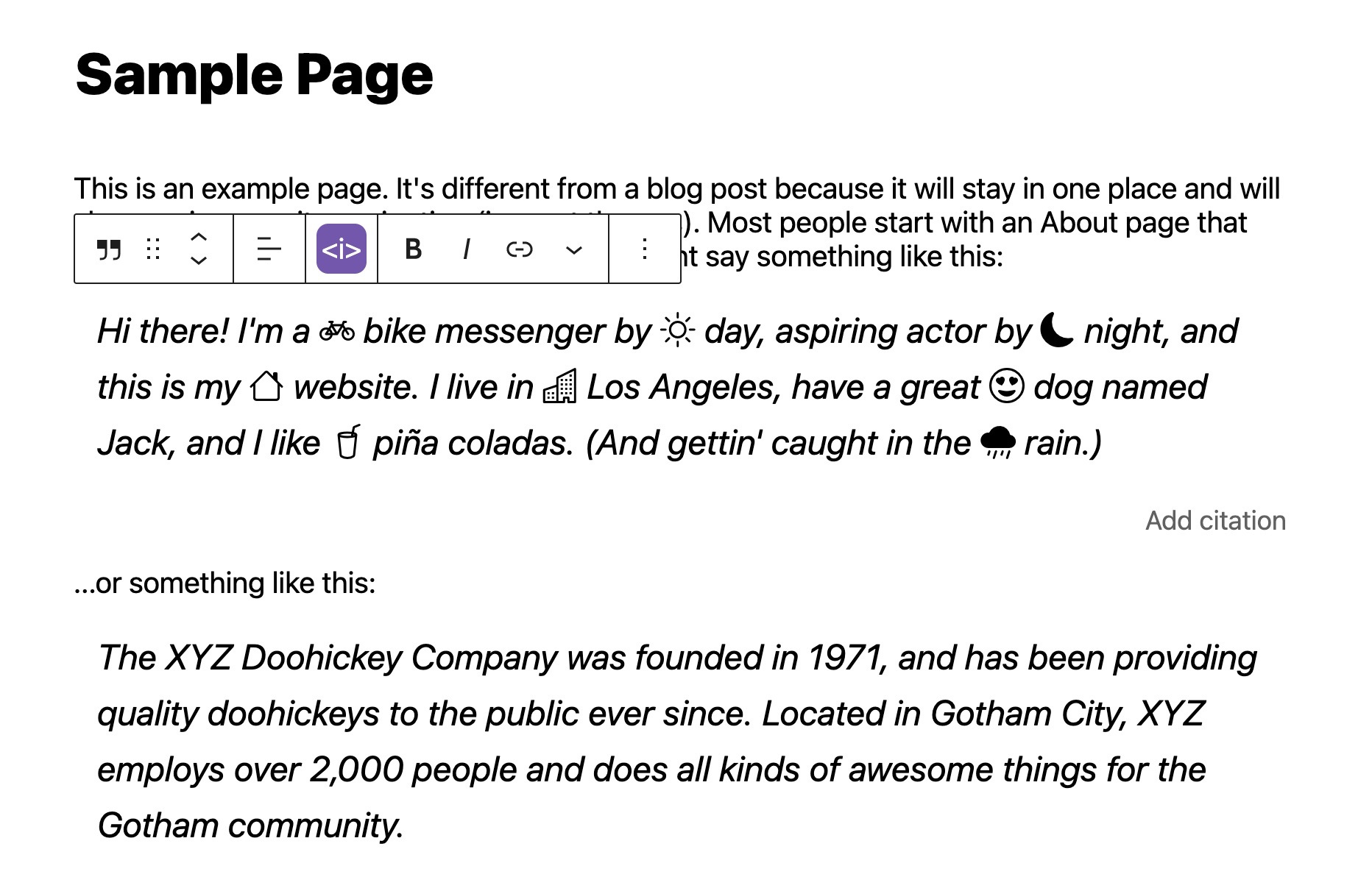
<i> Toolbar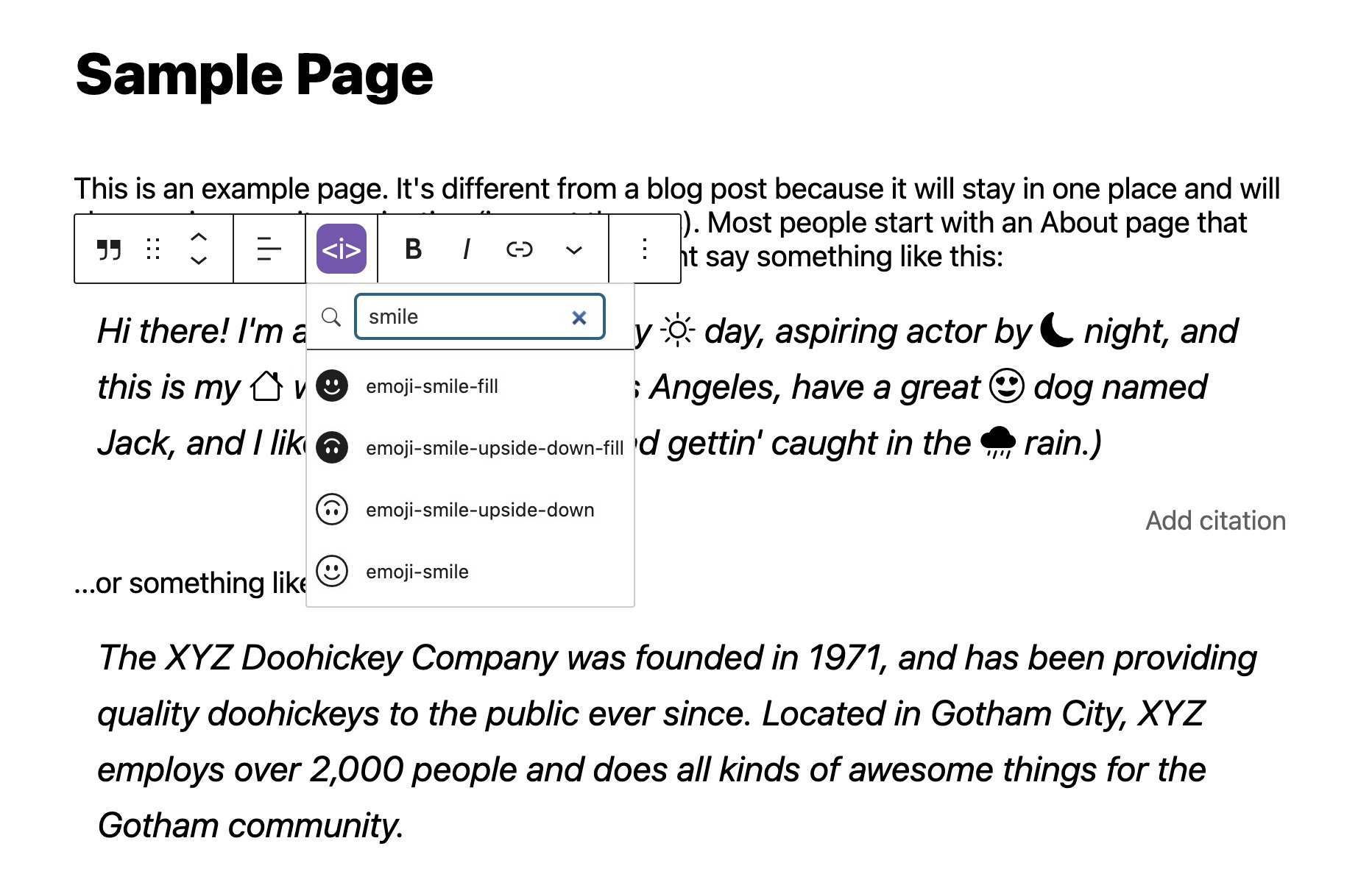
Pag-install
- Upload the plugin to the
/wp-content/plugins/directory. - Activate it through the ‘Plugins’ menu in WordPress.
- Open a page or post using the block editor, add a paragraph or heading block and select the “Bootstrap Icon” menu item from the toolbar.
- Choose an Icon and it will appear in the content area. Simple and fast!
FAQ
-
Why is this plugin named <i> Toolbar?
-
- Web font icons are usually added with the
<i>HTML tag like<i class="icon-arrow-up"></i>and in the end we came up with <i> Toolbar
- Web font icons are usually added with the
-
Is Bootstrap required to use the icons on my website?
-
- No, this plugin has no dependencies and works with any modern theme.
-
Is this plugin compatible with Multisite?
-
- Yes, you can network-activate this plugin and the feature will be enabled on all sites.
Mga Review
Wala pang reviews para sa plugin na ito.
Mga Contributor at Developer
Ang “<i> Toolbar” ay open source software. Ang mga sumusunod na tao ay nag-ambag sa plugin na ito.
Mga Contributor
Ang “<i> Toolbar” ay naisalin na sa 2 (na) mga locale. Salamat sa mga tagasalin para sa kanilang mga kontribusyon.
Isalin ang “<i> Toolbar” sa iyong wika.
Interesado sa development?
Tingnan ang code, i-check ang SVN repository, o mag-subscribe sa development log sa pamamagitan ng RSS.
Changelog
1.2.2
Code quality
1.2.1
- Minor code cleanup
- Don’t enqueue the block init script outside the editor to prevent a “rest_no_route” JS error on the frontend
1.2.0
- Code refactoring
- Compatibility with the iframed Editor
- Tested up to WordPress 6.9
1.1.11
- Updated Bootstrap Icons to v1.13.1
- Tested up to WordPress 6.8
1.1.10
- Tested up to WordPress 6.7
1.1.9
- Fix corrupted font files
1.1.8
- Tested up to WordPress 6.6
- Minor refactoring
- Update toolbar button styling
- Add a blueprint.json
1.1.7
- Updated Bootstrap Icons to v1.11.3
1.1.6
- Tested up to WordPress 6.4
- Updated Bootstrap Icons to v1.11.1
1.1.5
- Updated Bootstrap Icons to v1.11
1.1.4
- Updated Bootstrap Icons to v1.10.5
1.1.3
- Code quality
- Documentation
- Update dependencies
1.1.2
- Updated Bootstrap Icons to v1.10.2
1.1.1
- Updated Bootstrap Icons to v1.9.1
1.1.0
- Change how bootstrap-icons.json is read to be compatible with Docker container and HTTP basic authentication. Props https://github.com/dkellner
1.0.5
- Minor style updates
1.0.4
- Updated Bootstrap Icons to v1.8.1
1.0.3
- Updated Bootstrap Icons to v1.7.2
- Tested up to WordPress 5.9
1.0.2
- Updated Bootstrap Icons to v1.7
1.0.1
- Updated Bootstrap Icons to v1.6
1.0.0
- Initial release