
Deskripsyon
This plugin addresses the need for a simple way to add HTTP headers to outbound HTTP responses in your site.
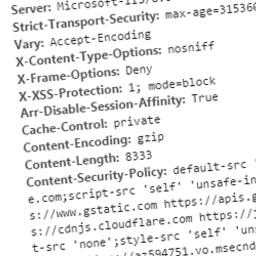
These headers can include custom ones specific to your application, or can be security related. Some you may wish to specify to protect your site may include:
- Public-Key-Pins
- Strict-Transport-Security
- X-Frame-Options
- X-XSS-Protection
- X-Content-Type-Options
- Content-Security-Policy
- Content-Security-Policy-Report-Only
Related Links
Mga Screenshot


Pag-install
This section describes how to install the plugin and get it working.
- Upload the plugin files to the
/wp-content/plugins/headitdirectory, or install the plugin through the WordPress plugins screen directly - Activate the plugin through the
Pluginsscreen in WordPress - Use the Settings->Headit screen to configure the plugin
FAQ
- Can I set dynamic headers using Headit?
-
Currently Headit can only be used to add static headers to your site.
- Can I override existing headers?
-
All headers added using this plugin will not replace existing headers present in the response.
Mga Review
Wala pang reviews para sa plugin na ito.
Mga Contributor at Developer
Ang “Headit” ay open source software. Ang mga sumusunod na tao ay nag-ambag sa plugin na ito.
Mga Contributor
Isalin ang “Headit” sa iyong wika.
Interesado sa development?
Tingnan ang code, i-check ang SVN repository, o mag-subscribe sa development log sa pamamagitan ng RSS.
Changelog
1.0
- Able to set custom static response headers