
Deskripsyon
- Adds STL as a media type for uploads.
- Adds STL as a filter in media browser for picking items.
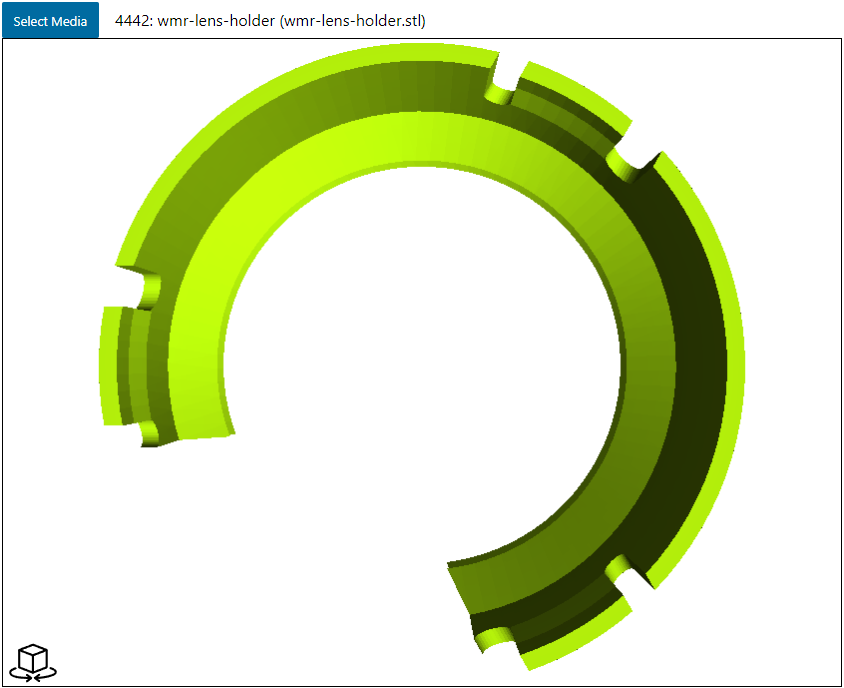
- Provides editor block for embedding a viewer, based on viewstl plugin.
- Editor block uses media browser to pick model.
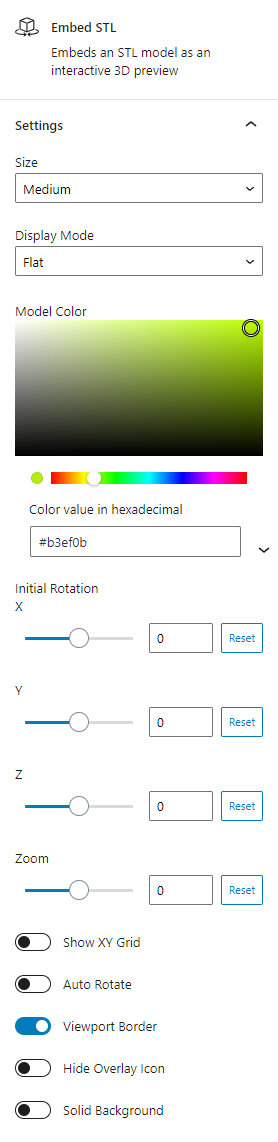
- Options to set model color, background color, border, auto rotation, etc.
- Editor block updates with changes to match what live site would display.
- Relevant elements are prefixed to allow displaying multiple viewers on one site page.
Mga Screenshot
Blocks
Ang plugin na ito ay nagbibigay ng 1 block.
- Embed STL Embeds an STL model as an interactive 3D preview
FAQ
What file types are supported?
Right now just STL. A couple others like OBJ or 3MF may be easily added. Others would take some extra work.
Mga Review

Nobyembre 1, 2023
2 na mga reply
This does exactly what it says it will do. Allows you to upload STL files and display them on the site. Works great, love the features like changing model colour & auto rotate. Would be nice to have auto rotate axis choice but all in all, great plugin. First one I've rated, because it just works that good I had to.

Disyembre 20, 2022
Sólo lo he utilizado para archivos STL y la verdad que es muy cómodo para mostrar un STL en el blog.
Only used with STL files but easy to use in the blog.
Mga Contributor at Developer
Ang “Embed STL” ay open source software. Ang mga sumusunod na tao ay nag-ambag sa plugin na ito.
Mga Contributor
Ang “Embed STL” ay naisalin na sa 1 (na) locale. Salamat sa mga tagasalin para sa kanilang mga kontribusyon.
Isalin ang “Embed STL” sa iyong wika.
Interesado sa development?
Tingnan ang code, i-check ang SVN repository, o mag-subscribe sa development log sa pamamagitan ng RSS.
Changelog
1.0.2
- Update block to apiVersion 3, fix compatibility with newer versions
1.0.1
- Fix inline install from block editor
1.0.0
- Initial release