

Deskripsyon
—
Stay up-to-date with the latest by following @kingproplugins on Twitter, KingProPlugins on Facebook or King Pro Plugins on Google+
—
Built as a continuation of the blog posts on King Pro Plugins – Building a simple WordPress Plugin
Details King Pro creates an easy way to have global values that can be used site with either via the provided shortcode or
via the PHP functions. Fields dynamically created by you can have a variety of values such as single textbox plain text value, block textarea plain text value, WYSIWYG content
value, file upload (such as a logo), or a date picker field.
—
If you have any suggestions or would like to see a feature in the plugin, please let me know in the support forum.
Any issues you are having, I’d also love to know, so again, please let me know using the support forum.
—
Check out the King Pro Plugins range
How To Use
Use Shortcodes
Shortcodes can be used in any page or post on your site. By default:
[dkp k=”your-field-key”]
If you would like to display an error if the key is not found:
[dkp k=”your-field-key” e=true]
To add this into a template, just use the “do_shortcode” function:
<?php if (function_exists(‘dkp_func’)) echo do_shortcode(“[dkp k=’your-field-key’]”); ?>
Of course, why do that when you have functions you can use:
<?php the_dkp_field($field_key, $error); ?>
This will print the value right there, or if you need to use the variable prior to printing it, use:
<?php $value = get_dkp_field($field_key, $error); ?>
—
Having Trouble? Get support either on the support forums here or at @kingproplugins on Twitter, KingProPlugins on Facebook or King Pro Plugins on Google+
—
Mga Screenshot
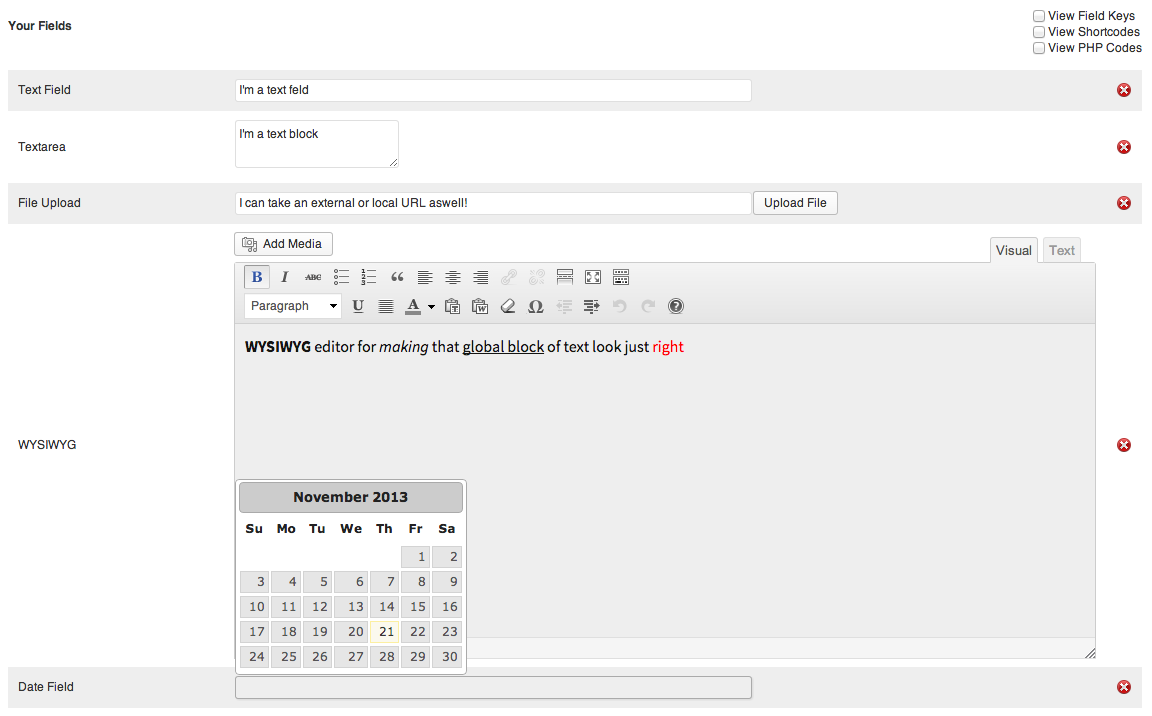
Details King Pro types of possible fields 
How easy it is to create a new field
Pag-install
- Download and unzip the zip file onto your computer
- Upload the ‘details-king-pro’ folder into the
/wp-content/plugins/directory (alternatively, install the plugin from the plugin directory within the admin) - Activate the plugin through the ‘Plugins’ menu in WordPress
- Create your first field within the ‘Details King Pro’ section of the admin
- Within the WYSIWYG editor, place the short code ‘[dkp k=”your-field-key”]’ or within the code, <?php the_dkp_field(‘your-field-key’); ?>
—
Having Trouble? Get support either on the support forums here or at @kingproplugins on Twitter, KingProPlugins on Facebook or King Pro Plugins on Google+
—
FAQ
- After activating this plugin, my site has broken! Why?
-
Nine times out of ten it will be due to your own scripts being added above the standard area where all the plugins are included. If you move your javascript files below the function, “wp_head()” in the “header.php” file of your theme, it should fix your problem.
—
Have a question thats not listed? Get support either on the support forums here or at @kingproplugins on Twitter, KingProPlugins on Facebook or King Pro Plugins on Google+
—
Mga Review
Wala pang reviews para sa plugin na ito.
Mga Contributor at Developer
Ang “Details King Pro” ay open source software. Ang mga sumusunod na tao ay nag-ambag sa plugin na ito.
Mga Contributor
Isalin ang “Details King Pro” sa iyong wika.
Interesado sa development?
Tingnan ang code, i-check ang SVN repository, o mag-subscribe sa development log sa pamamagitan ng RSS.
Changelog
1.0
- Initial