

Deskripsyon
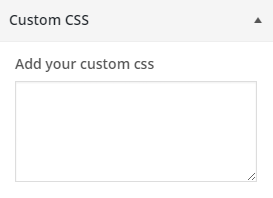
Easily overwrite your theme’s CSS from customizer and preview it before saving. Customizer Custom CSS does not require any configurationn and easy to use. Now there is no need of creating child theme just to change the CSS.
Mga Screenshot
Pag-install
From your WordPress dashboard
- Visit ‘Plugins > Add New’
- Search for ‘customizer-custom-css’
- Activate Customizer Custom CSS plugin from your Plugins page.
- Go to the Customizer (Appearance -> Customize) to add custom CSS to your site.
From WordPress.org
- Download customizer-custom-css.
- Upload the ‘customizer-custom-css’ directory to your ‘/wp-content/plugins/’ directory, using your favorite method (ftp, sftp, scp, etc…)
- Activate customizer-custom-css from your Plugins page.
- Go to the Customizer (Appearance -> Customize) to add custom CSS to your site.
FAQ
No FAQ yet.

Mga Contributor at Developer
Ang “Customizer Custom CSS” ay open source software. Ang mga sumusunod na tao ay nag-ambag sa plugin na ito.
Mga Contributor
Ang “Customizer Custom CSS” ay naisalin na sa 1 (na) locale. Salamat sa mga tagasalin para sa kanilang mga kontribusyon.
Isalin ang “Customizer Custom CSS” sa iyong wika.
Interesado sa development?
Tingnan ang code, i-check ang SVN repository, o mag-subscribe sa development log sa pamamagitan ng RSS.
Changelog
1.2.3 – 3/11/2025
- Tested with the latest version of WordPress
1.2.2 – 7/25/2023
- Tested with latest version of WordPress
1.2.1 – 4/22/2022
- Description text update for fields
1.2 – 3/15/2022
- Fields added to add CSS for Mobile, Tablet and Desktop
1.1 – 11/26/2015
- Sanitization Update
1.0 – 7/8/2015
- Initial Release