

Deskripsyon
Cypress North Password Policy enforces a strong, modern password policy on your WordPress site. Defaults align with NIST 800-63B guidance: length over composition rules, denylist screening, breach-corpus checks, and rate-limited login. Every setting is admin-configurable.
What you get
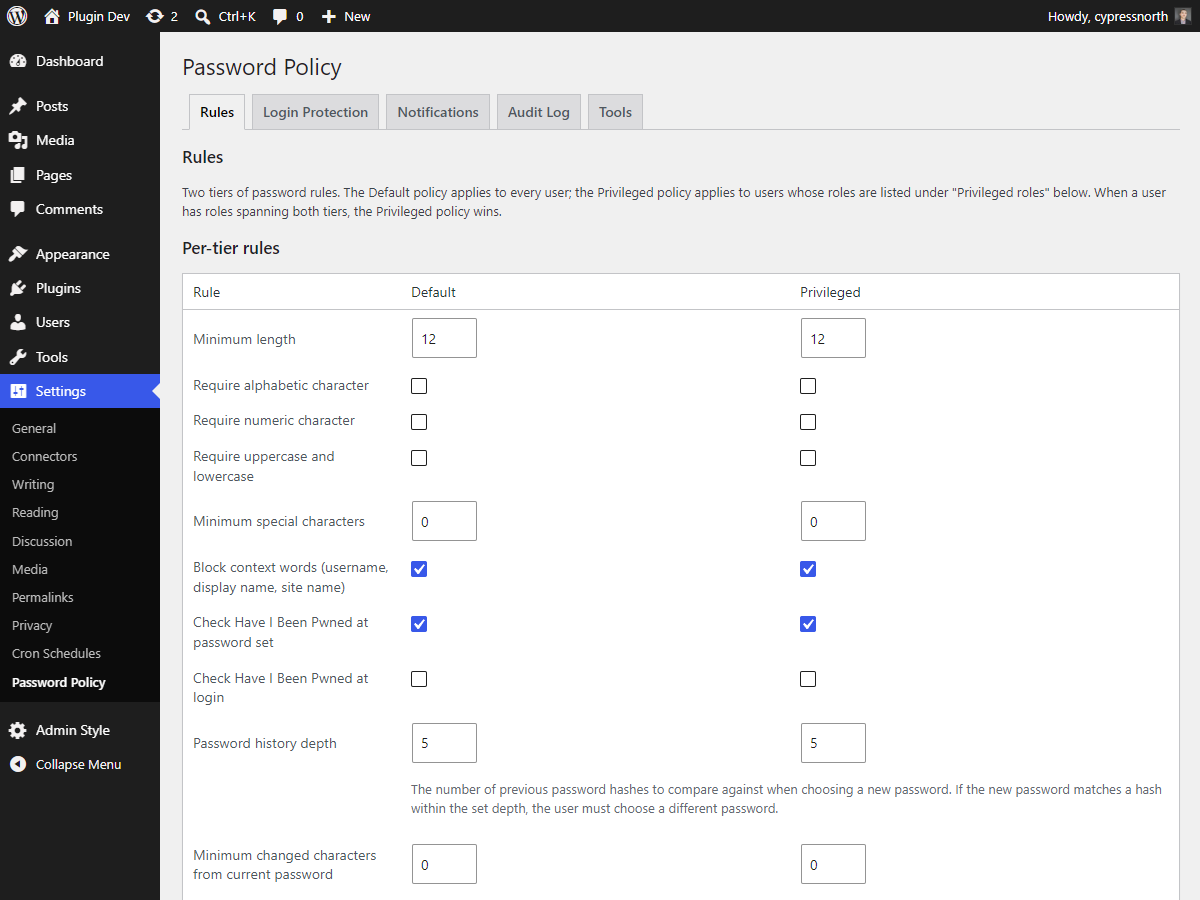
- A password rule engine that validates on user registration, password reset, and profile updates — covering minimum length, character requirements, breach-corpus check via the Have I Been Pwned k-anonymity API, denylist of common passwords, edit-distance check against the current password, and a per-user history check.
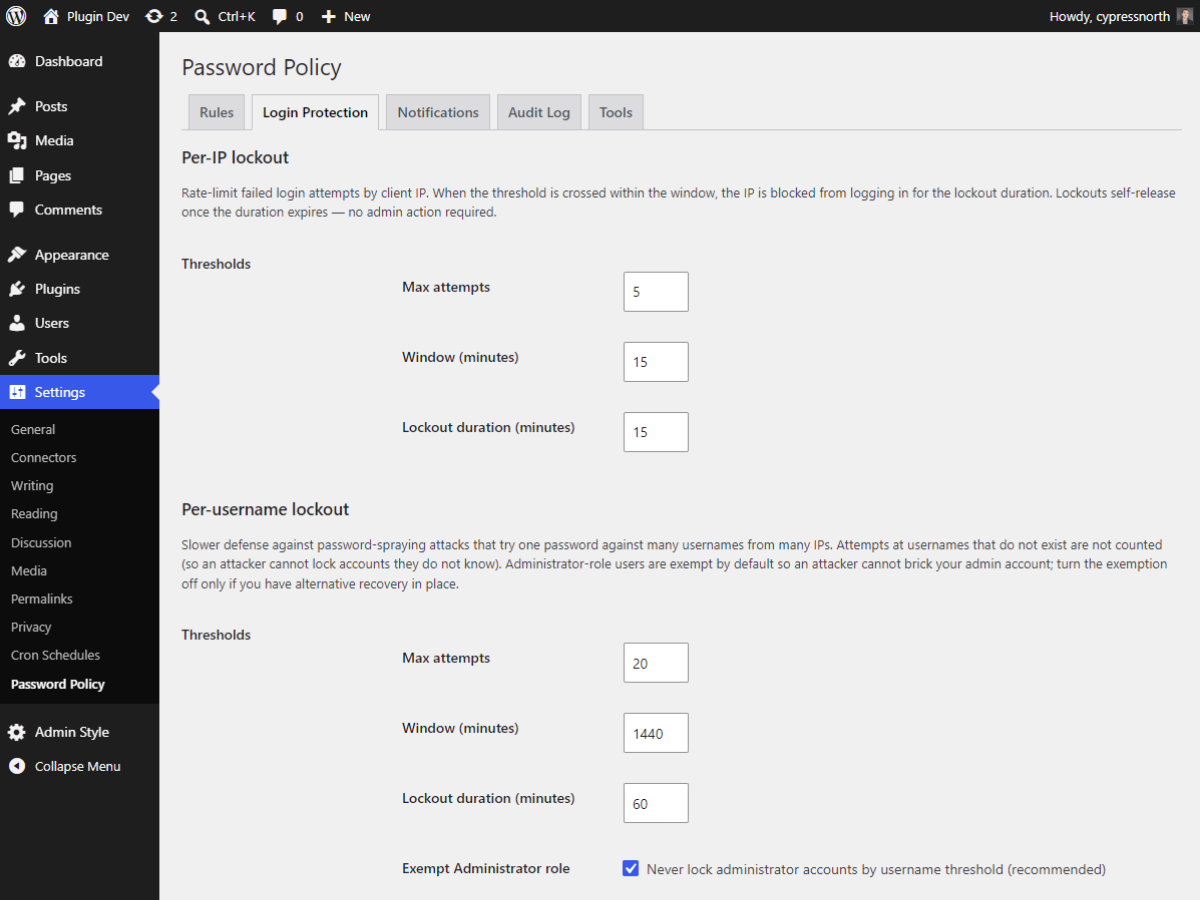
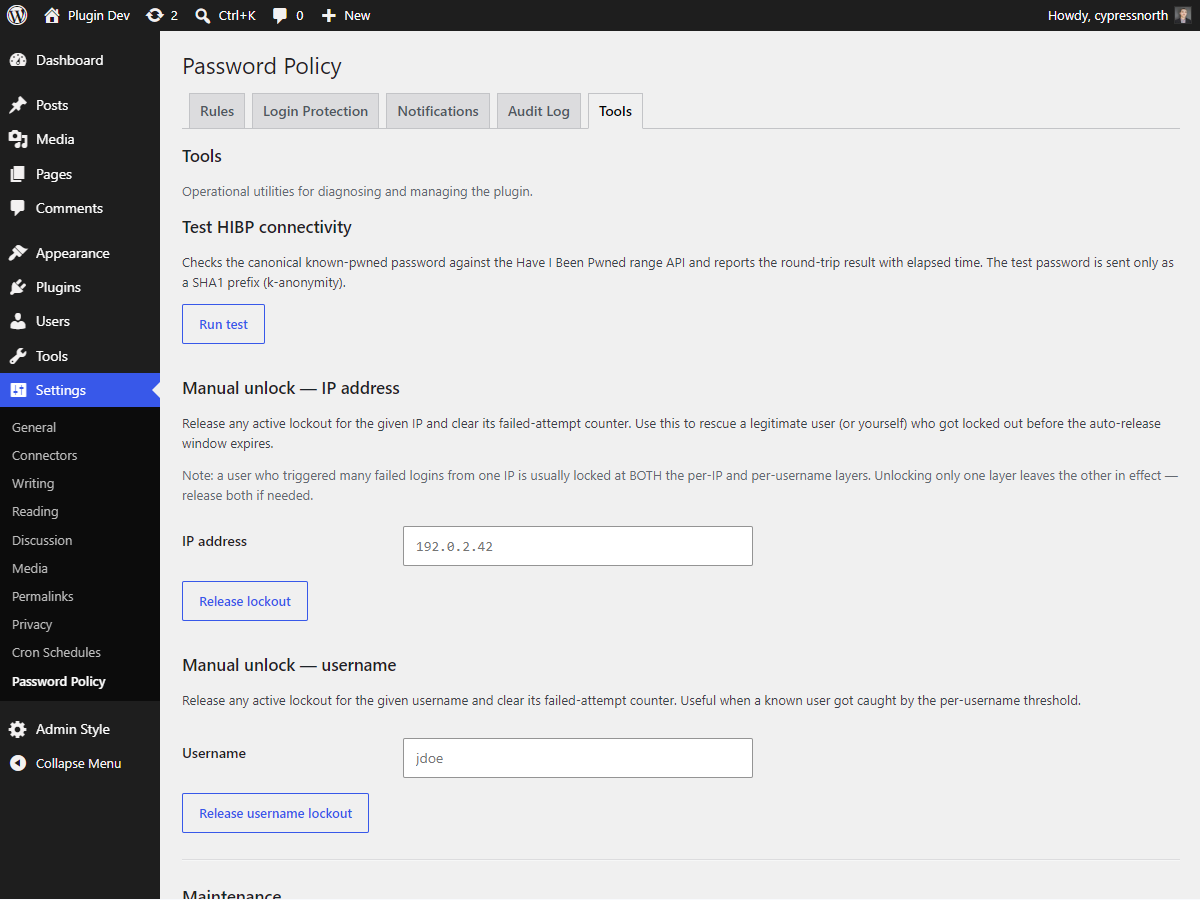
- Layered failed-login lockout: separate thresholds per IP and per username, with rolling windows and auto-release. Generic “invalid credentials” error responses so locked state is not disclosed to attackers.
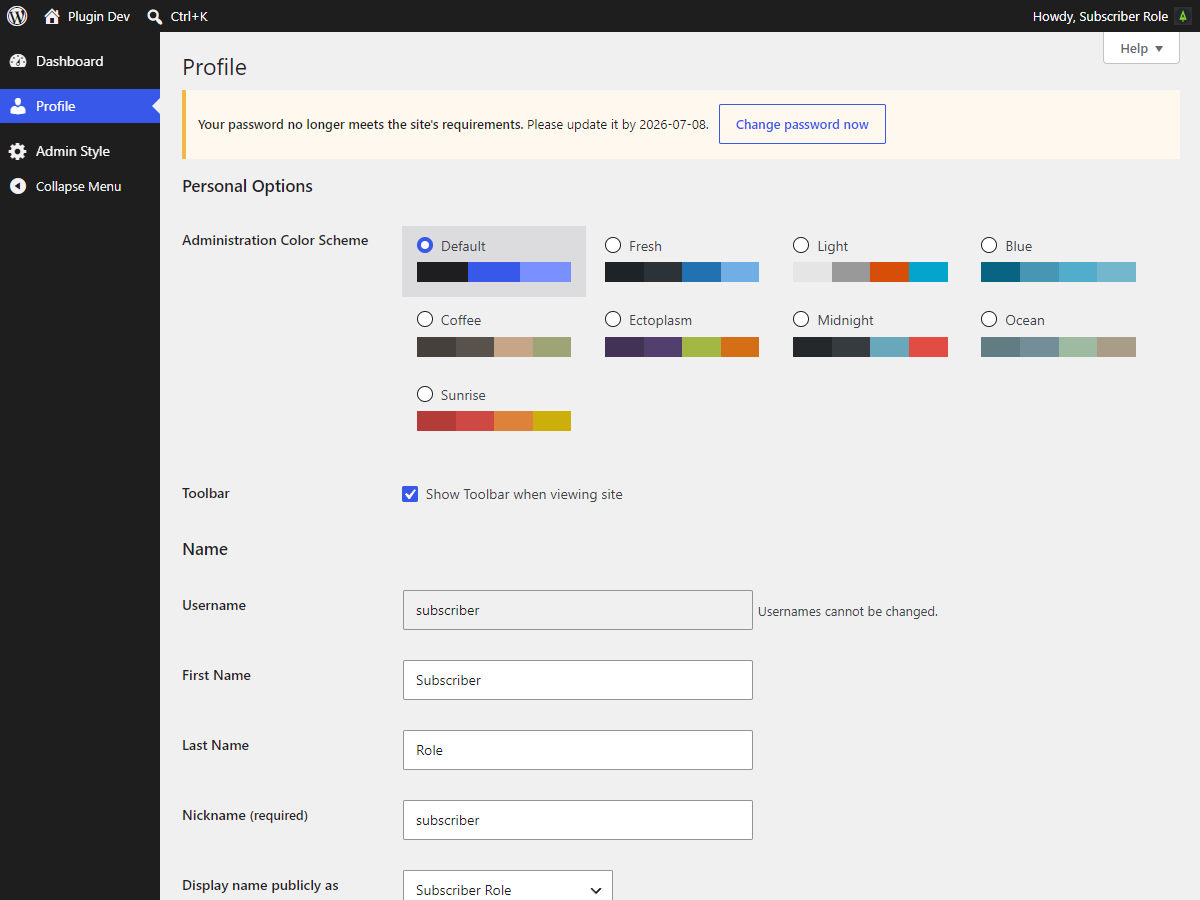
- A soft-force interstitial that catches users at next login when their password is expired, breached, or below the active policy — they cannot escape without choosing a compliant new password.
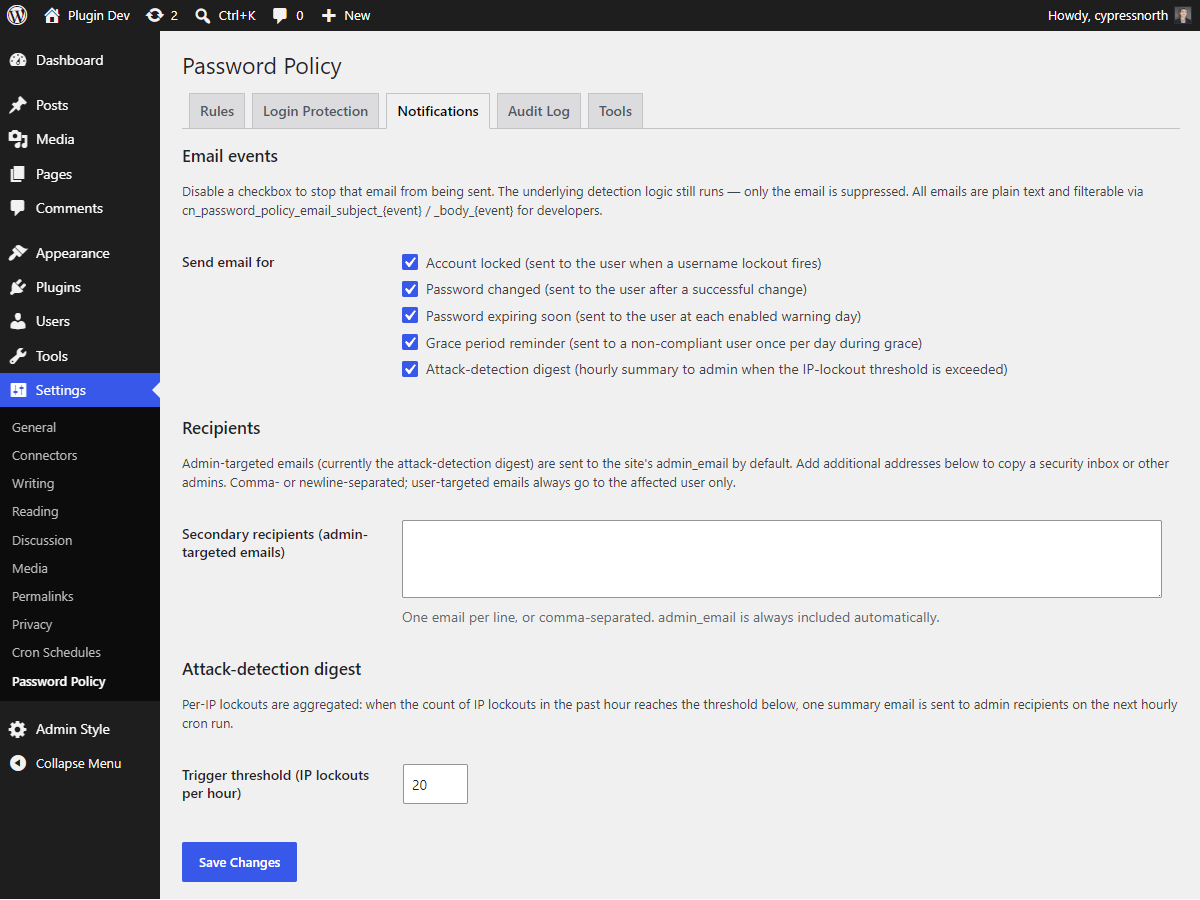
- Daily email summary for administrators when attack rates spike.
- Per-user notification emails on password change, lockout, and expiration warnings.
- GDPR exporter + eraser that integrate with WordPress’s built-in Personal Data tools.
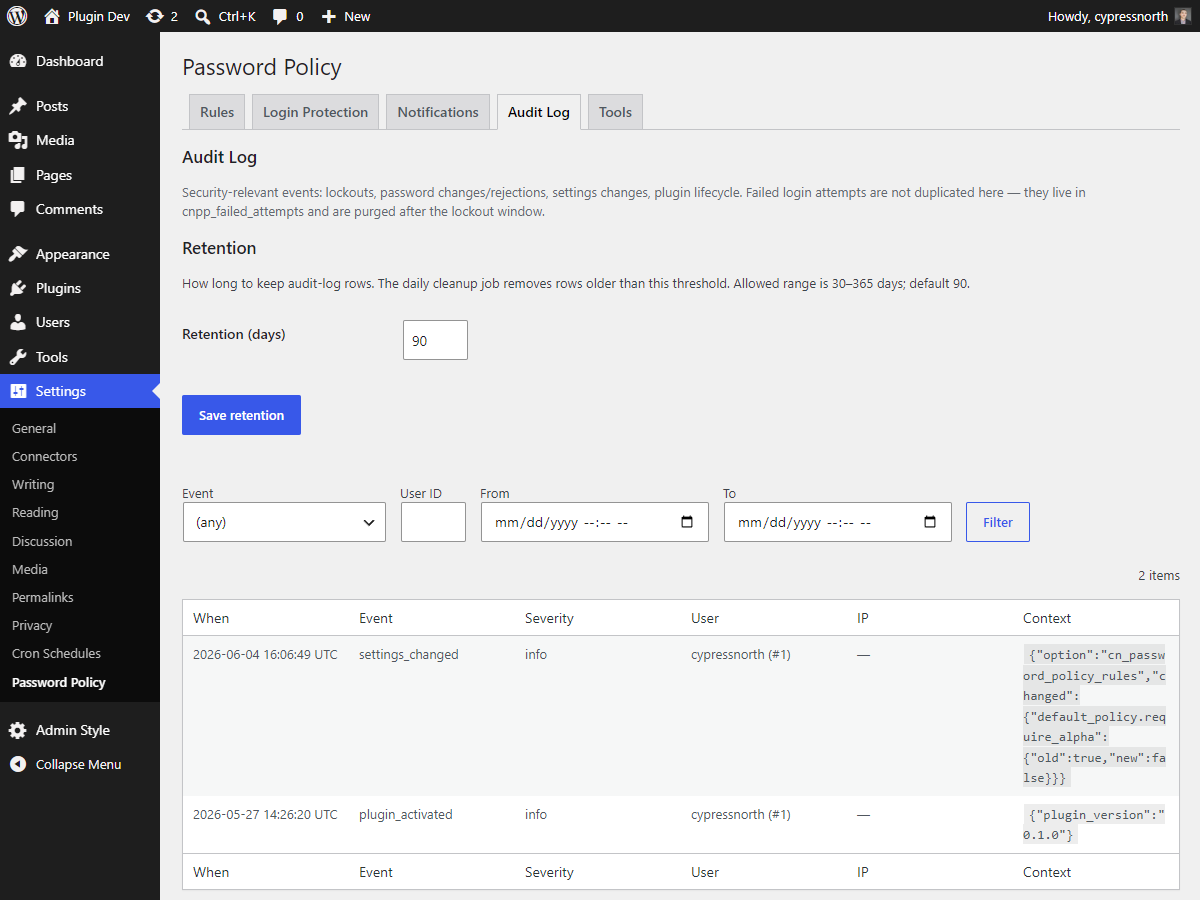
- Audit log of every relevant event (login failures, lockouts, password changes, compliance state transitions) viewable in the admin.
- Cleanup cron that trims old failed-attempt rows on a configurable schedule.
- WP-CLI
wp cnpp unlockcommand to release a stuck IP or username without opening the admin. - Multisite-aware: super-admin can globally configure or delegate per-site management.
Designed to coexist with WordPress core
The plugin uses WordPress’s own password hashing (wp_hash_password) and never stores plaintext. The built-in zxcvbn strength meter is left intact. All integration is via documented WP filters and actions — deactivating the plugin removes its behavior cleanly.
External services
This plugin connects to an API to check for known breached passwords.
The Have I Been Pwned API (api.pwnedpasswords.com) receives only the first five characters of a SHA-1 hash — k-anonymity. No personally identifying information leaves the site and no plain text is transmitted. The check can be disabled entirely from Settings Password Policy Policy.
This service is provided by Have I Been Pwned (https://haveibeenpwned.com/) : terms of use , privacy policy
Privacy
This plugin processes data necessary to enforce account security. The full privacy disclosure is contributed to Tools Privacy Policy Guide when the plugin is active.
What is collected
- Failed login attempts (IP, username attempted, timestamp).
- Lockout events (identifier, lockout-until timestamp).
- Password-change audit-log rows.
- Per-user: timestamp of last password change, compliance flag, a small queue of one-way hashes of previous passwords, and the most recent HIBP breach-check result (if enabled).
Lawful basis
Legitimate interest in preventing brute-force credential attacks, plus regulatory and contractual obligations around password hygiene where applicable.
Retention
- Failed-attempt rows: pruned daily by cron, default kept for the duration of the lockout window (typically 24 hours).
- Audit-log rows: default 90 days, configurable.
- Per-user compliance and history data: kept while the user account exists; removed via the GDPR eraser on request.
Third parties
The Have I Been Pwned API (api.pwnedpasswords.com) receives only the first five characters of a SHA-1 hash — k-anonymity. No personally identifying information leaves the site. The check can be disabled entirely from Settings Password Policy Policy.
Exporter + eraser
The plugin registers with WordPress’s built-in Personal Data tools (Tools Export Personal Data, Tools Erase Personal Data). Exports return four groups (failed attempts, lockouts, password-change events, compliance state). Erasure removes the password-change audit rows and every plugin-specific user_meta entry; lockout and failed-attempt rows are retained with the username field redacted so aggregate-attack statistics remain intact but the rows can no longer be linked to the individual.
Mga Screenshot
Pag-install
- Upload the
cn-password-policyfolder to/wp-content/plugins/, or install via the WordPress plugin directory. - Activate the plugin through the Plugins menu in WordPress.
- Visit Settings Password Policy to review the defaults and adjust thresholds, lockout windows, notification recipients, and trusted-proxy configuration.
On multisite, network-activate the plugin to install the custom tables on every existing site. New sites created later get the tables automatically.
FAQ
-
Does this plugin store plaintext passwords?
-
No. WordPress core stores password hashes; this plugin stores additional one-way hashes of prior passwords for the password-history check, computed with the same
wp_hash_passwordfunction core uses. No plaintext is persisted. -
Does the HIBP breach check send my password over the network?
-
No. The Have I Been Pwned check uses k-anonymity: the plugin sends only the first five characters of the SHA-1 hash of the password to api.pwnedpasswords.com, and matches the returned suffix list locally. The plaintext never leaves your site. If the HIBP API is unreachable, the rule fails open so password changes are not blocked by an outage.
-
Does it replace WordPress’s built-in zxcvbn strength meter?
-
No. WordPress’s strength meter continues to work as before. This plugin enforces its rules at form submission rather than redrawing the meter.
-
Does it include two-factor authentication?
-
No. 2FA is a separate concern and is handled by purpose-built plugins. This plugin focuses strictly on password strength, lockout, and the surrounding compliance flows.
-
How does the lockout interact with the WordPress login form?
-
When a threshold is crossed, the user receives the same generic “invalid credentials” error that any other failed login produces — the locked state is deliberately not disclosed. Admins unlock locked IPs or usernames from Settings Password Policy Tools, or via WP-CLI.
-
Is there a WP-CLI command?
-
Yes, one:
wp cnpp unlock --ip=<ip>and/or--user=<id-or-login>releases an active lockout and clears the failed-attempts counter for the supplied identifier. Both flags can be combined in one invocation. A broader CLI surface (stats, settings export, log query) is on the roadmap for a future release. -
Does it support WooCommerce or BuddyPress checkout/registration flows?
-
Not in 1.0. Both plugins use their own registration and password-change paths that don’t fire the core WordPress filters this plugin hooks into. Explicit integration is planned for 2.0.
-
How do I translate the plugin?
-
A POT template ships in
languages/cn-password-policy.pot. Once the plugin is listed on WordPress.org, translations are accepted via translate.wordpress.org. The plugin declaresText Domain: cn-password-policyandDomain Path: /languagesso WordPress’s translation loader picks up.mofiles automatically.
Mga Review
Wala pang reviews para sa plugin na ito.
Mga Contributor at Developer
Ang “Cypress North Password Policy” ay open source software. Ang mga sumusunod na tao ay nag-ambag sa plugin na ito.
Mga Contributor
Isalin ang “Cypress North Password Policy” sa iyong wika.
Interesado sa development?
Tingnan ang code, i-check ang SVN repository, o mag-subscribe sa development log sa pamamagitan ng RSS.
Changelog
1.0.0
- Initial release.
- NIST-aligned password rule engine with HIBP breach checking, denylist screening, edit-distance check, and per-user history.
- Layered failed-login lockout (per-IP and per-username) with rolling windows, auto-release, and admin-controlled manual unlock.
- Soft-force interstitial covering expired, breached, and below-policy passwords.
- Per-event notification dispatcher with daily attack-detection digest for admins.
- Audit log viewer.
- GDPR exporter and eraser integrated with WordPress core Privacy tools.
- Multisite super-admin gating with delegated per-site management toggle.
- Uninstall path that respects the admin’s data-removal preference (default off — security plugins should not silently delete the audit trail).
wp cnpp unlockWP-CLI command.