

Deskripsyon
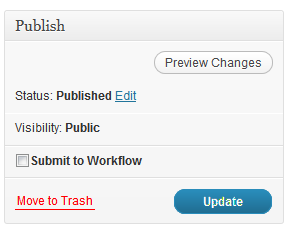
Approval Workflow is meant to create a workflow process in WordPress. This plugin adds a box to the post edit screen when a user does not have publish permissions for that post type. It also allows you to set a WordPress role as the approvers. Note: this role must have publish permissions. The approvers get notified by email when someone has submitted something to the workflow. This works on WordPress Multisite too.
If you need help setting up the roles, I’d recommend the Members plugin.
Mga Screenshot


Pag-install
Copy the plugin files to
wp-content/plugins/Activate plugin from Plugins page or Network Activate for multisite
Go to Settings -> Approval Workflow to adjust plugin settings
You must ensure the users you want to approve are in a role that does not have publish_page (or any publish permissions for other post types) permissions.
Mga Review
Wala pang reviews para sa plugin na ito.
Mga Contributor at Developer
Ang “Approval Workflow” ay open source software. Ang mga sumusunod na tao ay nag-ambag sa plugin na ito.
Mga Contributor
Isalin ang “Approval Workflow” sa iyong wika.
Interesado sa development?
Tingnan ang code, i-check ang SVN repository, o mag-subscribe sa development log sa pamamagitan ng RSS.
Changelog
1.3.2
- Small fix for usort() error on Workflow page when no items are in the workflow.
1.3.1
- Small fix for incorrect variable name being called.
1.3
- Fix for new items not showing up in workflow.
1.2
- Fix for not being able to access settings page after changing approval role in settings.
1.1
- Better compatibility with regular WordPress. I had intended this for WordPress Multisite.
1.0
- Initial release