

Deskripsyon
Maximize convenience and savings for your customers with Wallet for WooCommerce (TeraWallet). This all-in-one digital wallet and store credit system is specifically designed to streamline the checkout process and boost customer loyalty.
TeraWallet empowers your customers to deposit funds into their personal accounts, transfer money to other users, and make purchases effortlessly using their wallet balance. By reducing the need for repeated payment detail entries, you provide a frictionless shopping experience that encourages repeat business.
Beyond core wallet functionality, TeraWallet features a robust Cashback Rewards System. Incentivize purchases by offering rewards based on cart totals, specific products, or categories. You can even convert WooCommerce coupons into wallet rewards, providing a unique way to drive engagement.
👉 Try the live demo: https://demo.standalonetech.com/
👉 Read full documentation: https://docs.standalonetech.com/
👉 Upgrade to Pro — unlock withdrawals, expiry, coupons, importer & AffiliateWP integration.
✨ Why choose Wallet for WooCommerce?
- 🚀 Frictionless Checkout: One-click payments via wallet balance reduce cart abandonment.
- 💰 Automated Cashback: Automated rewards keep customers coming back for more.
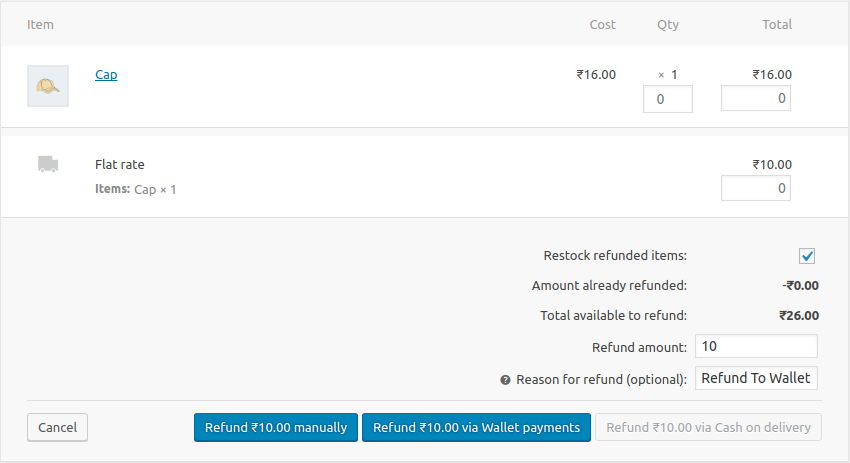
- 🏦 Store Credit System: Easily handle refunds by crediting the user’s wallet instantly.
- 🔄 Wallet Transfers: Allow customers to share funds with friends and family.
🛠 Features
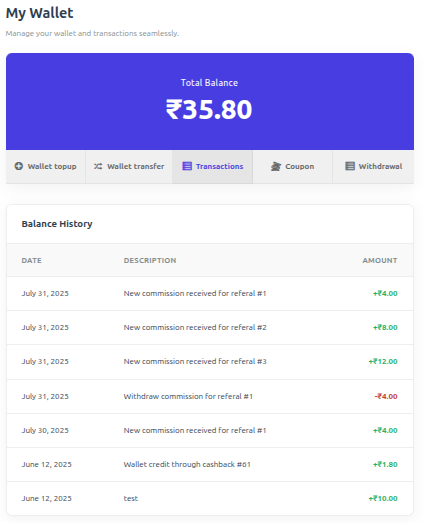
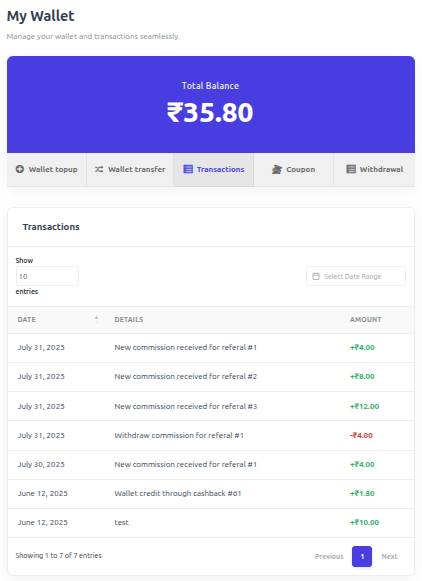
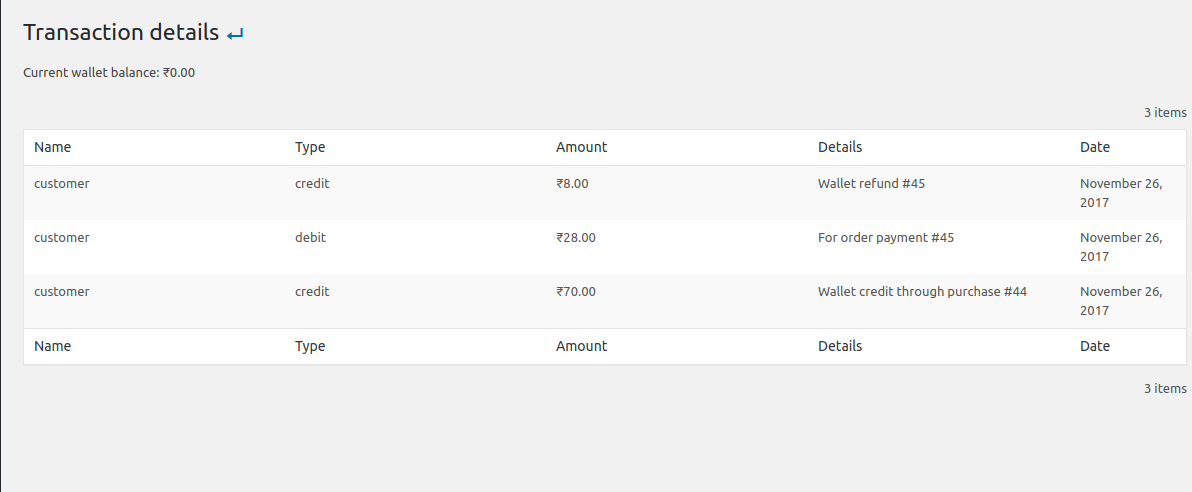
- 🏦 Core Wallet Management: A centralized ledger system that tracks every credit and debit with 100% accuracy using SQL-level locking to prevent race conditions.
- 💰 Dynamic Cashback System:
- Cart-Wise: Rewards based on the total order value.
- Product-Wise: Granular control over rewards for individual items.
- Category-Wise: Rewards based on product taxonomies.
- 💳 Smart Checkout Options:
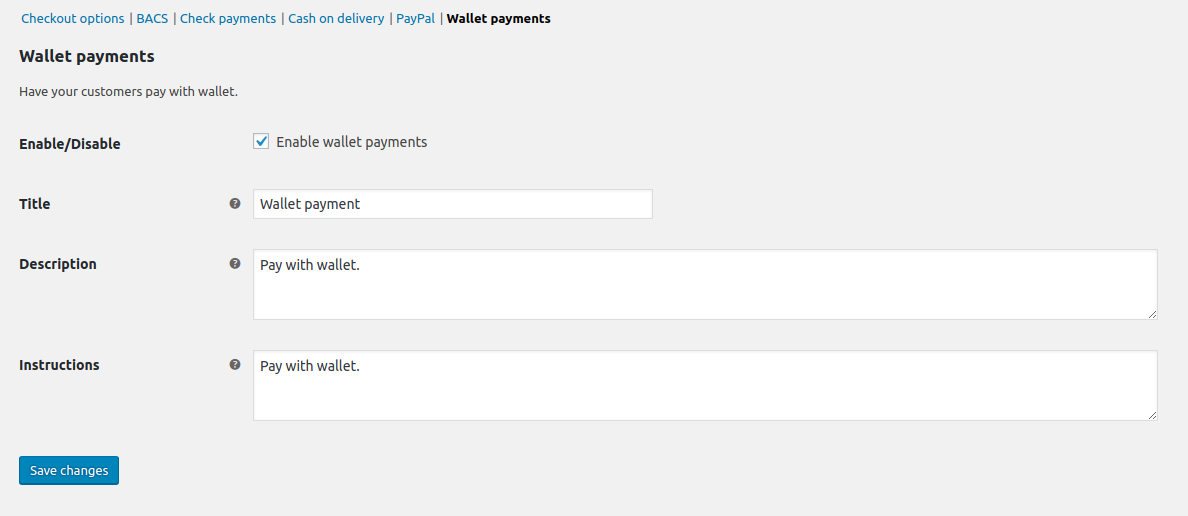
- Full Payment: Pay for the entire order using the wallet gateway.
- Partial Payment: Use wallet balance for part of the total and pay the rest via other gateways (Stripe, PayPal, etc.).
- Auto-Deduct: Automatically apply available balance as a discount at checkout.
- 🔄 User Empowerment:
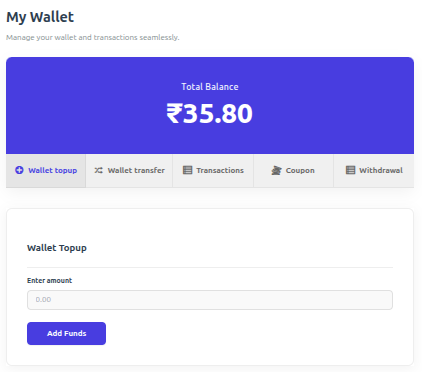
- Wallet Top-ups: Customers can add funds via their dashboard using any supported payment method.
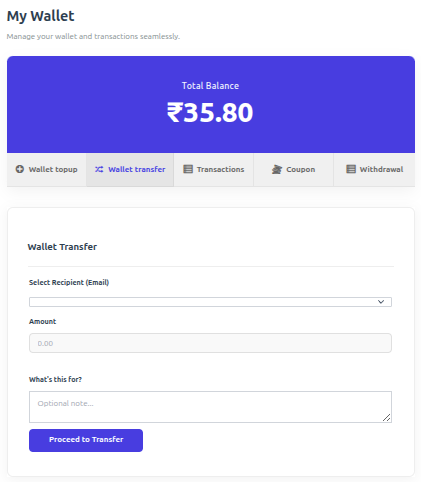
- Peer-to-Peer Transfers: Securely send wallet balance to other registered users via email.
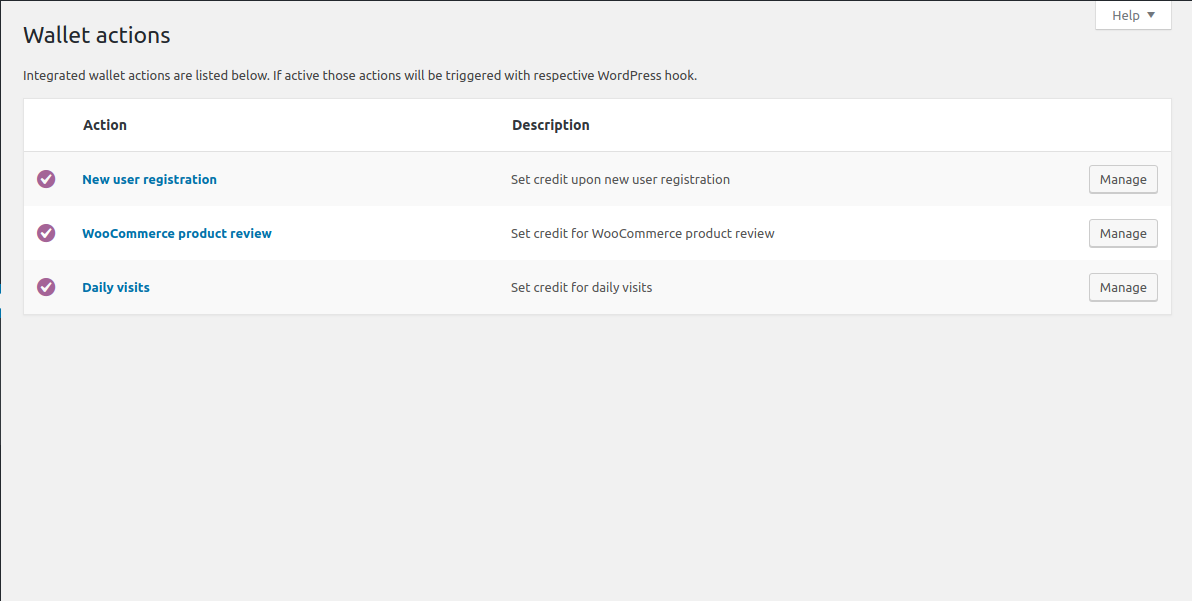
- 🎁 Engagement Rewards: Credit users for specific actions:
- New user registration bonus.
- Daily login rewards.
- Product review rewards.
- 🛠 Admin Control Center:
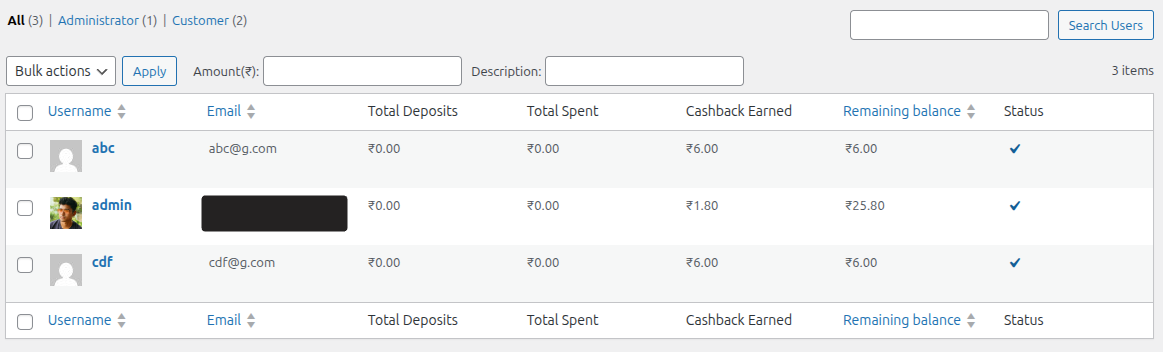
- View all user balances and transaction history.
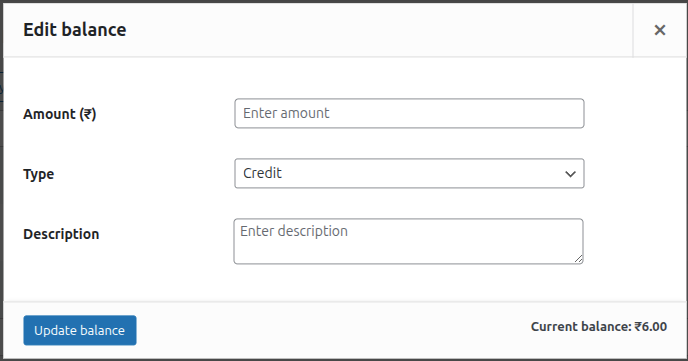
- Manually adjust (credit/debit) any user’s balance with detailed notes.
- Lock/Unlock user wallets for security and fraud prevention.
-
🔗 Seamless Integrations:
- Full support for WooCommerce Blocks checkout.
- Compatible with WPML and WooCommerce Subscriptions.
- Built-in support for Dokan, WCFM, and WCMarketplace.
-
🌍 Multi-Currency Support: First-class integrations with the most-used WooCommerce currency switchers. Wallet balances, top-ups, transfers, and cashback are all converted through the active provider’s live rates.
- YayCurrency – Multi-Currency Switcher
- WOOCS – WooCommerce Currency Switcher (FOX)
- WPML Multilingual & Multi-Currency (WCML)
- CURCY – Multi Currency for WooCommerce (VillaTheme)
- Aelia Currency Switcher
- Generic fallback for any other plugin that filters
woocommerce_currency— active-currency detection still works, conversion falls open to the stored amount with an audit-log warning.
🚀 Pro Features
⭐ Upgrade to Pro to unlock advanced wallet features and specialized integrations:
- 💸 Wallet Withdrawal: Allow customers to request withdrawals from their wallet balance to their bank or other payment methods.
- ⌛ Wallet Expiry: Set expiration dates for wallet balance or cashback to encourage timely spending.
- 🎟️ Wallet Coupons: Create exclusive coupons that can only be redeemed into the user’s wallet.
- 📥 Wallet Importer: Easily bulk import wallet balances and transaction history from CSV files.
- 🤝 AffiliateWP Integration: Automatically credit affiliate commissions directly to the user’s wallet.
- 🎂 Milestone & Birthday Bonuses: Credit the wallet when a customer’s lifetime spend crosses a threshold you set, and once a year on their birthday.
- 📊 Breakage & Aging Reports: See how much wallet credit is about to expire, how much never will be spent, plus withdrawal and coupon reporting on the Wallet Dashboard.
Mga Screenshot
Blocks
Ang plugin na ito ay nagbibigay ng 1 block.
- Mini-Wallet Display the current user's wallet balance with a customizable icon.
Pag-install
Minimum Requirements
- PHP 7.4 or greater is required (PHP 8.0 or greater is recommended)
- MySQL 5.6 or greater, OR MariaDB version 10.1 or greater, is required
- WordPress 6.0 or greater is required
- WooCommerce 7.2 or greater is required
Automatic installation
Automatic installation is the easiest option as WordPress handles the file transfers itself and you don’t need to leave your web browser. To do an automatic install of WooCommerce Wallet Payment, log in to your WordPress dashboard, navigate to the Plugins menu and click Add New.
In the search field type “Wallet for WooCommerce” and click Search Plugins. Once you’ve found the plugin you can view details about it such as the point release, rating and description. Most importantly of course, you can install it by simply clicking “Install Now”.
Manual installation
The manual installation method involves downloading our plugin and uploading it to your webserver via your favourite FTP application. The WordPress codex contains instructions on how to do this here.
Updating
Automatic updates should work like a charm; as always though, ensure you backup your site just in case.
If on the off-chance you do encounter issues with the wallet endpoints pages after an update you simply need to flush the permalinks by going to WordPress > Settings > Permalinks and hitting ‘save’. That should return things to normal.
Important
A hidden “Wallet Topup” product is automatically created upon activation. Ensure it remains Published and Private.
FAQ
-
How does wallet payment work?
-
Wallet payment acts as a native WooCommerce gateway. Customers with sufficient balance can select “Wallet” at checkout to pay for their order instantly.
-
Does it support partial payment?
-
Yes! If enabled in settings, customers can use their wallet balance to pay for a portion of the order and cover the remainder with another gateway like Stripe or PayPal.
-
When is cashback applied?
-
Cashback is triggered by order status changes. You can configure which status (e.g., ‘Completed’ or ‘Processing’) triggers the reward in the plugin settings.
-
Why is the wallet not visible at checkout?
-
Ensure the Wallet gateway is enabled in WooCommerce > Settings > Payments. Also, check if “Hide if empty” is enabled in TeraWallet settings if the user has a zero balance.
-
Where can I get support?
-
You can ask for help in the WordPress Plugin Forum or email us at support@standalonetech.com.
-
Where is the REST API documentation?
-
You can find the documentation for our Wallet REST API here.
Mga Review


Mga Contributor at Developer
Ang “Wallet for WooCommerce” ay open source software. Ang mga sumusunod na tao ay nag-ambag sa plugin na ito.
Mga Contributor


Ang “Wallet for WooCommerce” ay naisalin na sa 12 (na) mga locale. Salamat sa mga tagasalin para sa kanilang mga kontribusyon.
Isalin ang “Wallet for WooCommerce” sa iyong wika.
Interesado sa development?
Tingnan ang code, i-check ang SVN repository, o mag-subscribe sa development log sa pamamagitan ng RSS.
Changelog
v1.6.13 (August 22, 2026)
- Security – The wallet CSV export and download now require the wallet management capability, not just a valid request token.
- Fix – Cashback is credited again on stores that had saved the settings page. No need to re-save; the “Recalculate cashback” order action works again too.
- Fix – The cashback type and cashback rule settings can no longer be saved as empty.
- Fix – Wallet partial payment is no longer refused at checkout when an add-on reports a balance higher than the wallet actually holds.
- Fix – Transaction CSV exports are now written oldest-first, so a store importing them rebuilds the ledger in the order it happened. Re-export any file you plan to import.
- Fix – Deleted transactions are no longer included in a CSV export or its record count.
- Fix – The order note for a failed wallet partial payment no longer blames the customer’s balance when that was not the cause.
- Tweak – Refreshed the Wallet Export screen and added an Export button to the Wallet Users screen.
- Tweak – Confirmed compatibility with WordPress 7.1.
- Performance – Large transaction exports are considerably faster and no longer risk timing out.