

Deskripsyon
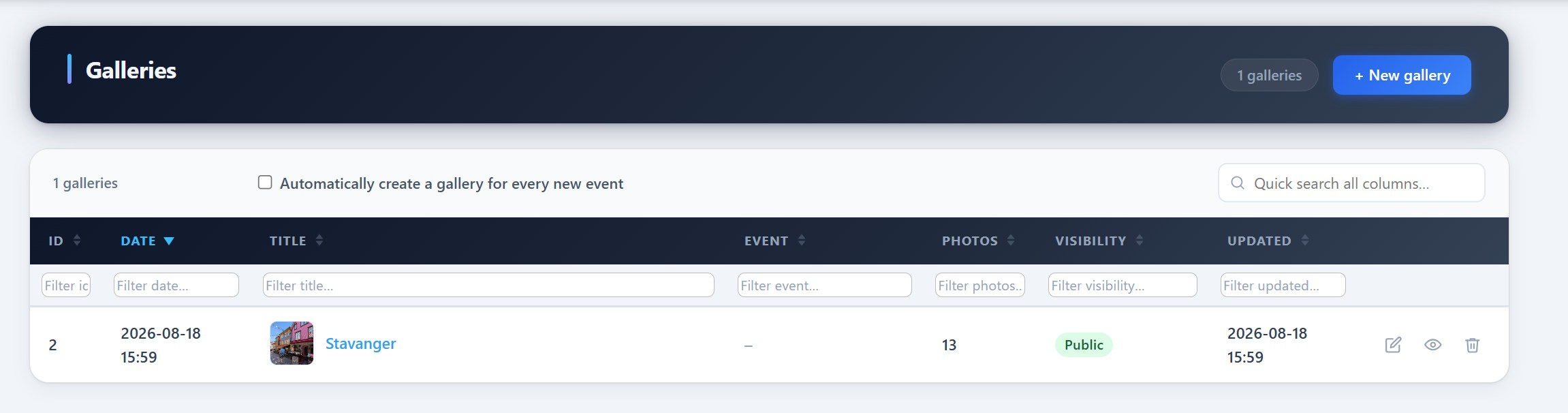
PCIO VIS Gallery is an extension for the PCIO VIS Member Event plugin. It adds event-linked photo galleries. Galleries store images as standard WordPress Media Library attachments and can be embedded with the [pcio_me_gallery id="N"] shortcode or browsed at /vis/galleries/.
This plugin requires the PCIO VIS Member Event core plugin to be installed and active.
Mga Screenshot
Pag-install
- Install and activate the PCIO VIS Member Event core plugin first.
- Upload the
pcio-vis-gallerydirectory to/wp-content/plugins/. - Activate the plugin in Plugins in the WordPress admin.
- Create galleries under the Vis admin menu and embed them with
[pcio_me_gallery id="N"].
FAQ
-
Where are the images stored?
-
As standard WordPress Media Library attachments.
-
How do I show a gallery on a page?
-
Use the
[pcio_me_gallery id="N"]shortcode, or browse all galleries at/vis/galleries/.
Mga Review
Wala pang reviews para sa plugin na ito.
Mga Contributor at Developer
Ang “PCIO VIS Gallery” ay open source software. Ang mga sumusunod na tao ay nag-ambag sa plugin na ito.
Mga Contributor
Ang “PCIO VIS Gallery” ay naisalin na sa 1 (na) locale. Salamat sa mga tagasalin para sa kanilang mga kontribusyon.
Isalin ang “PCIO VIS Gallery” sa iyong wika.
Interesado sa development?
Tingnan ang code, i-check ang SVN repository, o mag-subscribe sa development log sa pamamagitan ng RSS.
Changelog
1.1.0
- Added: Change history with undo — all writes to Vis tables are logged in the new
me_change_historytable, with undo data inme_change_undo. A new Vis History admin page lists every change with filters and an Undo button, guarded by the newvis_undo_changescapability (granted to System Admin).
1.0.0
- Gallery managers open the management page from the Vis navigation; a View galleries button opens the gallery listing. View-only users retain direct access to the listing.
- Initial release.