
Deskripsyon
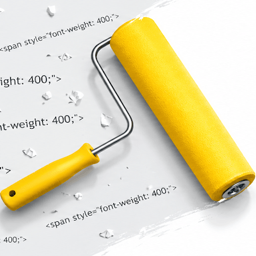
When you copy content from Google Docs and paste it into WordPress, you get messy HTML like this:
<span style="font-weight: 400;">Your perfectly normal text.</span>
And list items end up looking like this:
<li style="font-weight: 400;" aria-level="1">A simple bullet point.</li>
None of this formatting does anything visible on your site. It just clutters your markup and can cause issues with themes and page builders.
This plugin automatically strips that junk every time you save a post or page.
What it cleans:
<span style="font-weight: 400;">wrappers (keeps the text inside, removes the span)style="font-weight: 400;"on list itemsaria-levelattributes on list items (Google Docs nesting markers that WordPress doesn’t need)
What it does NOT touch:
- Bold, italic, links, headings, images, or any other meaningful formatting
- Content inside
<code>or<pre>blocks (safe for tutorial sites that show HTML examples) - Custom fields, widgets, menus, or anything outside the post editor
No settings. No admin page. No JavaScript. Just one lightweight filter that runs on save.
Trademark notice: This plugin is not affiliated with, endorsed by, or sponsored by Google LLC. “Google Docs” is a trademark of Google LLC and is used here only to describe the source of the formatting this plugin cleans up.
Pag-install
- Upload the
tooltester-clean-paste-for-google-docsfolder to/wp-content/plugins/ - Activate the plugin through the Plugins menu in WordPress
- That’s it. Paste from Google Docs and save as usual.
FAQ
-
Does this clean up posts I already published?
-
It cleans content when you save. So if you open an older post and hit Update, it will clean that post. It does not automatically batch-process existing posts.
-
Will it break my formatting?
-
No.
font-weight: 400means “normal weight,” which is the browser default. Removing it changes nothing visually. The plugin only removes formatting that has zero visible effect on your site. -
Does it work with the block editor (Gutenberg)?
-
Yes. The cleanup runs server-side on save, so it works with both the block editor and the classic editor.
-
Does it work with code blocks?
-
Yes. Content inside
<pre>and<code>tags is left completely untouched. If you write tutorials that include HTML examples, those examples are safe. -
Can I use this with other paste-cleanup plugins?
-
Yes. This plugin uses a standard WordPress filter and plays nicely with others.
Mga Review
Wala pang reviews para sa plugin na ito.
Mga Contributor at Developer
Ang “Tooltester Clean Paste for Google Docs” ay open source software. Ang mga sumusunod na tao ay nag-ambag sa plugin na ito.
Mga Contributor
Isalin ang “Tooltester Clean Paste for Google Docs” sa iyong wika.
Interesado sa development?
Tingnan ang code, i-check ang SVN repository, o mag-subscribe sa development log sa pamamagitan ng RSS.
Changelog
1.0.3
- Added a one-time, dismissible admin notice with a link to the Tooltester newsletter
1.0.2
- Moved trademark notice to the end of the description for better readability
1.0.1
- Added cleanup of
style="font-weight: 400;"on list items - Added cleanup of
aria-levelattributes on list items - Protected
<pre>and<code>blocks from being modified
1.0.0
- Initial release
- Strips
<span style="font-weight: 400;">wrappers from post content on save