

Deskripsyon
Woptily is a lightweight, modular WordPress plugin designed to improve your website’s performance, security, and reliability. Built with modern PHP and WordPress coding standards.
Features:
- Page Cache – Simple, effective page caching for faster load times
- Backup – Create and manage complete site backups
- Security – Basic security hardening and protection
- DevTools – Debug toggles, post meta inspector, and user meta inspector
- Optimization – Auto-updates manager and database cleanup tools
Why Woptily?
- Modular architecture – only enable what you need
- Clean, lightweight code
- No external dependencies
- Developer-friendly with hooks and filters
- Translation ready
- Multisite compatible
Mga Screenshot
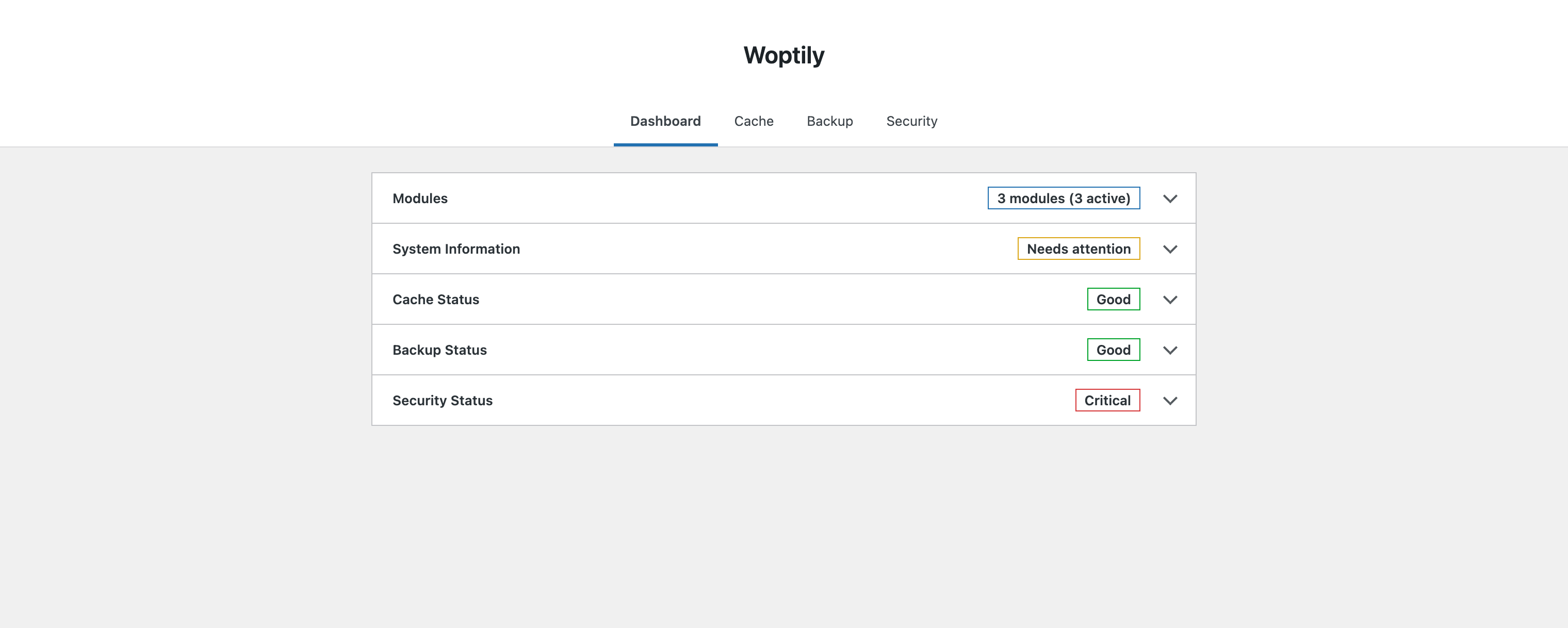
Pag-install
- Upload the
woptilyfolder to/wp-content/plugins/ - Activate the plugin through the ‘Plugins’ menu in WordPress
- Configure settings under Woptily in your admin menu
FAQ
-
Does this plugin work with multisite?
-
Yes, Woptily is fully compatible with WordPress Multisite.
-
Will this plugin slow down my site?
-
No. Woptily is designed to be lightweight and improve performance through caching.
-
Does this plugin collect any user data?
-
No. Woptily does not collect, transmit, or store any user data externally.
Mga Review
Wala pang reviews para sa plugin na ito.
Mga Contributor at Developer
Ang “Woptily” ay open source software. Ang mga sumusunod na tao ay nag-ambag sa plugin na ito.
Mga Contributor
Isalin ang “Woptily” sa iyong wika.
Interesado sa development?
Tingnan ang code, i-check ang SVN repository, o mag-subscribe sa development log sa pamamagitan ng RSS.
Changelog
1.2
- New: DevTools
- Debug toggles for WP_DEBUG, WP_DEBUG_LOG, WP_DEBUG_DISPLAY, SCRIPT_DEBUG
- Post meta inspector — select post type, browse posts, view/edit/add/delete meta
- User meta inspector — browse users, view/edit/add/delete meta
- Meta details displayed in modal with search/filter
- Includes pages and all hierarchical post types
- New: Optimization
- Auto-updates manager for plugins, themes, and WordPress core
- Post cleanup — remove revisions, drafts, auto-drafts, trash, oembed cache
- Comment cleanup — remove spam, trash, unapproved comments
- Option cleanup — remove expired transients from wp_options
- Database backup warning before cleanup operations
1.1.0
- New: [Core] Replaced jQuery admin UI with React SPA and REST API
- New: [Backup] Added backup and restore feature
- New: [Security] Added login limits, security headers check, and code highlighting
- New: [Cache] Improved cache directory writability checks
- Enhancement: [Backup] Improved backup metadata, progress tracking, and download handler
- Enhancement: [Backup] Skip .git directories during backup and restore
- Enhancement: [Security] Redesigned security module UI and scan results
- Fix: [Backup] Fixed SQL restore syntax and database export/import errors
- Fix: [Backup] Fixed stale lock handling and stats refresh after deletion
- Fix: [Security] Fixed sensitive files check and recommendation messages
1.0.0
- Initial release