

Deskripsyon
Export taxonomies into formatted file compatible with BulkPress plugin.
Mga Screenshot

View of admin page 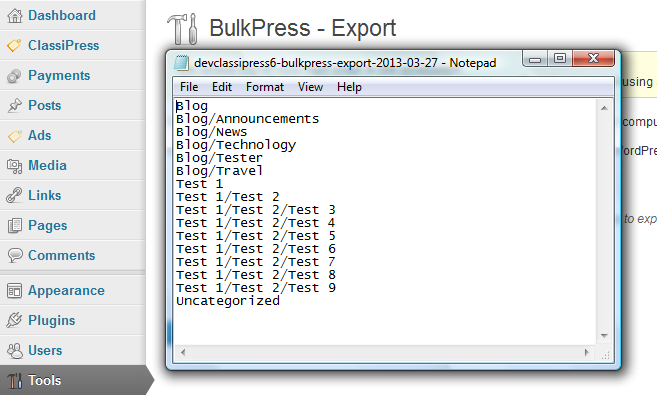
View of generated file
Pag-install
- Upload the folder ‘bulkpress-export’ to the ‘/wp-content/plugins/’ directory
- Activate the plugin through the ‘Plugins’ menu in WordPress
- Go to “Tools->BulkPress – Export” menu and export taxonomies you need.
FAQ
-
It does not work, what to do?
-
Report it with details on support forum.
Mga Review

Pebrero 2, 2019
Saved me a days work… brilliant and working on WP 5!
You might need the Bulkpress Import too… if you are migrating information from an old site.
I added 910 Categories with parent/child in less than 30 seconds!

Marso 17, 2017
Tested on WordPress 4.7.3, thanks 😉
Mga Contributor at Developer
Ang “BulkPress – Export” ay open source software. Ang mga sumusunod na tao ay nag-ambag sa plugin na ito.
Mga Contributor
Ang “BulkPress – Export” ay naisalin na sa 1 (na) locale. Salamat sa mga tagasalin para sa kanilang mga kontribusyon.
Isalin ang “BulkPress – Export” sa iyong wika.
Interesado sa development?
Tingnan ang code, i-check ang SVN repository, o mag-subscribe sa development log sa pamamagitan ng RSS.
Changelog
0.4
- Removed language files, as they are handled by WordPress.org translation system
- Fixed coding standards issues reported by CodeSniffer
- Rewritten admin page
- Added use of namespace
0.3
- Fixed security issue CSRF on admin page
- Fixed loading textdomain too early
0.2
- Added validation of incoming data
0.1
- Initial release