

Deskripsyon
This plugin adds a post count to the end of each post’s content. It helps you keep track of the number of post views on your site, which is useful for both admins and readers. Once installed and activated, the post count will automatically display without altering your site’s appearance or functionality. If you want to use shortcode instead of auto insert at the end of content, simply enable shortcode from the settings page and place shortcode in your widget or editor.
Mga Screenshot

screenshot-1.png 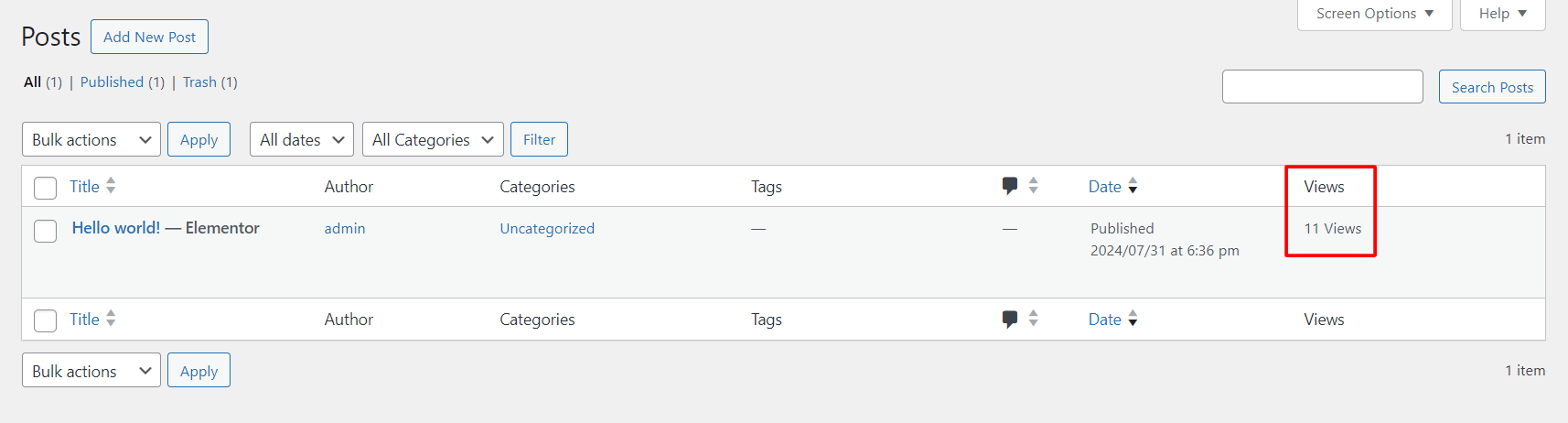
screenshot-2.png 
screenshot-3.png
Pag-install
- Upload
post-count-trackerto the/wp-content/plugins/directory. - Activate the plugin through the ‘Plugins’ menu in WordPress.
FAQ
-
Can I change post count text and image?
-
Yes. You can change the post count text and image for the front-end. Login into WordPress admin -> Post Count Tracker.
-
How to use shortcode?
-
Copy [pct_post_count] and place in elementor shortcode widget or wordpress editor or Copy echo do_shortcode(“[pct_post_count]”); and place in your PHP template.
-
Compatible with Elementor?
-
Yes. Enable shortcode and add shortcode in your single post template.
Mga Review


Mga Contributor at Developer
Ang “Post Count Tracker” ay open source software. Ang mga sumusunod na tao ay nag-ambag sa plugin na ito.
Mga Contributor
Isalin ang “Post Count Tracker” sa iyong wika.
Interesado sa development?
Tingnan ang code, i-check ang SVN repository, o mag-subscribe sa development log sa pamamagitan ng RSS.
Changelog
1.0.0
Initial release.
1.1.0
Added settings page to control the shortcode, count view text and image.