
Deskripsyon
This plug-in you can change words font attributes easily. You only need to write correct CSS codes for font colors, font faces and font sizes.
The Color Keywords SEO plugin was developed so that important blog post keywords on a WordPress blog could be optimized using the HTML , and tags.
Related Links:
Colors
You can write color codes in two ways.
-
Color name : blue, red
-
Color hexadecimal (HEX) code : #0000CD,#00FF00
this plug-in also supports other CSS color codings.
Font section, you can manage your posts font names. You only need to write the font name.
Examples
-
“Times New Roman”, Times, serif
-
Arial
Size section you can manage your fonts size.
Examples
-
250%
-
12px
Mga Screenshot
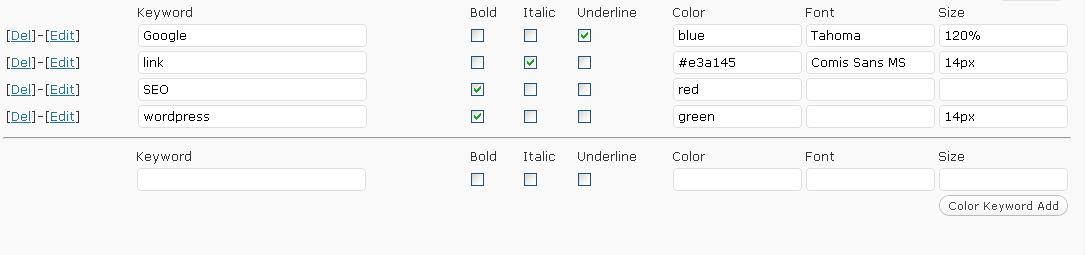

Pag-install
Upload
color-keywordsfolder to the/wp-content/plugins/directoryActivate the plug-in through the
Plug-insmenu in WordPressVisit your Color Keywords Settings (Settings/Color Keywords)
Configure options
That is it!
Mga Review
Wala pang reviews para sa plugin na ito.
Mga Contributor at Developer
Ang “Color Keywords” ay open source software. Ang mga sumusunod na tao ay nag-ambag sa plugin na ito.
Mga Contributor
Isalin ang “Color Keywords” sa iyong wika.
Interesado sa development?
Tingnan ang code, i-check ang SVN repository, o mag-subscribe sa development log sa pamamagitan ng RSS.