

Deskripsyon
Animate Gutenberg blocks when they scroll into view.
- Works with all existing Gutenberg blocks
- Choose from 27 different animations
- Configure animation with custom delays, offsets and durations
- Based on AOS Animate On Scroll Library
Requirements
- WordPress >= 5.0
- PHP >= 5.6
Further Information
- Documentation: https://github.com/liip/animate-blocks-wordpress-plugin/blob/master/README.md
- WordPress Plugin: https://wordpress.org/plugins/animate-blocks/
- GitHub Repository: https://github.com/liip/animate-blocks-wordpress-plugin
- Changelog: https://github.com/liip/animate-blocks-wordpress-plugin/releases
- Issue tracker: https://github.com/liip/animate-blocks-wordpress-plugin/issues
Mga Screenshot
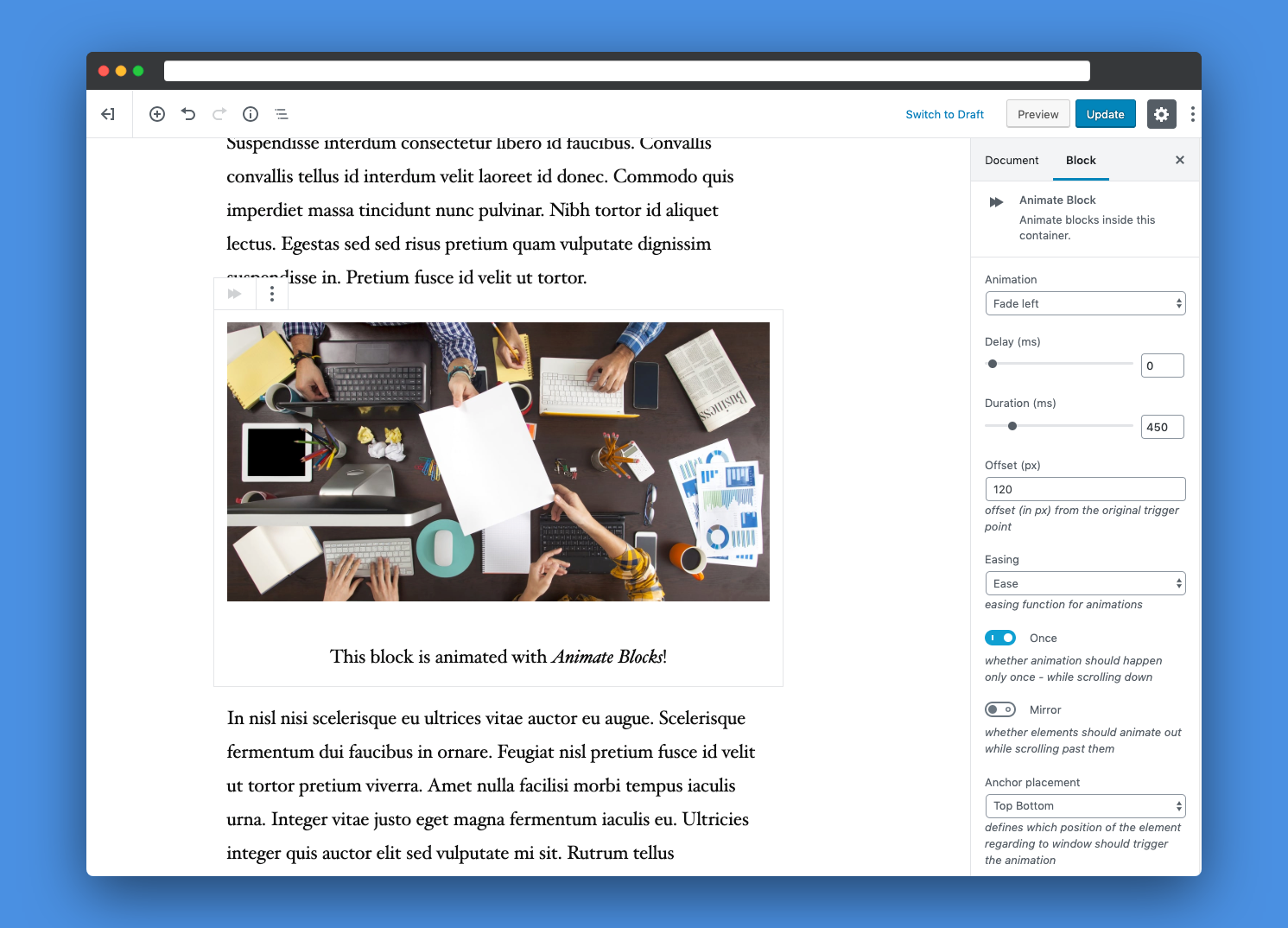
Blocks
Ang plugin na ito ay nagbibigay ng 1 block.
- Animate Block
Pag-install
- Upload the
animate-blocksdirectory into the/wp-content/plugins/directory - Activate the plugin through the
Pluginsmenu in WordPress - Add
Animate Blocksblock around other block in Gutenberg editor
FAQ
- How does it work?
-
Animate blocks is based on the
InnerBlocksfeature of Gutenberg. It wraps the blocks which should be animated. You can add as many blocks inside this wrapper block as you want. - Have you found a bug or do you have a feature request?
-
Please create a new GitHub issue and let us know: https://github.com/liip/animate-blocks-wordpress-plugin/issues
Mga Review

Abril 16, 2020
This plugin is quite good. Works fine with WP 5.4.
Note that it is currently difficult to select groups and this new animated block once created in 5.4 (margin problem). Use up and down arrows to get to them until problem is resolved.

Setyembre 13, 2019
Simple. Does the job. Thank you
Mga Contributor at Developer
Ang “Animate Blocks” ay open source software. Ang mga sumusunod na tao ay nag-ambag sa plugin na ito.
Mga Contributor

Isalin ang “Animate Blocks” sa iyong wika.
Interesado sa development?
Tingnan ang code, i-check ang SVN repository, o mag-subscribe sa development log sa pamamagitan ng RSS.
Changelog
1.0.1
- [BUGFIX] Fix rendering of data-attributes when default options are changed.
1.0.0
- Initial release of this plugin