
Description
Plugin allows a super admin to put his/her entire network, main site, or subsites into maintenance mode.
Screenshots
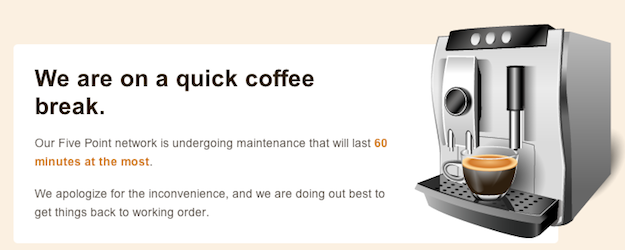
Site maintenance message
Installation
- Extract wpms-site-maintenance.zip to the /wp-content/plugins/ directory.
- Visit Network Admin > Plugins and activate the plugin Network wide.
- Visit Network Admin > Settings > WPMS Sitedown and choose the site operational option and edit the maintenance message to your liking.
Reviews
There are no reviews for this plugin.
Contributors & Developers
“WPMS Site Maintenance Mode” is open source software. The following people have contributed to this plugin.
Contributors
Translate “WPMS Site Maintenance Mode” into your language.
Interested in development?
Browse the code, check out the SVN repository, or subscribe to the development log by RSS.
Changelog
1.0.3 (2012-08-27)
- Updated installation instructions since the admin url has been relocated
1.0.2 (2012-08-27)
- Fixed some admin url issues
1.0.1 (2012-08-27)
- Fixed WP_PLUGIN_URL
1.0 (2011-10-31)
- Initial Release