
Description
Checks if the WordPress HTTP API is able to be used by making calls using wp_remote_request().
A textfield allows entering URLs. If left blank, the request will use http://google.com.
Returned response contains a success or fail message with details. (Response code, response message, and the used URL are displayed on the screen.)
If the request fails, the error or WP_Error object will also be shown via var_dump() at the bottom of the page, making debug just a little bit easier.
Screenshots
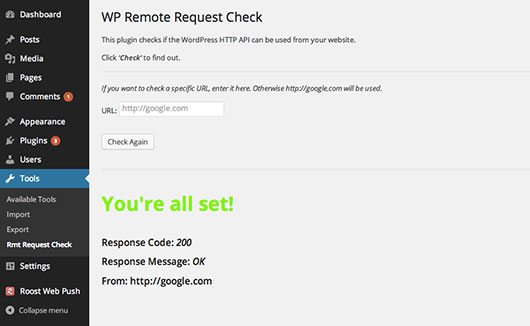
Admin page of the plugin showing a successful request
Installation
- Upload to your plugins folder, usually
wp-content/plugins/ - Activate the plugin on the plugin screen.
- Go to Tools -> Rmt Request Check
- Click on “Check”
Reviews
There are no reviews for this plugin.
Contributors & Developers
“WP Remote Request Check” is open source software. The following people have contributed to this plugin.
Contributors

Translate “WP Remote Request Check” into your language.
Interested in development?
Browse the code, check out the SVN repository, or subscribe to the development log by RSS.