
Description
Add a disclaimer/terms/warnings about post/page/custom post type on top, bottom of content as well as inside post content
Features
- Disclaimer on Post/Page or Custom Post Type
- Customized Options
- Custom CSS Option
- Individual Post/Page or Custom Post Type Options
- Font Awesome Icons
- Use with Shortcode
Screenshots
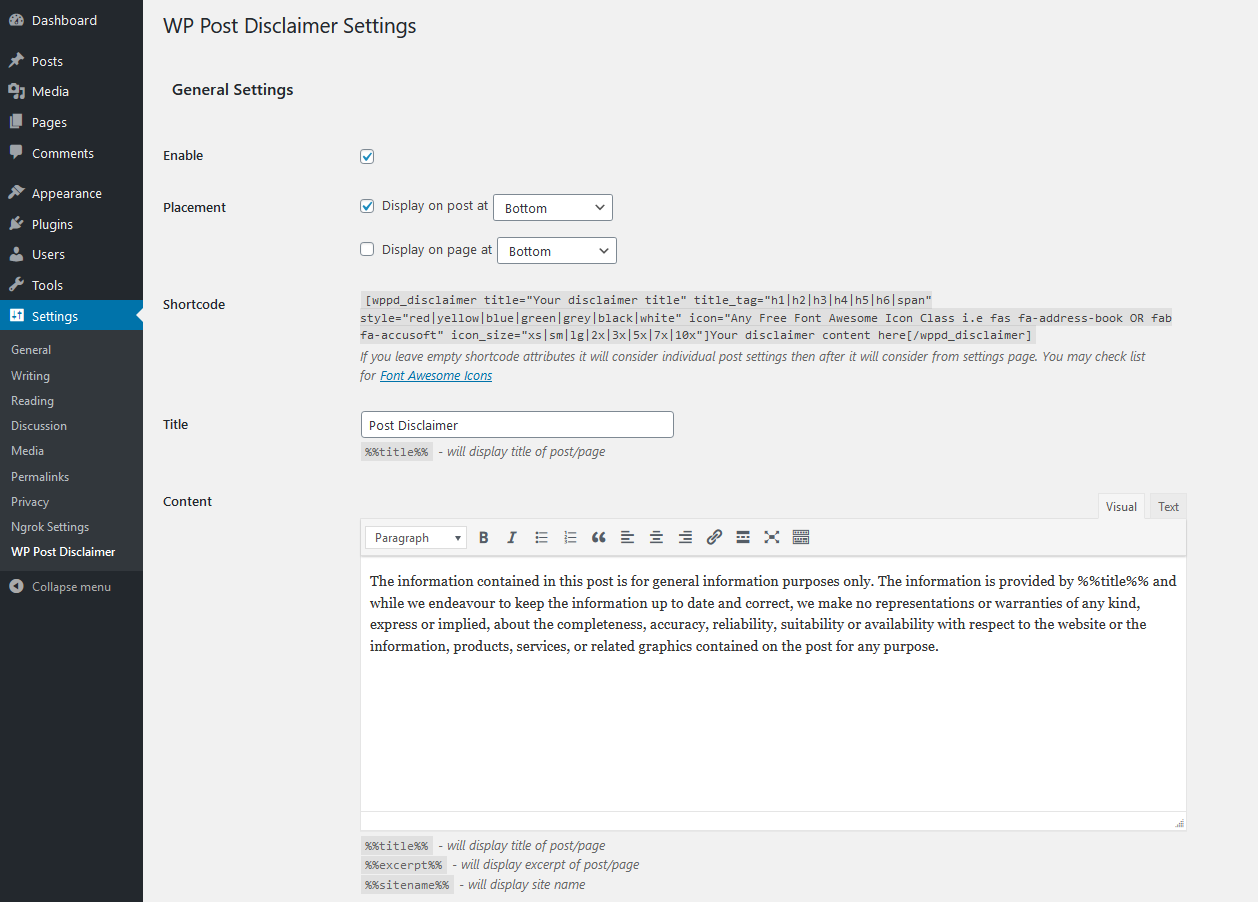
Global Plugin Settings 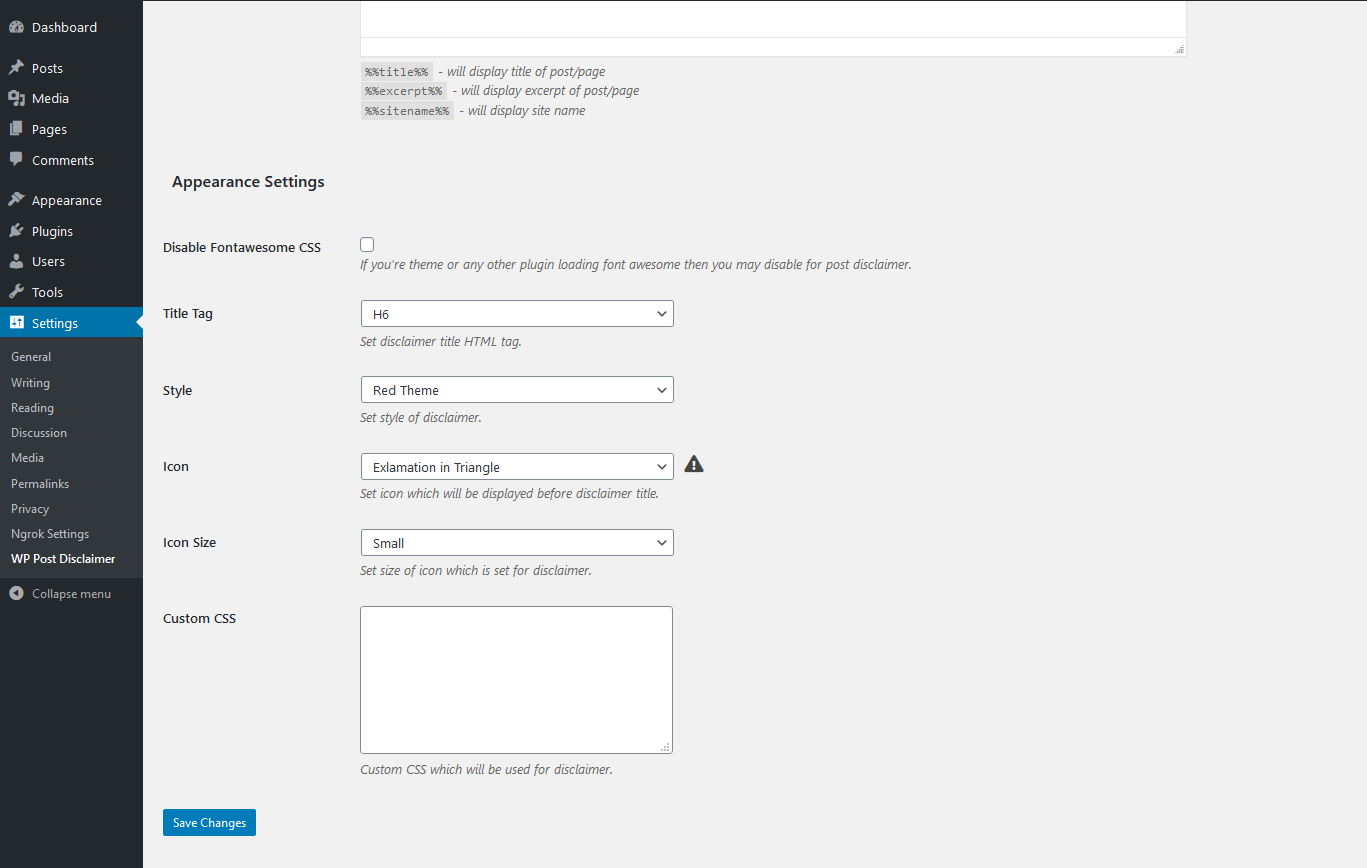
Global Appearance Settings 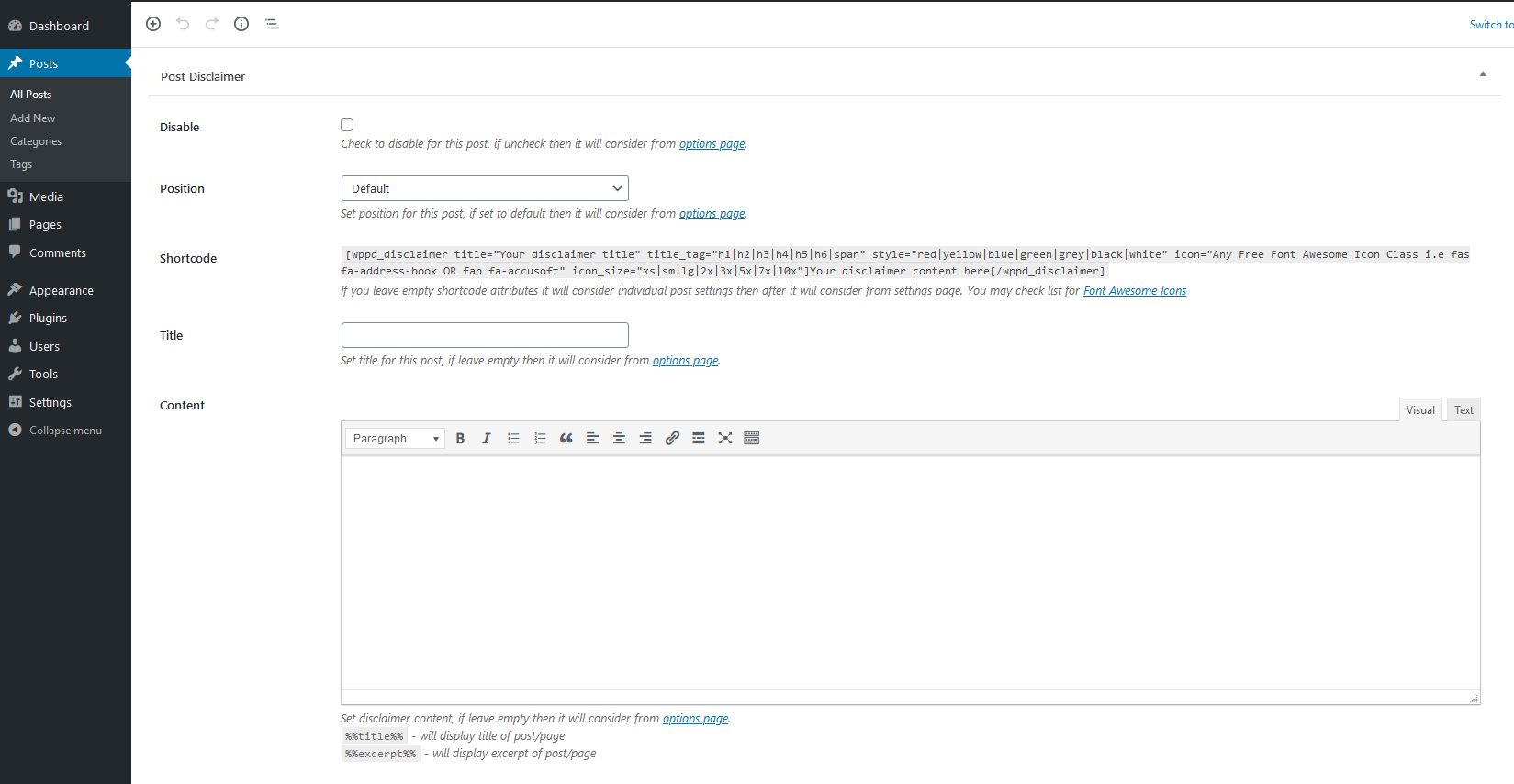
Individual Post Settings 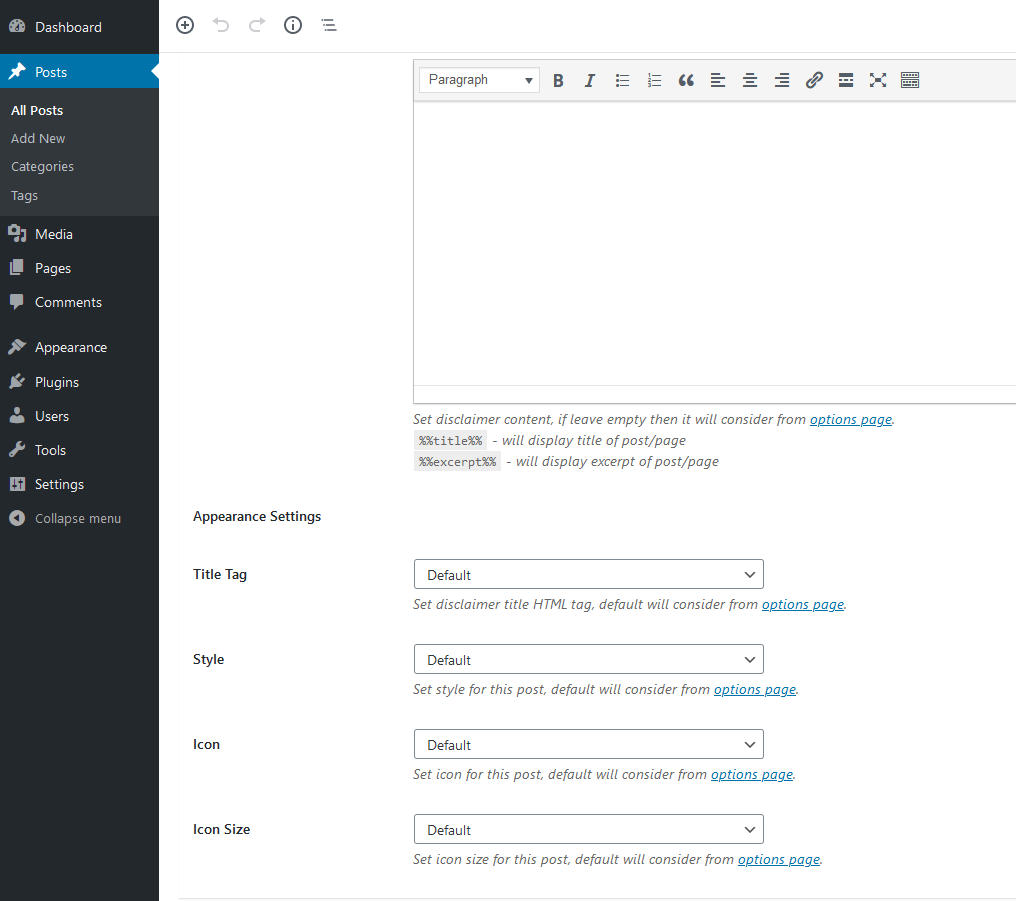
Individual Post Appearance Settings 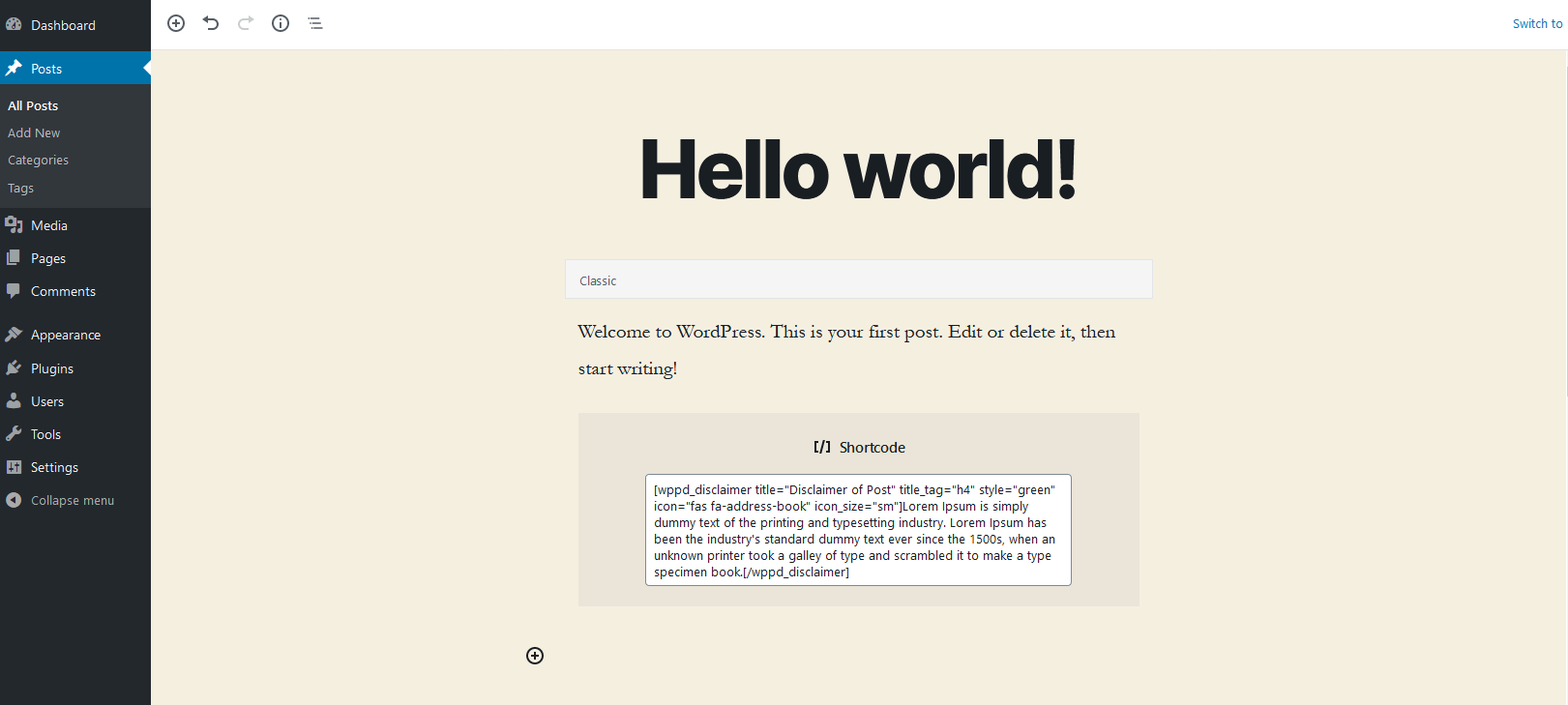
Shortcode for Post Disclaimer 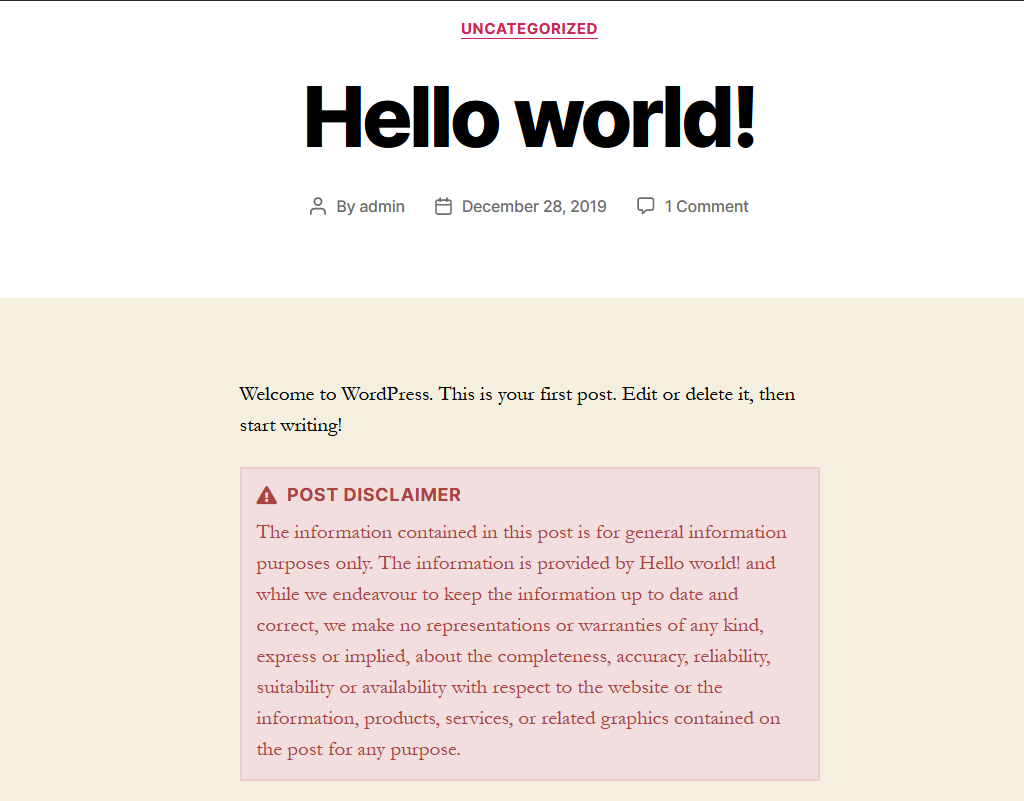
Example
Installation
Automatic Installation
Login to your WordPress dashboard and navigate to the Plugins menu, and click “Add New”
In the search input type “WP Post Disclaimer” then hit enter. Once you have found a plugin, you can view details about plugin and you can install it by click “Install Now” and WordPress will take it from there.
Manual Installation
Download “WP Post Disclaimer” plugin and upload it to your server via your FTP. The WordPress codex contains instructions on how to doing this here.
Once installation done, then go to Dashboard > Settings > WP Post Disclaimer and then set up all the options as per your need and enjoy the plugin!
FAQ
-
Where can I find WP Post Disclaimer Global Settings?
-
You can find them under Dashboard > Settings > WP Post Disclaimer
-
Where can I find individual WP Post Disclaimer Settings?
-
You can find them under post edit screen > WP Post Disclaimer
Reviews


Contributors & Developers
“WP Post Disclaimer” is open source software. The following people have contributed to this plugin.
Contributors
Translate “WP Post Disclaimer” into your language.
Interested in development?
Browse the code, check out the SVN repository, or subscribe to the development log by RSS.
Changelog
Version 1.0.4 – 09-02-2024
- Fix – Content escaping html tags
Version 1.0.3 – 03-02-2024
- Fix – Cross Site Scripting issue in shortcode
Version 1.0.2 – 15-03-2021
- Add – Language .pot file
- Add – WPML config file
- Fix – Strip slashes for quotes in disclaimer content.
Version 1.0.1 – 06-05-2020
- Fix – Metabox icon update issue
- Add – “None” Option for icon to hide Icon
Version 1.0.0 – 10-01-2020
- Initial Release *