
Description
Shortcode to add a button that loads either the value of a given HTML form element or a supplied string to the clipboard when clicked on. The button is Flash (as required for security reasons in Flash 10+), but it mimics the look and behavior of the default WordPress buttons fairly closely.
Use the shortcode format [clippy id="id_of_form_element"] or [clippy value="string to load directly to clipboard"].
Readme Generator
- This plugin’s readme.txt file was generated by the bitacre Readme Generator for WordPress Plugins.
Support
Donations
Donations are graciously accepted to support the continued development and maintenance of this and other plugins. We currently accept Paypal and kind words.
Screenshots
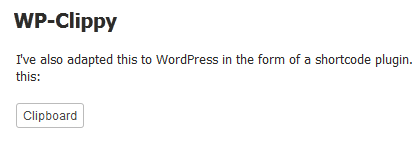
Here's an example of the flash button included in a post.
Installation
- Download the latest zip file and extract the
wp-clippydirectory. - Upload this directory inside your
/wp-content/plugins/directory. - Activate ‘WP-Clippy’ on the ‘Plugins’ menu in WordPress.
- Insert the [clippy] shortcode in a post or page.
FAQ
- How do I add this into my posts?
-
To display copy to clipboard button, use the shortcode
[clippy id="form_input_id"]or[clippy value="string to load directly to clipboard"]. - What version of Flash is this?
-
This was made with Flash 10.2 and ActionScript 3.0, the latest version at the date of publication.
Reviews
There are no reviews for this plugin.
Contributors & Developers
“WP-Clippy” is open source software. The following people have contributed to this plugin.
Contributors
Translate “WP-Clippy” into your language.
Interested in development?
Browse the code, check out the SVN repository, or subscribe to the development log by RSS.
Changelog
1.0.0
- First released version.
- There may still be bugs, but I can’t find any.