
Description
Tired of having the top of your screen full of notifications coming from all the plugins you’ve installed?
Here is what you will be able to:
* Display or not the notifications depending on users roles.
* Group all your notifications in a notification center located at the right of your page.
* Use the bouton on the top bar to display / hide this notification center.
* Be informed when a new notification is present (thanks to a badge displayed on your admin bar)
* Select the notification types (information/warning/error) you want to be displayed in the notification center. And the ones you would like to be displayed at the top of your screen
* Don’t display notification containing spam words set by the user
Screenshots
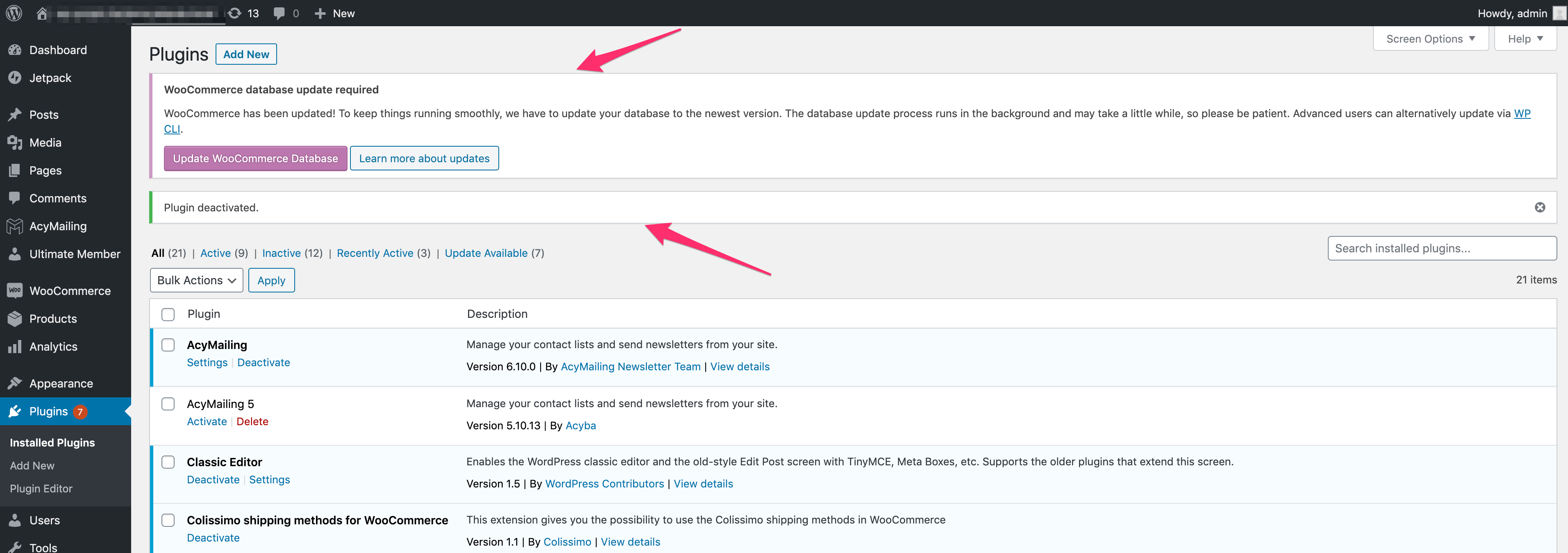
Screenshots of the pages "plugins installed" without the plugin 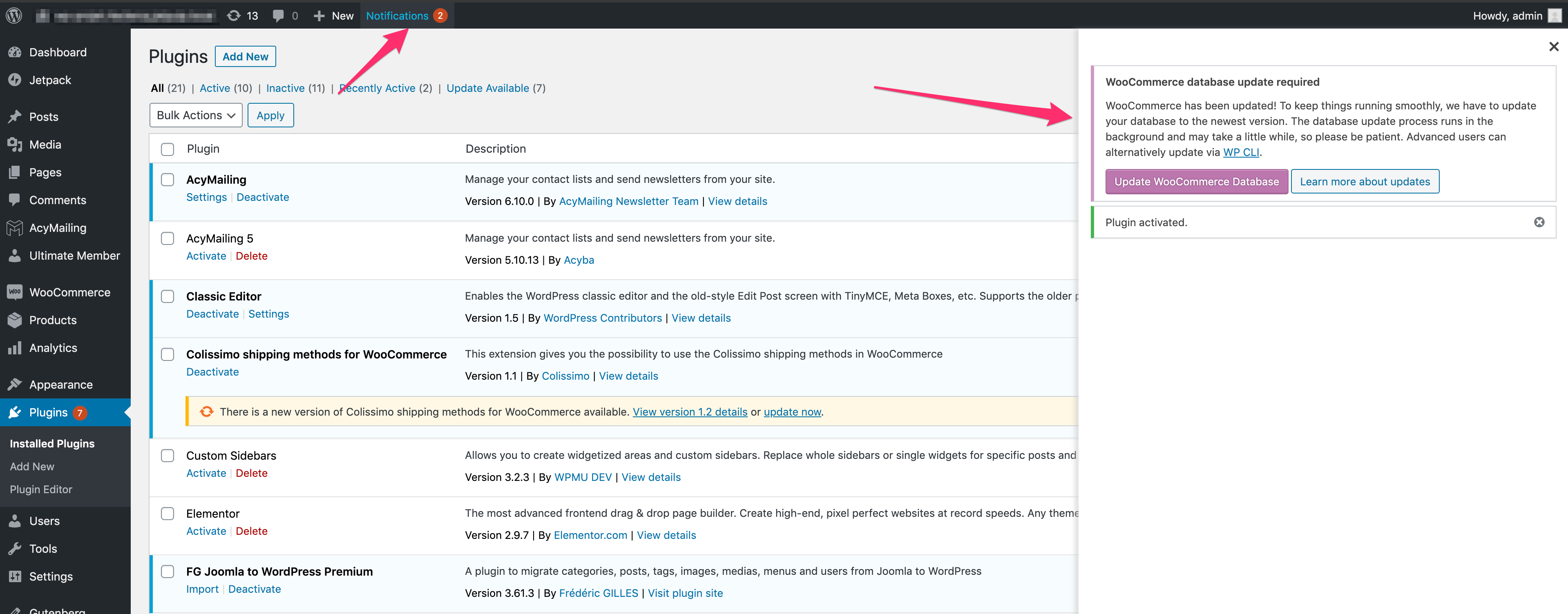
Screenshots of the pages "plugins installed" with the plugin 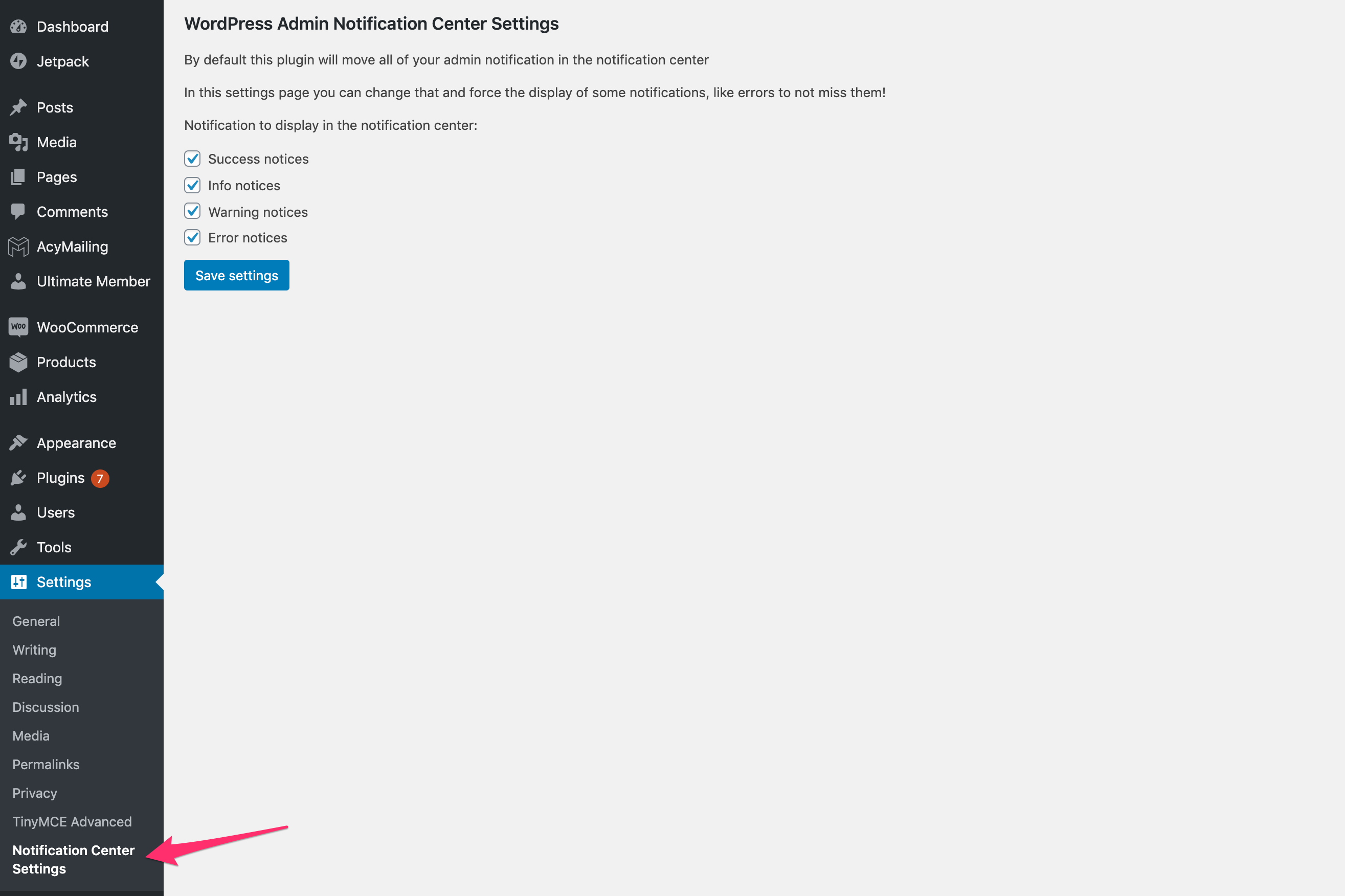
Screenshots of the plugin settings
Installation
You can download the package on wordpress.org and install it on your website or directly install it via the plugin installer on your backend.
Reviews


Contributors & Developers
“Hide admin notices – Admin Notification Center” is open source software. The following people have contributed to this plugin.
Contributors
“Hide admin notices – Admin Notification Center” has been translated into 3 locales. Thank you to the translators for their contributions.
Translate “Hide admin notices – Admin Notification Center” into your language.
Interested in development?
Browse the code, check out the SVN repository, or subscribe to the development log by RSS.
Changelog
3.1.0
- Fix notification number showing 0
3.0.0
- Store notice displayed in the admin
- Listing of all notices stored
- Change admin menu icon