
Description
Widget Importer & Exporter is useful for moving widgets from one WordPress site to another, backing up widgets and for theme developers to give users sample widgets. See the details on ChurchThemes.com.
Importing
Importing is done by uploading an export file created by the plugin. The results of an import are shown in a nicely formatted table with an explanation of what happened with each widget area and widget.
Importation takes into consideration widget areas not existing in the current theme (widgets imported as Inactive), widgets that already exist in the same widget area (widgets not duplicated) and widgets that are not supported by the site (widgets not imported).
Exporting
Widget Importer & Exporter can create an export file (in JSON format with .wie extension) out of currently active widgets. This file can be imported into other sites using this plugin or used to restore widgets to the same site later.
Developers
The wie_before_import action fires after a file is uploaded but before the data is imported. wie_after_import fires after the data is imported. The wie_import_data filter can be used to filter data before it is imported. Other filters are used throughout. Make a pull request on GitHub if you need another hook.
Please jump on GitHub to report issues and follow development.
Screenshots
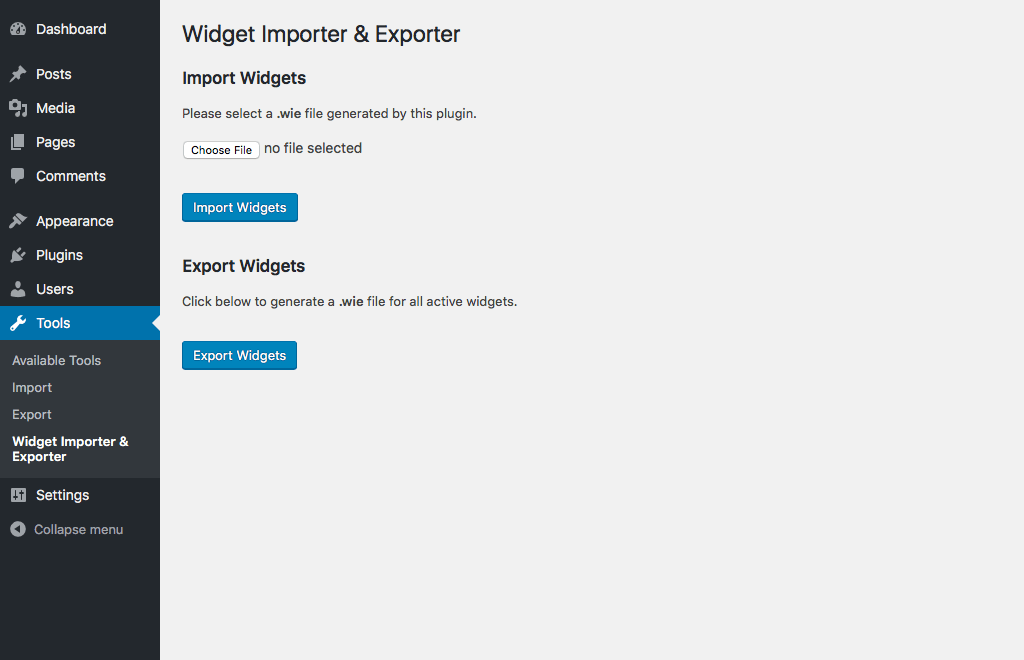
Main import/export screen 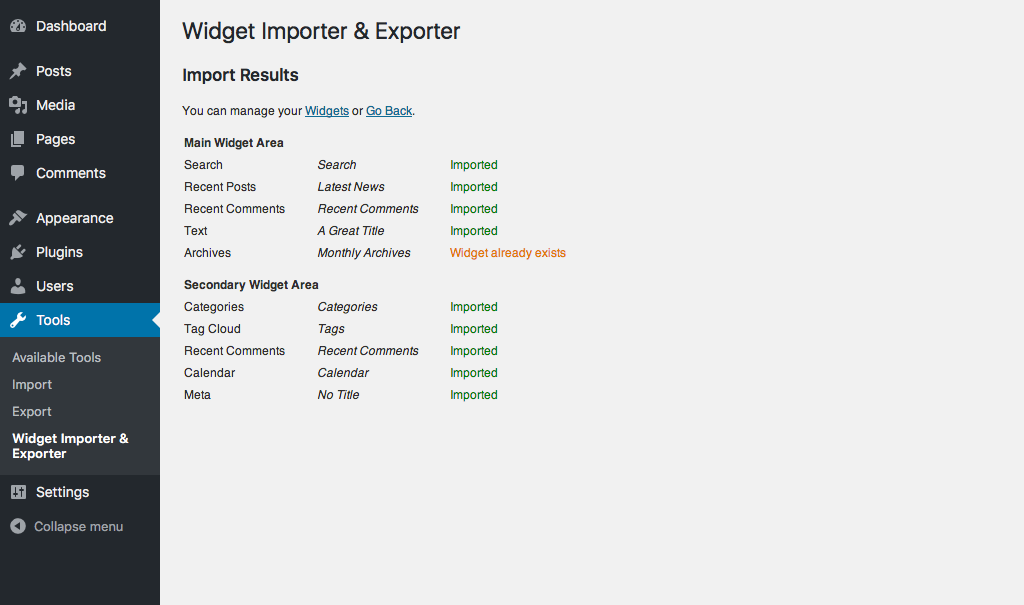
Results from an import
Installation
Please see Installing Plugins in the WordPress Codex.
After activation, go to Tools > Widget Importer & Exporter
FAQ
-
Why does the JSON export file use a .wie extension?
-
The export file contains JSON data that is not compatible with any other plugin. Therefore it has a proprietary file extension. This keeps people from confusing export files from other widget import/export plugins.
Reviews


Contributors & Developers
“Widget Importer & Exporter” is open source software. The following people have contributed to this plugin.
Contributors


“Widget Importer & Exporter” has been translated into 22 locales. Thank you to the translators for their contributions.
Translate “Widget Importer & Exporter” into your language.
Interested in development?
Browse the code, check out the SVN repository, or subscribe to the development log by RSS.
Changelog
See releases on GitHub.