
Description
Simple article feedback plugin. find out if the information you provided is helpful to visitors and improve the user experience.
Key Features
- Lightweight and simple workflow.
- Ajax Rating
- Simple UI.
Screenshots
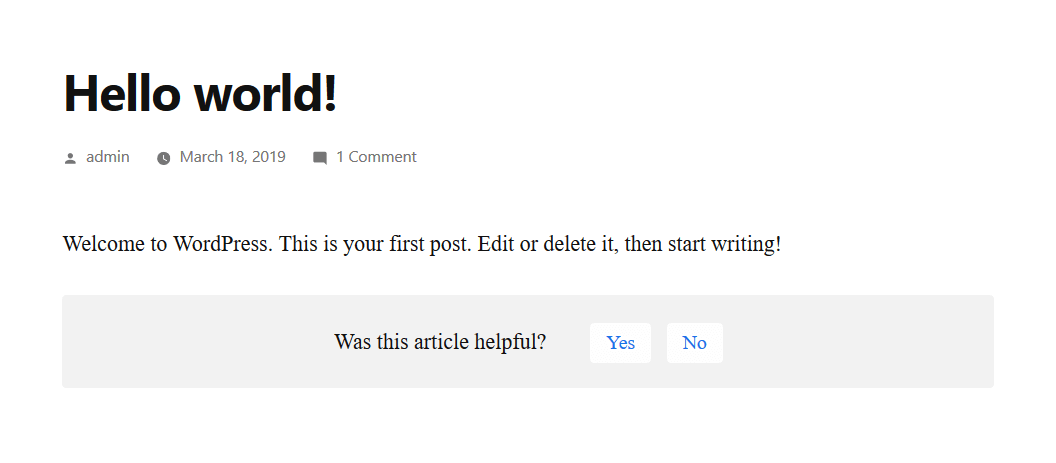
"Was this helpful" question is at below of the page. 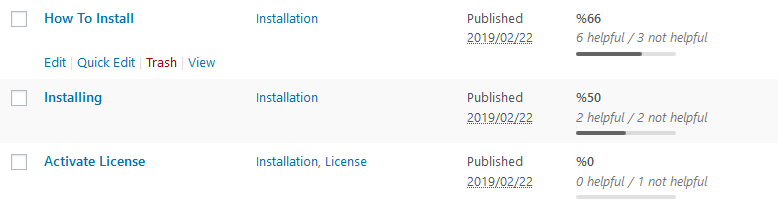
The results in WordPress dashboard > Posts.
Installation
Install “Was this helpful?” just as you would any other WP Plugin:
- Download “Was this helpful?” from WordPress.org.
- Unzip the .zip file.
- Upload the Plugin folder (was-this-article-helpful/) to the wp-content/plugins folder.
- Go to Plugins Admin Panel and find the newly uploaded Plugin, “Was this helpful?” in the list.
- Click Activate Plugin to activate it.
Reviews

Marso 6, 2024
Thanks for this Plugin, Lightweight and does the Job!

Mayo 8, 2023
The plugin is simple and does the job very well. Install, select which post types to display in WordPress Dashboard > Settings > Helpful and you are good to go.
The plugin has scope for growth by adding few features as others have suggested. However, it is a useful plugin as it is.
Thank you for sharing it with the community.

Marso 21, 2023
Works as expected on PC. Works terrible on mobile. There's no padding in mobile, and the widget looks broken.

Pebrero 14, 2023
This plugin is very simple to use and highly recommended. The best thing is: It is compatible with the most recent WordPress version.

Nobyembre 24, 2022
1 reply
I can't find a way to see the stats?

Mayo 12, 2022
Hi,
This is very useful plugin, thank you!
Is it possible to translate the question and answers to other languages?
Regards,
Dejan
Contributors & Developers
“Was This Helpful?” is open source software. The following people have contributed to this plugin.
Contributors
Translate “Was This Helpful?” into your language.
Interested in development?
Browse the code, check out the SVN repository, or subscribe to the development log by RSS.
Changelog
1.0.2
- Added a shortcode to be able to show the widget at anywhere.
1.0.1
- Added margin between the content and the helpful widget
1.0.0
- Initial Release