
Description
Introducing our new lightweight WordPress plugin – View User Metadata!
This plugin adds a simple toggle button to the user edit screen, allowing administrators to easily view metadata associated with the user they are currently viewing. Metadata includes all data attached to a user account. Administrator’s can also delete the usermeta.
This plugin is perfect for developers where metadata is important to view but doesn’t need to be displayed at all times.
Screenshots
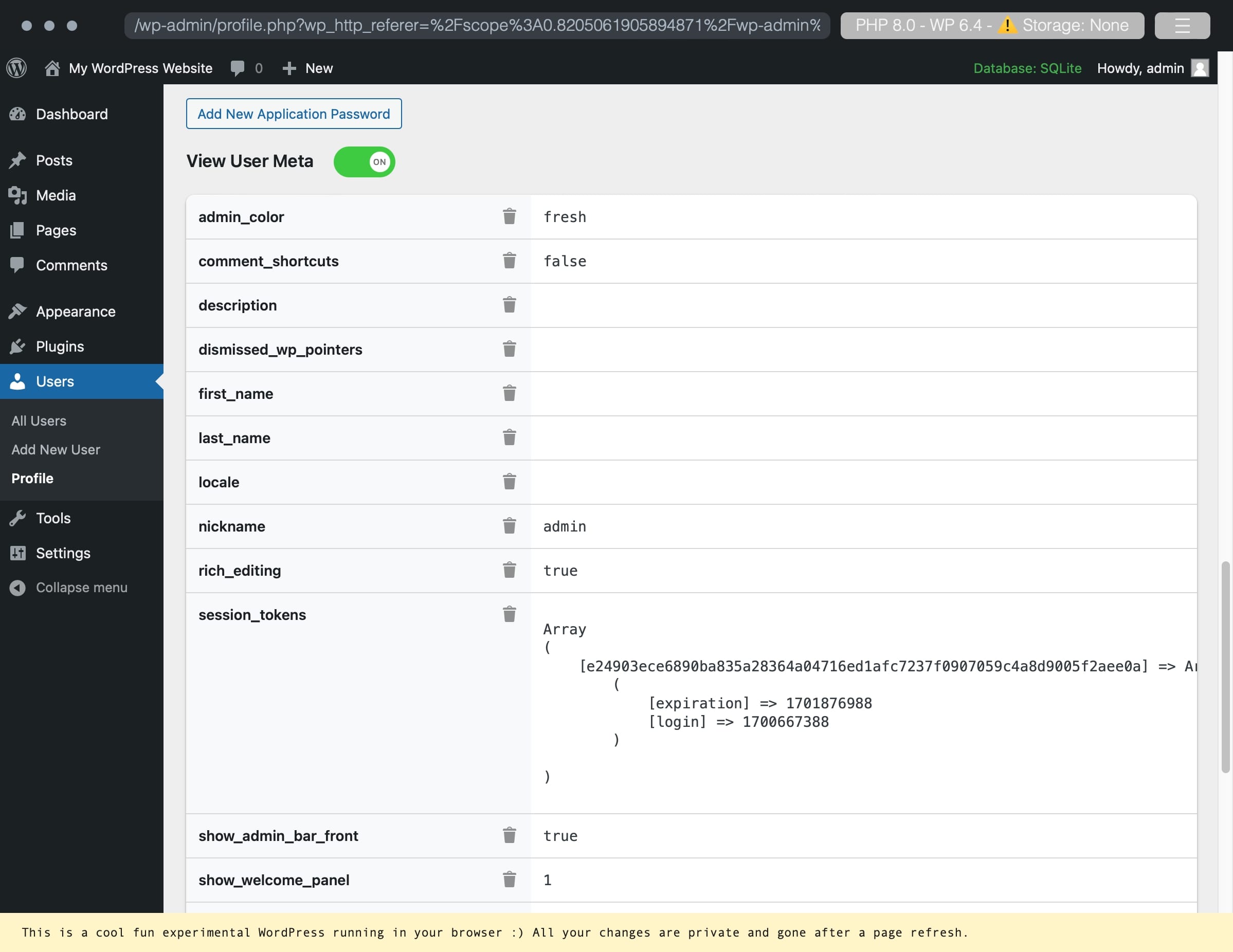
An example of a user account with user metadata. 
Deleting a custom metadata key/value pair. 
Successful deletion of a key/value pair.
Installation
Use the automatic installer via WordPress or download the plugin and:
- Upload the plugin files to the
/wp-content/plugins/view-user-metadatadirectory. - Activate the plugin through the ‘Plugins’ screen in WordPress.
- Navigate to your profile or any other users and enable the toggle for View User Metadata.
Reviews
There are no reviews for this plugin.
Contributors & Developers
“View User Metadata” is open source software. The following people have contributed to this plugin.
Contributors
Translate “View User Metadata” into your language.
Interested in development?
Browse the code, check out the SVN repository, or subscribe to the development log by RSS.
Changelog
1.11
- Move delete icon to work across screen sizes
1.1
- Ability to delete the meta key and value pair.
1.0
- Initial release.