
Description
Adds a button to the WordPress TinyMCE editor to clear floats.
Screenshots
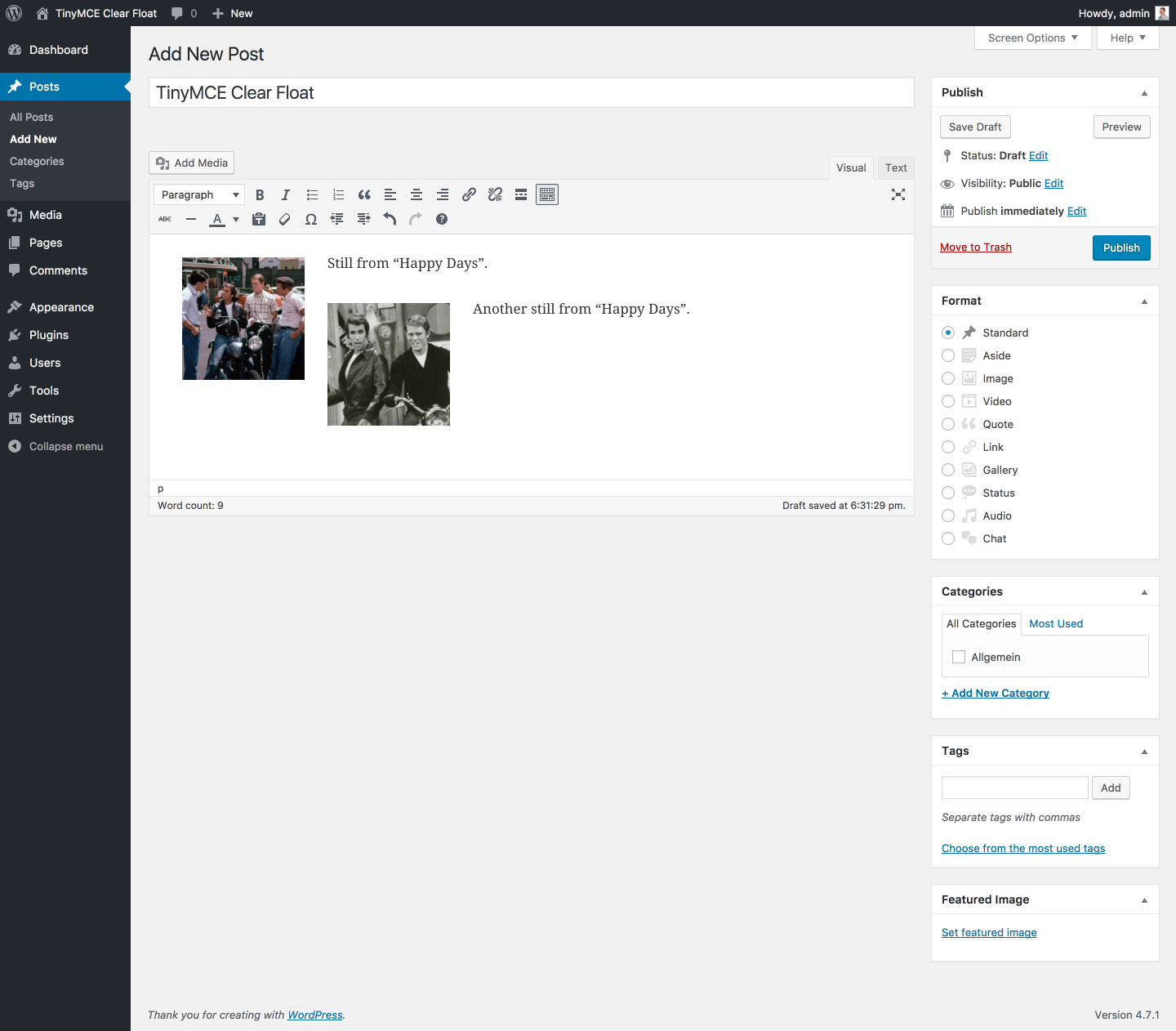
Before: Floated images in the editor. The second image overlaps the first. 
After: Added clear tag (see new icon in second toolbar). 
Markup in the Text Editor (notice <br style="clear: both;">).
FAQ
- Which HTML markup does the plugin use ?
-
Line breaks with inline styles (
<br style="clear: both;">).Note: TinyMCE wrapps line breaks in paragraphs which may lead to additional margins depending on your theme. To prevent these margins paste the following in the “Custom CSS” part of the Customizer:
p > br[style=”clear: both;”]:only-child {
content: ”;
display: block;
margin-bottom: -1.5em;
}
The value1.5emcorresponds to your theme’smargin-bottomof<p>tags.
Reviews


Contributors & Developers
“TinyMCE Clear Float” is open source software. The following people have contributed to this plugin.
Contributors
“TinyMCE Clear Float” has been translated into 1 locale. Thank you to the translators for their contributions.
Translate “TinyMCE Clear Float” into your language.
Interested in development?
Browse the code, check out the SVN repository, or subscribe to the development log by RSS.
Changelog
1.3.2 (08/01/2018)
- Fix: Rare bug (introduced in v1.2.0) that prevented parsing of deprecated clear element if it contained non breaking space (
<div style="clear: both;"> </div>)
1.3.1 (05/20/2018)
- Fix: Bug (introduced in v1.3.0) that hid the TinyMCE content if no clear element was found
1.3.0 (05/19/2018)
- Fix: Replaced regular expressions for switching clear elements with placeholders and vice versa with DOMParser to reliably match all possible clear element notations (e. g.
<br style="clear: both;">,<br style="clear:both">,<br style="clear: both;" />,<br style="clear:both" />)
1.2.2 (05/25/2017)
- Fix: Rare bug (introduced in v1.2.0) that caused TinyMCE to remove the
<br />tag - Fix: Bug (introduced in v1.2.0) that prevented the plugin from beeing translatable (finally)
- Misc: Bumped “Requires at least” to WordPress 4.6
1.2.1 (03/30/2017)
- Fix: Bug (introduced in v1.2.0) that prevented the plugin from beeing translatable
1.2.0 (01/26/2017)
- New maintainer; first update after seven years
- Feature: Removed clear left and clear right buttons (see FAQ section)
- Misc: Completely refactured plugin code
1.1 (05/10/2010)
- Feature: Added HTML block in the style of WordPress
1.0 (04/28/2010)
- Initial release