Lumaktaw patungo sa content
WordPress.org

Tagalog

  • Themes
  • Plugins
  • Mga Balita
  • Suporta
  • Tungkol Sa
  • Mag-translate
  • Makipagkita
  • Makipag-uganayan
  • Taga-pangangasiwa
  • WPUGPH
  • Get WordPress
Get WordPress
WordPress.org

Plugin Directory

Social Icons Widget & Block – Social Media Icons & Share Buttons

  • Mag-submit ng plugin
  • Aking mga paborito
  • Mag-log in
  • Mag-submit ng plugin
  • Aking mga paborito
  • Mag-log in

Social Icons Widget & Block – Social Media Icons & Share Buttons

Ni WPZOOM
I-download
  • Mga Detalye
  • Mga Review
  • Pag-install
  • Development
Suporta

Deskripsyon

Social Media Icons & Share Buttons for WordPress

The best social icons plugin for WordPress. Add beautiful social media icons and share buttons anywhere on your site. 400+ icons, Gutenberg block, widget, Elementor support – all in one plugin.

Did you find this plugin helpful? Please consider leaving a 5-star review.

View Demo

Social Icons & Sharing Buttons helps you to add social media icons and sharing buttons to your website. The plugin includes several icon sets, which gives you the possibility to use the widget for more than just linking to your social media profiles. You can use generic icons to add links to anything you want, and enable sharing buttons to let visitors share your content across social networks.

With the help of WPZOOM’s excellent Social Icons Widget plugin, you can link to all your social network profiles and add sharing buttons in no time, letting your visitors easily get in touch with you on all social media channels and share your content.
⭐️⭐️⭐️⭐️⭐️
WPKlik

What’s new in 4.5.0

  • NEW: Social Sharing Buttons Block
  • NEW: Add Social Sharing Buttons in posts and pages

What’s new in 4.4.0

  • NEW: Add SVG Icons in the Social Icons Block

What’s new in 4.0.0

  • NEW: Gutenberg Block
  • New icon styles in the new Social Icons Block
  • New options to customize your icons: change margin, padding, alignment, roundness etc.

What’s new in 3.0.0

  • Added Global Color Picker to change the color of all icons
  • Added a new color picker to change hover color on all icons
  • Icons are now grouped in categories

What’s new in 2.2.0

  • Added Padding and Size options for icons
  • Added support for Skype links (skype:username)

What’s new in 2.1.0

  • Search Icons by keywords
  • FontAwesome Icon Set Integration
  • Updated Instagram Icon

What’s new in 2.0

  • New custom icons
  • Color picker for each icon
  • 3 Icon Sets from which you can choose more than 400 icons

Where I can view a Demo?

You can view the plugin live in all our themes at WPZOOM.

View Demo & Examples

  • Foodica Theme – header bar and sidebar
  • Inspiro Theme – sidebar panel and footer

Features:

Social Icons Block:
* SVG Icons Support – Upload custom SVG icons
* 400+ Custom Icons from 5 Icon Sets
* Gutenberg Block with Live Preview
* Drag & Drop Icons with Sortable Arrows
* Color Picker for Each Icon
* Search by Keywords
* Adjust Icon Size & Padding
* Multiple Styles: Icon Shape and Icon with Background
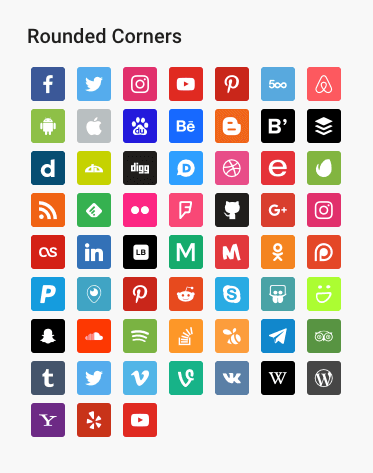
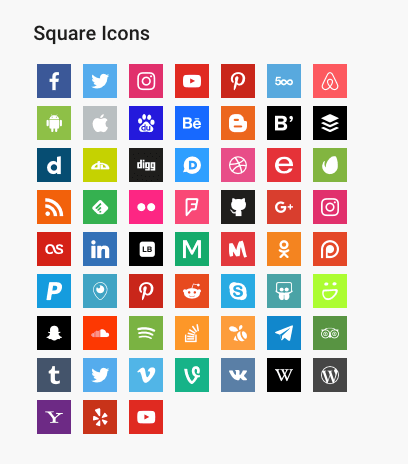
* 3 Background Styles: Rounded Corners, Round, Square
* Icon Sets + Shortcodes
* Elementor Widget Integration

Social Sharing Buttons Block:
* 12+ Sharing Platforms: Facebook, X, Threads, LinkedIn, Pinterest, Reddit, Pocket, Telegram, WhatsApp, Bluesky, Email, Copy Link, and Print
* Multiple Button Styles: Circle, Square, Rounded, Outlined, Minimal, One-tone
* Customizable Colors, Sizes, Padding & Margins
* Show/Hide Labels
* Print Button to Trigger Browser Print Dialog
* Copy Link Button with Visual Feedback
* X/Twitter Username Integration (via parameter)

General Features:
* 100+ Sites/Social Networks Supported
* FontAwesome Integration
* Academicons Integration: 38 Academia Icons for Academics
* Supports Email Addresses (mailto:email@example.com)
* Supports Telephone Numbers (tel:12345)
* Supports Skype (skype:username?call)
* Supports Viber (viber://add?number=123456)
* Supports WhatsApp (https://api.whatsapp.com/send?phone=15551234567)

Icons

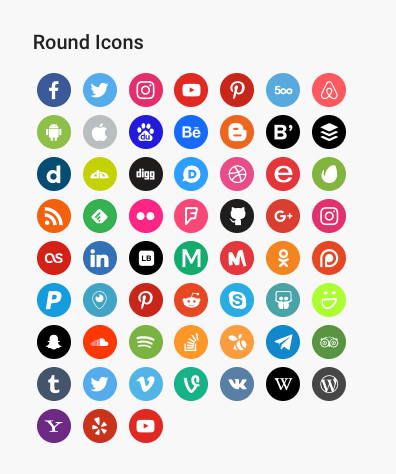
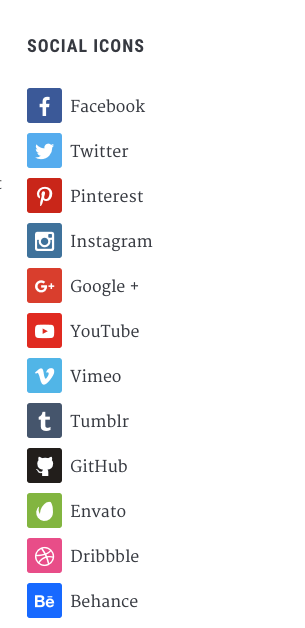
Twitter, X, Facebook, Instagram, Pinterest, Snapchat, Threads, Yelp, LinkedIn, Bloglovin’, Lookbook, Feedly, Periscope, SoundCloud, Spotify, Last.fm, YouTube, Vimeo, Flickr, 500px, Tumblr, Blogger, Reddit, Dribbble, Envato, Behance, DeviantArt, GitHub, RSS, Disqus, Stackoverflow, Komoot, Tiktok, Mailchimp, Podcasts, Telegram, TripAdvisor, AirBnb, Baidu, ebay, Medium, Periscope, Snapchat, Bandcamp, Eyem, Viber, Quora, Etsy, Meetup, Linode, IMDB, Overwatch, Strava, Tidal, Deezer, Unsplash, Codered, Udemy, CrunchBase, Angie’s List, App Store, Nextdoor, WhatsApp, ResearchGate, Slack, Songkick, ReverbNation, Bluesky, Pocket

Credits

Some Social Icons are provided by the Socicon icon font.

Academicons are provided by James Walsh.

GDPR COMPLIANCE

Social Icons & Sharing Buttons does not collect any information from your visitors, therefore it’s 100% GDPR compliant.

Get Involved

Looking to contribute code to this plugin? Go ahead and fork the repository over at GitHub.

Mga Screenshot

  • Social Icons & Sharing Buttons Preview
  • Sharing Buttons in Posts & Pages
  • Customizing Sharing Buttons
  • Custom SVG Icons
  • Social Sharing Block
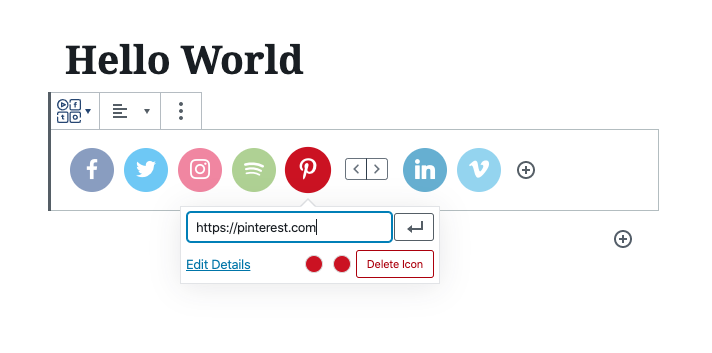
  • Social Icons Block
  • Social Sharing Buttons – Outline Style
  • Social Sharing Buttons – Minimal Style
  • Social Sharing Buttons – One-tone Style
  • Social Sharing Buttons – No Label Style

Blocks

Ang plugin na ito ay nagbibigay ng 2 (na) block.

  • Social Sharing Buttons
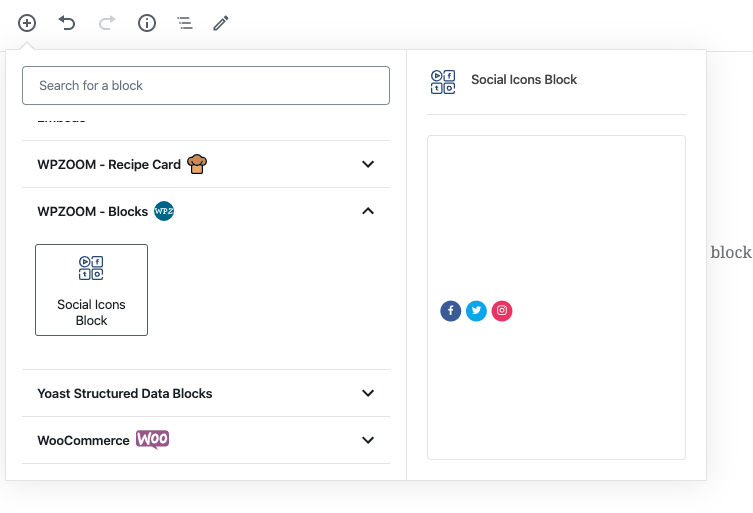
  • Wpzoom Blocks Social Icons

Pag-install

Simply search for the plugin via the Plugins -> Add New dialog and click install, or download and extract the plugin, and copy the plugin folder into your wp-content/plugins directory and activate.

After that go to the Widgets page and add the widget Social Icons by WPZOOM to a widget area like Sidebar.

FAQ

Where do I find more details about this plugin?

On our website.

How can I add Social Icons to a Page?

Add the Social Icons Block to the Gutenberg editor and customize the icons as you want. You can search for icons, drag & drop to reorder them, and customize colors, sizes, and styles.

How can I add Social Sharing Buttons to my posts?

Add the Social Sharing Buttons Block to your post or page. You can enable/disable specific sharing platforms in the block settings sidebar. The block includes support for Facebook, X (Twitter), LinkedIn, WhatsApp, Email, Print, and many more platforms.

Can I customize the appearance of the Sharing Buttons?

Yes! The Social Sharing Buttons Block offers multiple style presets (Circle, Square, Rounded, Outlined, Minimal, One-tone) and extensive customization options including:
* Icon and label colors
* Button sizes and padding
* Border radius and styling
* Show/hide labels
* Margin and spacing

What sharing platforms are supported?

The plugin supports 12+ sharing platforms: Facebook, X (Twitter), Threads, LinkedIn, Pinterest, Reddit, Pocket, Telegram, WhatsApp, Bluesky, Email, Copy Link, and Print.

How does the Print button work?

The Print button triggers the browser’s native print dialog, allowing visitors to print the current page. It’s disabled by default and can be enabled in the block settings.

How does the Copy Link button work?

The Copy Link button copies the current page URL to the visitor’s clipboard and displays a success message. It works without requiring any additional configuration.

Can I upload custom SVG icons?

Yes! In the Social Icons Block, you can upload custom SVG icons by clicking on any icon and selecting “Insert Custom SVG Icon” from the popover menu.

Does this plugin slow down my website?

No. The plugin is optimized for performance and only loads the icon fonts and scripts that are actually being used on your pages. Fonts can be preloaded for even better performance.

Is this plugin GDPR compliant?

Yes! Social Icons & Sharing Buttons does not collect any information from your visitors, therefore it’s 100% GDPR compliant.

Mga Review

excellent

malemi Disyembre 28, 2023
It works as expected

Social Icons Widget & Block

cmeyers13 Agosto 21, 2023 1 na reply
Amazing. A god-send. You have every know social icons — in the universe! Never thought I would find Wiki! Made me a hero. Thank you!

Quick and easy

Pagecode Marso 16, 2023
easy to use

Useful

Raquel Alao Marso 14, 2023
Useful plugin. Does what it says.

بهترین

keshvarifar Oktubre 9, 2022
بهترین افزونه برای نمایش آیکون شبکه های اجتماعی در سایت وردپرسی با قابلیت پشتیبانی از آیکون آپارات به صورت پیش فرض و (هر سایت دلخواه دیگر در صورت خرید لایسنس) The best plugin for add social media icons in your wp site and the best option for persian webmasters is supporting Aparat icon by default. (Aparat is iranian video sharing website).

Good plug-in!

Eelke Setyembre 22, 2022
Good plug-in, works nicely!
Basahin lahat ng 143 na review

Mga Contributor at Developer

Ang “Social Icons Widget & Block – Social Media Icons & Share Buttons” ay open source software. Ang mga sumusunod na tao ay nag-ambag sa plugin na ito.

Mga Contributor
  • WPZOOM
  • Pavel Ciorici

Ang “Social Icons Widget & Block – Social Media Icons & Share Buttons” ay naisalin na sa 9 (na) mga locale. Salamat sa mga tagasalin para sa kanilang mga kontribusyon.

Isalin ang “Social Icons Widget & Block – Social Media Icons & Share Buttons” sa iyong wika.

Interesado sa development?

Tingnan ang code, i-check ang SVN repository, o mag-subscribe sa development log sa pamamagitan ng RSS.

Changelog

4.5.4

  • Minor fixes

4.5.3

  • Minor bug fix

4.5.2

  • Adding a new Print button in the Social Sharing Buttons block

4.5.1

  • Added new field to add your X/Twitter username in the Sharing Buttons block

4.5.0

  • NEW: Social Sharing Buttons Block
  • NEW: Add Social Sharing Buttons in posts and pages (Icons & Sharing > Sharing Buttons)

4.4.0

  • Added SVG Icons support in the Social Icons Block
  • UI Improvements to the Block

4.3.4

  • Minor bug fixes

4.3.3

  • New: Bluesky icon

4.3.2

  • Minor bug fix

4.3.1

  • Added a new Elementor widget to display icon sets created using this plugin

4.3.0

  • Create Icon Sets and embed them anywhere with Shortcodes
  • Minor bug fixes

4.2.18

  • Fixed an issue with arial label escaping

4.2.17

  • Fixed an issue with the values of some fields not being escaped

4.2.16

  • Removed the pointer from the Widgets page

4.2.15

  • Updates to the Twitter icon

4.2.14

  • New icons: X (use x.com/username for the new Twitter icon), Matrix, Element

4.2.13

  • New icons: Threads, Venmo, Wise, Revolut, Gutenberg, Gravatar, OpenAI, Midjourney, WeChat, Roblox, OnlyFans, Figma, Elementor, Shopify, Woo, Gumroad, Artgram, Cubebrush, Aristree, OpenSea

See changelog for all versions.

Meta

  • Bersyon 4.5.4
  • Huling na-update 1 linggo ang nakalipas
  • Mga aktibong installation 100,000+
  • Bersyon ng WordPress 6.0 o mas bago
  • Sinubukan hanggang 6.9
  • Bersyon ng PHP 7.4 o mas bago
  • Mga Wika

    Dutch, English (US), Portuguese (Brazil), Russian, Spanish (Chile), Spanish (Colombia), Spanish (Ecuador), Spanish (Mexico), Spanish (Spain), at Spanish (Venezuela).

    Isalin sa iyong wika

  • Mga Tag
    share buttonssocial iconssocial media iconsSocial Media Widgetsocial sharing
  • Advanced View

Mga Rating

4.9 out of 5 stars.
  • 137 5-star reviews 5 stars 137
  • 3 4-star reviews 4 stars 3
  • 2 3-star reviews 3 stars 2
  • 1 2-star review 2 stars 1
  • 0 1-star reviews 1 star 0

Idagdag ang aking pagsusuri

Tingnan lahat ng review

Mga Contributor

  • WPZOOM
  • Pavel Ciorici

Suporta

Mga isyu na nalutas sa nakalipas na dalawang buwan:

1 sa 1

Tingnan ang support forum

Mag-donate

Gusto mo bang suportahan ang pagpapaunlad ng plugin na ito?

Mag-donate sa plugin na ito

  • About
  • News
  • Hosting
  • Privacy
  • Showcase
  • Themes
  • Plugins
  • Patterns
  • Learn
  • Support
  • Developers
  • WordPress.tv ↗
  • Get Involved
  • Events
  • Donate ↗
  • Five for the Future
  • WordPress.com ↗
  • Matt ↗
  • bbPress ↗
  • BuddyPress ↗
WordPress.org
WordPress.org

Tagalog

  • Visit our X (formerly Twitter) account
  • Bisitahin ang aming Bluesky account
  • Visit our Mastodon account
  • Bisitahin ang aming Threads account
  • Visit our Facebook page
  • Visit our Instagram account
  • Visit our LinkedIn account
  • Bisitahin ang aming TikTok account
  • Visit our YouTube channel
  • Bisitahin ang aming Tumblr account
Ang Code ay Tula.