
Description
Make it easy for your audience to share your content across 40+ of the most popular social channels including Facebook, WhatsApp, Twitter, and Pinterest.
The free plugin includes the following features:
- Configure your buttons to stay anchored on the sidebar as visitors scroll or inline near your headline or product on the page for ideal visibility
- Customize the design including the alignment, size, and color (unlimited options) to match your brand
- Increase social shares with our responsive, lightweight, code which loads asynchronously and won’t slow down your site.
- Select your preferred language from over 15 options (English, German, Spanish, French, Italian, Japanese, Korean, Portuguese, Russian, Chinese, Dutch, Arabic, Bengali, Hindi, Turkish, and Vietnamese).
- Page and post editor controls which give you the power to enable or disable your buttons on specific posts and pages regardless of your default settings.
Start expanding the reach of your content organically and grow the audience of your WordPress website with the ShareThis Share Buttons plugin.
WordPress Features
Inline Share Buttons
- Enable or disable inline share buttons at the top and bottom of post and page bodies.
- Pixel perfect placement with top and bottom margin controls.
- Shortcode and PHP snippets.
- Page and post editor controls let you enable or disable inline share buttons on specific posts and pages regardless of your default settings.
Sticky Share Buttons
- Enable or disable sticky share buttons on the home page, all pages, all posts, custom posts, author pages, as well as tag and category archives.
- Exclude sticky share buttons on specific pages and category archives with a searchable page exception.
- Page and post editor controls let you enable or disable sticky share buttons on specific posts and pages regardless of your default settings.
Privacy
By creating an account with ShareThis, you agree to our terms of use which includes the ability to keep track of user interactions with our buttons. You can read our privacy policy here: https://www.sharethis.com/privacy/
Questions? Submit an inquiry through our support forum and our team will be happy to assist.
Screenshots

Inline share button design options. 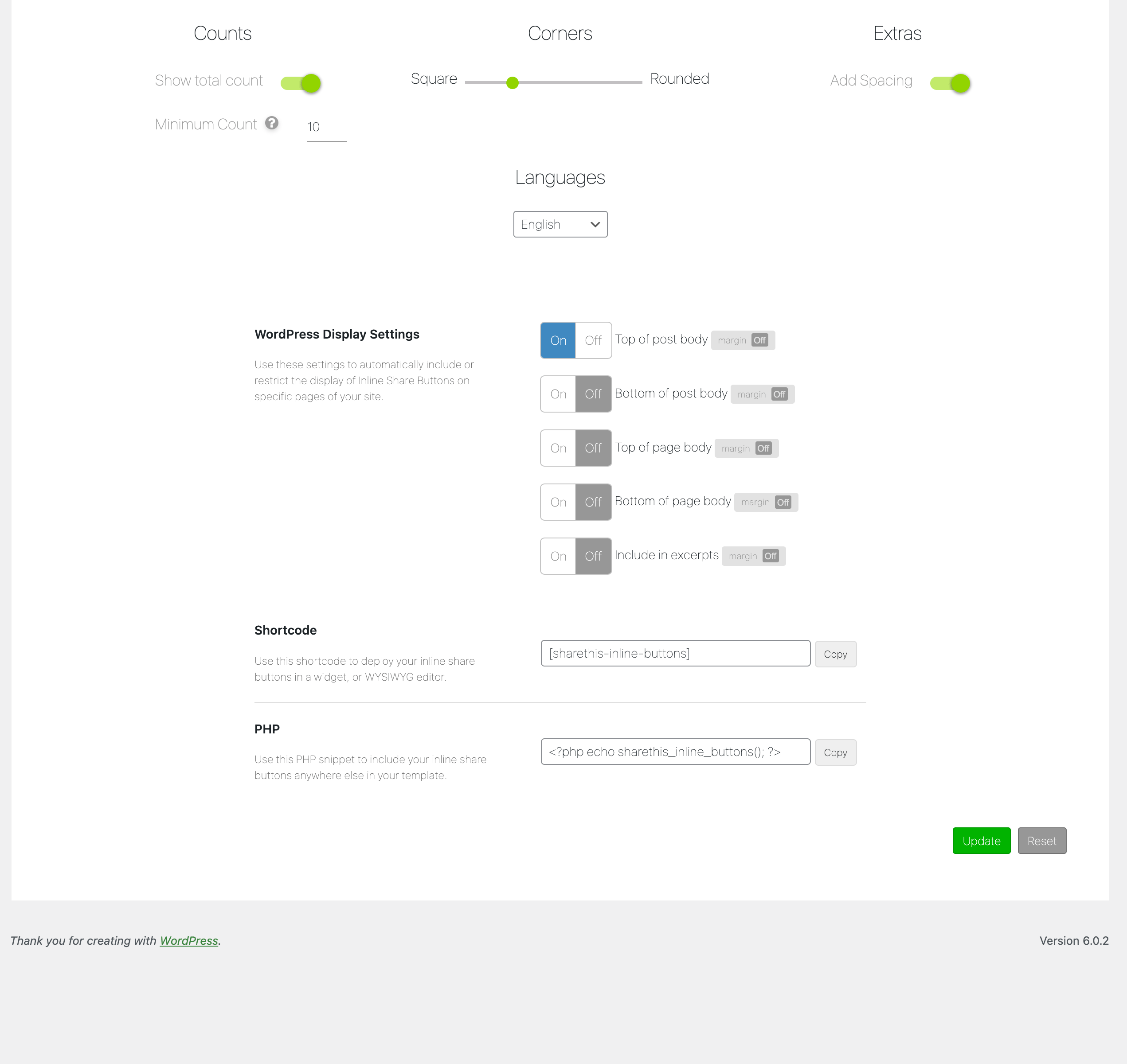
Inline share button settings. 
Example of Inline share buttons. 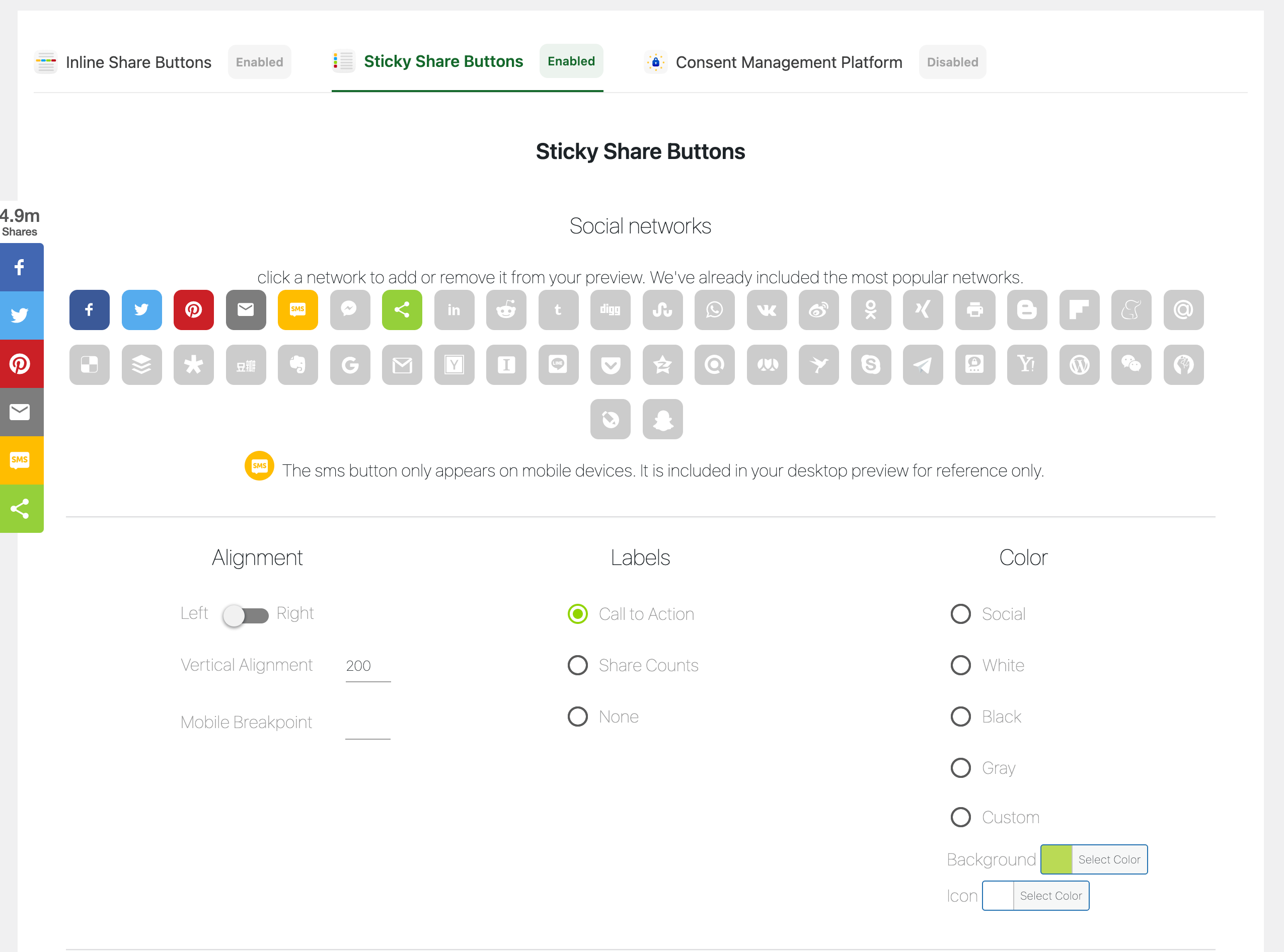
Sticky share button design options. 
Sticky share button settings. 
Example of Sticky share buttons. 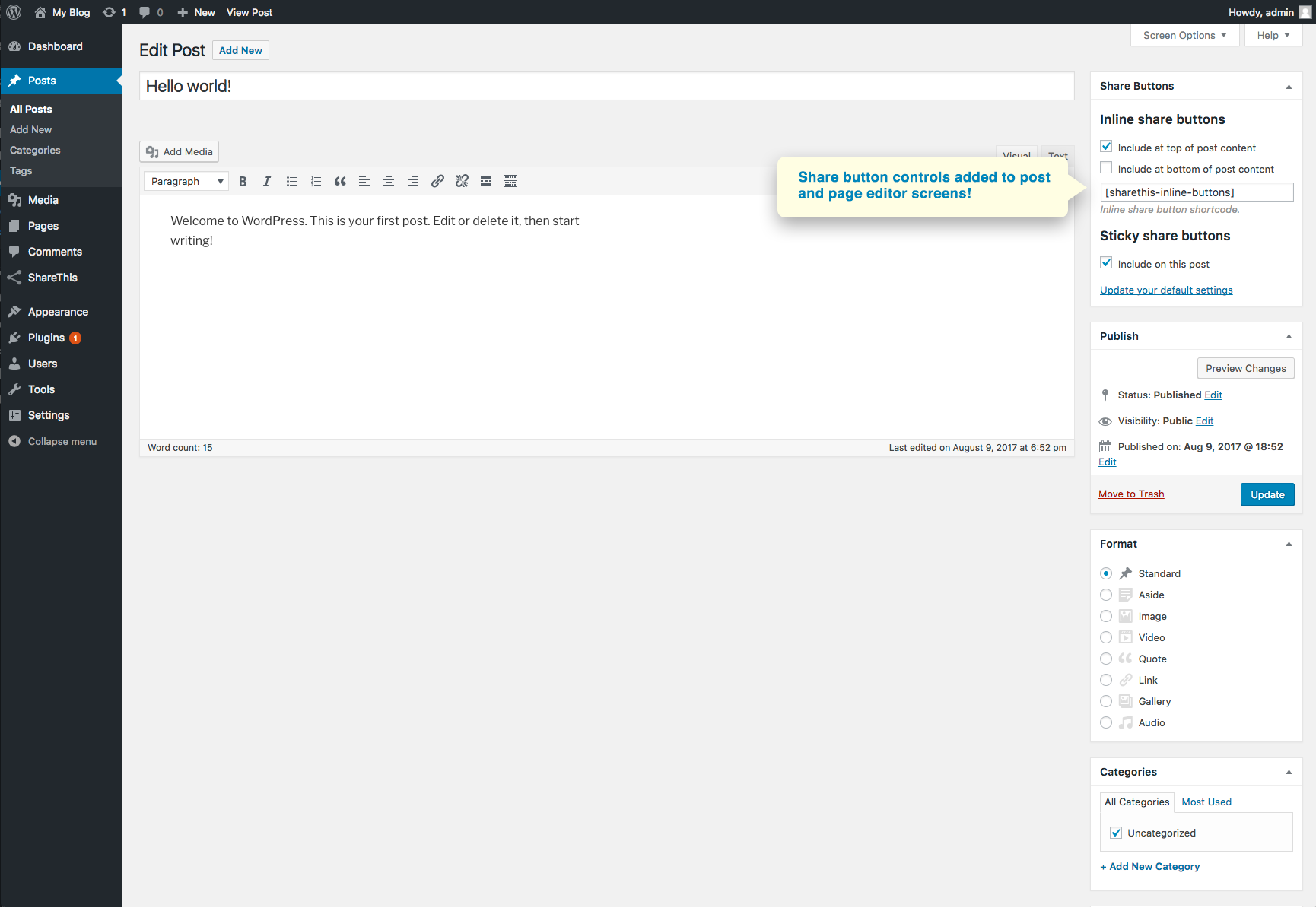
Share button controls included on post and page editors. 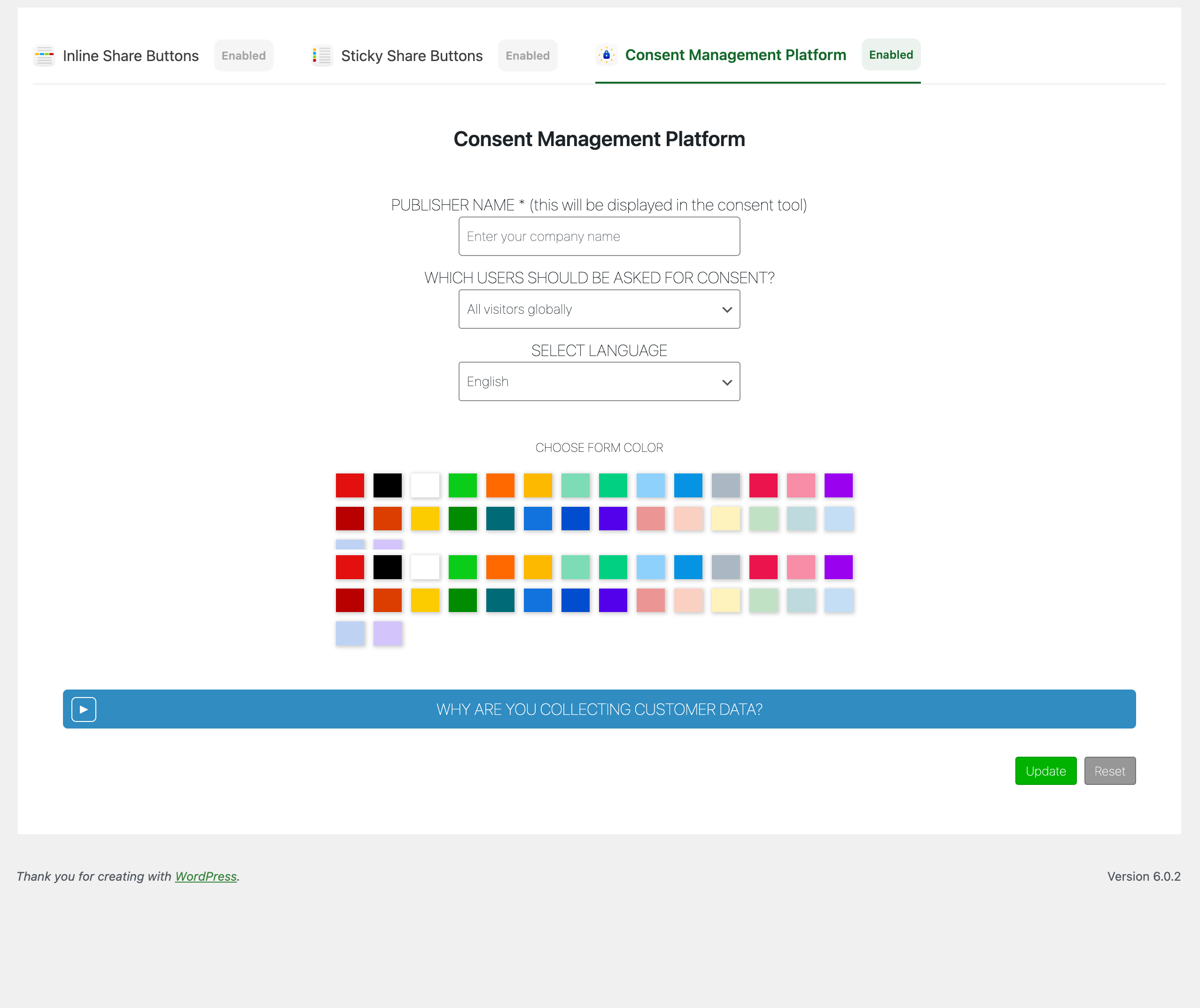
Consent management platforom settings.
Blocks
This plugin provides 1 block.
- Inline Share Buttons
Installation
Install ShareThis Share Buttons just like any other plugin. Simply download the file directly from this page or search for us in the WordPress directory and click “Install”. After you install and activate the plugin, simply configure your buttons and create an account.
If you’re already using the new ShareThis buttons, and want to migrate to our WordPress plugin, we’ve got your back. Install the plugin, then from the first configuration screen click, connect to an existing property. Login, and select your property from the list. We’ll sync your settings from our platform. Don’t forget to remove the hard coded JS, and any hard coded inline share button divs!
FAQ
-
We cache your ShareThis platform button configurations (social networks, button size, labels etc.) to optimize their performance. Sometimes changes you make on the ShareThis platform take a couple minutes to update on your site. Also, if you activate a new button type from the settings page you may experience a similar lag.
Reviews


Contributors & Developers
“ShareThis Share Buttons” is open source software. The following people have contributed to this plugin.
Contributors


Translate “ShareThis Share Buttons” into your language.
Interested in development?
Browse the code, check out the SVN repository, or subscribe to the development log by RSS.
Changelog
2.2.0
- Add new social networks.
2.1.11
- Remove leading commas for backwards compatibility
2.1.10
- Remove restapi action.
2.1.9
- Fix position option saves.
- Fix random enable on update.
2.1.8
- Fix missing update/reset buttons.
- Fix conflict with other share this menus.
2.1.7
- Add check for first product use.
2.1.6
- Test with WordPress 6.1.1.
2.1.5
- Add source.
2.1.4
- Add disable/enable tool buttons to gdpr.
- Fix reset if tool is turned off and on.
2.1.2
- Add disable tool button.s
2.1.1
- Fix issue with PHP 5.X compatibility.
2.1.0
- Add smart share buttons.
- Add new social networks options.
2.0.0
- Remove account registration.
- Add custom share button color options.
- Change UI to tabs.
1.5.8
- Test with WordPress 6.0.1 and PHP8.
1.5.7
- Fix critical error.
- Test with WordPress 5.9.2.
- Remove random gif.
1.5.6
- Sanitize inputs/outputs and improve code quality.
- Test with WordPress 5.9.1.
1.5.5
- Fix Ajax
- Test with WordPress 5.9.
1.5.4
- Fix markup for data-url output.
1.5.3
- Fix jquery attr call and php warning.
- Remove GDPR global scope.
1.5.2
- Add Snapchat, BLM and Live Journal network options.
1.5.1
- Fix position config update save.
1.5.0
- Fix missing update in stick config.
- Fix language selector.
1.4.1
- Fix GDPR compliance on/off.
1.4.0
- Added GDPR compliance tool option and config.
1.3.0
- Fix registration sticky configurations.
- Add DB data removal on deactivate.
- Add new companies to network list.
- Add notice for ad blockers.
1.2.10
- Fix endpoint update.
1.2.9
- Add German to language list.
- Remove Native counts.
- Replace api endpoints.
1.2.8
- Made WordPress 5+ compatible.
- Added new Gutenberg block category and block for adding inline buttons.
- Fixed backwards compatibility for accounts without secrets.
1.1.8
- Added multi-language options for translating share buttons.
1.1.7
- Added loading gifs to registration to avoid user double clicks.
- Added new Messenger button to network list.
1.1.6
- Menu logic for use by future ShareThis plugins.
- Fix button size selector.
1.1.5
- Create an account and design your share buttons without leaving the plugin!
- Link the plugin and sync buttons settings with an existing property on our Platform.
1.0.5
- Add a widget for sidebars to include buttons.
1.0.4
- Added data-url attribute to non the-excerpt filter excerpts.
1.0.3
- Fixed random share buttons on homepage base issue.
1.0.2
- Changed first product set function to add if doesn’t exist instead of looking at transient.
1.0.1
- Fixed excerpt filter solving excerpt display issue.
1.0.0
- Brand new plugin submission.