
Description
Over time meta boxes may have been repositioned on WordPress admin post/page editor screens. This simple lightweight plugin allows you to quickly reset meta boxes back to their default positions, for the currently logged in admin user.
Choose which post type(s) to reset meta boxes on. Works on all post types including public custom post types.
Very quick and simple to use!
Please rate this Plugin if you find it useful. 🙂
Visit our WordPress plugin site for more WordPress plugins.
Screenshots
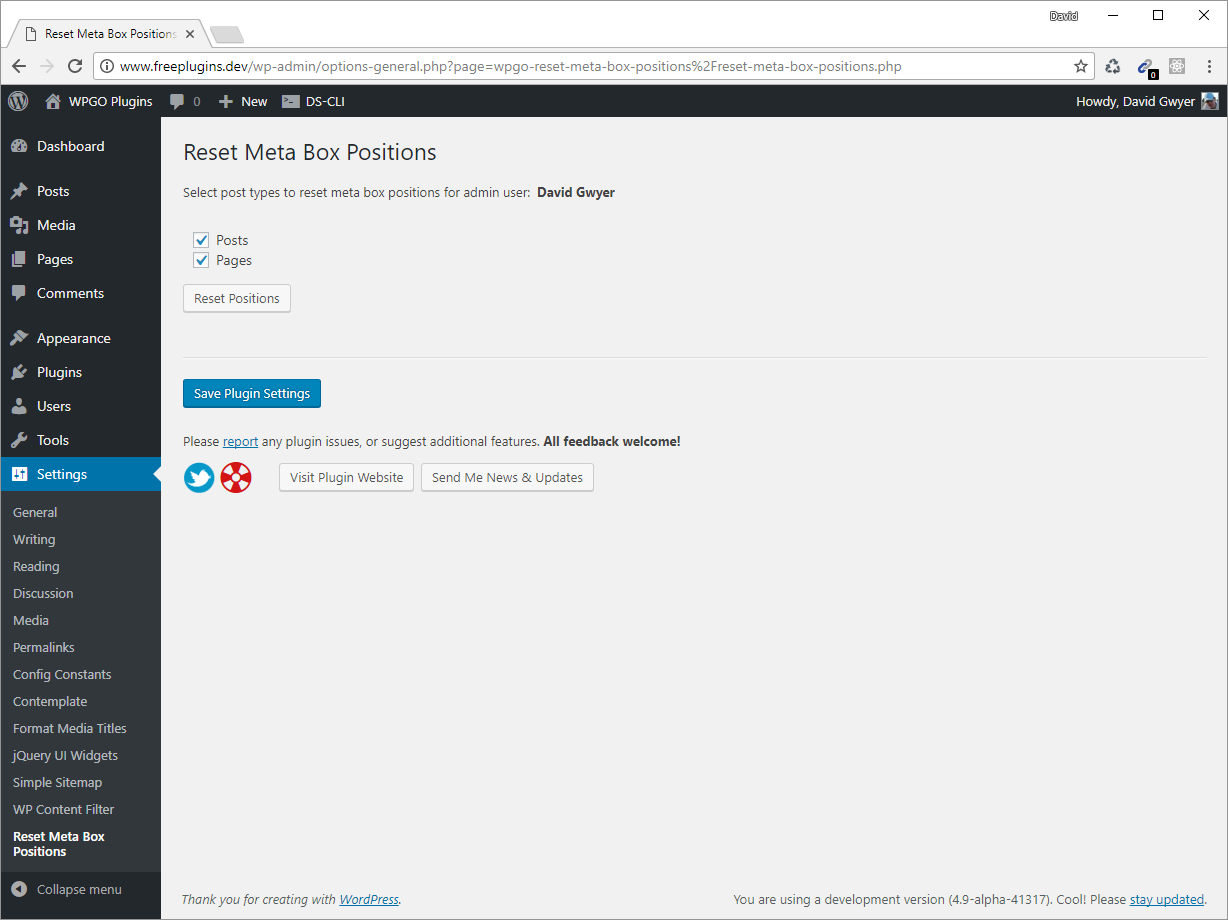
Main plugin settings page. 
Meta boxes are reset via an Ajax request so no page refresh needed! 
Success message shown once meta boxes have been reset to their default positions for the selected post types.
Installation
Instructions for installing:
- In your WordPress admin go to Plugins -> Add New.
- Enter Reset Meta Box Positions in the text box and click Search Plugins.
- In the list of Plugins click Install Now next to the Reset Meta Box Positions Plugin.
- Once installed click to activate.
- Visit the Plugin options page via Settings -> Reset Meta Box Positions, and reset meta boxes for the selected post types.
Reviews


Contributors & Developers
“Reset Meta Box Positions” is open source software. The following people have contributed to this plugin.
Contributors
Translate “Reset Meta Box Positions” into your language.
Interested in development?
Browse the code, check out the SVN repository, or subscribe to the development log by RSS.
Changelog
** 0.1.1, FEB 11, 2021 **
- Updated to work with custom post types.
** 0.1.0, SEPTEMBER 18, 2017 **
- Initial plugin release.