
Description
Plain Social Sharing Buttons aim to bring to your site a lightweight and eye-catching floating bar of social sharing buttons.
The plugin is tested with WooCommerce and Elementor and works as expected. The produced HTML, is W3C validated.
Available Buttons
- Mastodon
- Diaspora
- Tumblr
- Text resizer
Plain Social Sharing Buttons work out of the box after installation and activation, but there are many options you can alter at the Settings > Plain Social Sharing page.
Available Options
- Choose on what devices the sidebar will appear (Desktop, Tablet, Mobile)
- Choose the kind of pages the sidebar will appear (Posts, Pages, Home, Attachments, Categories, etc.)
- Modify the appearance
- Modify the buttons’ text
- Cache the social shares counter, for better performance
- Hide the social shares counter below a minimum number of shares, to avoid negative social proof
- Text resizing for selectable parts of your site
New features will be added according to demand.
Screenshots
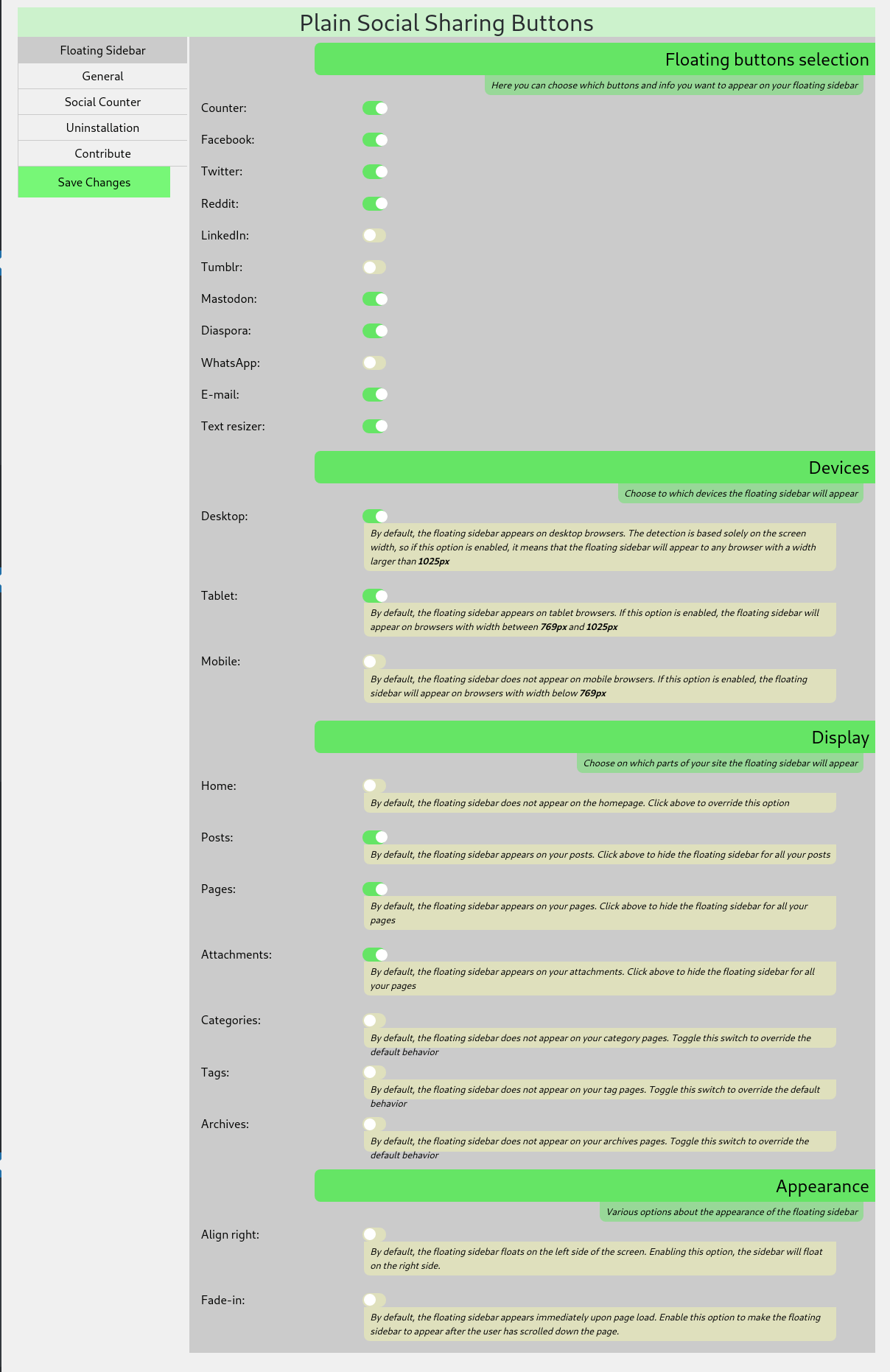
Floating Sidebar Settings: You can perform a number of adjustments in the admin panel section 
Plugin General Settings: You can also set general social media and plugin appearance options 
Social Counter Settings: Adjust the way the social counter will work 
Uninstallation Options: Choose which settings and data to keep in case of uninstallation 
Outcome The outcome of the plugin with default settings, on a freshly installed wordpress site
Installation
Minimum Requirements
- WordPress 3.1 or greater
- PHP version 5.3 or greater
- MySQL version 5.0 or greater
Recommended Requirements
- WordPress 4.6 or greater
- PHP version 7.3 or greater
- MySQL version 5.6 or greater
Installation
- Install using the WordPress built-in Plugin installer, or Extract the zip file and drop the contents in the
wp-content/plugins/directory of your WordPress installation. - Activate the plugin through the ‘Plugins’ menu in WordPress.
- Go to Settings > Plain Social Sharing to alter the end-user appearance of the plugin
Reviews
There are no reviews for this plugin.
Contributors & Developers
“Plain Social Sharing Buttons” is open source software. The following people have contributed to this plugin.
Contributors
Translate “Plain Social Sharing Buttons” into your language.
Interested in development?
Browse the code, check out the SVN repository, or subscribe to the development log by RSS.
Changelog
0.6.0 – 2019-03-01
- Added WhatsApp to the available social networks
- Added a cache bypass system for the social counter. Now you can choose to display fresh social sharing stats even if you are using a caching system
- Added the option to keep your settings and data in case you uninstall the plugin.
0.5.0 – 2019-02-26
- Code refactoring
- Changes to the admin panel
- Html produced is now w3c validated
- Added Tumblr to the available social networks
- New ability to choose the container element for the text resizing
0.4.0 – 2019-02-24
- Code refactoring
- Added LinkedIn to the available social networks
- Added Mastodon to the available social networks
- Added Diaspora to the available social networks
0.3.1 – 2019-02-22
Test:
- The plugin was tested with wordpress version 5.1 and works as expected
Fix:
- In some occasions the facebook shares failed to be calculated
- Some minor code changes
0.4.0 – 2019-02-21
- Code refactoring for increased performance
- Added a support page for the admins
- Added LinkedIn sharing button
- Added Diaspora sharing button
0.3.1 – 2019-02-21
New:
- Feature: Social counter for posts and pages
- Feature: Fade-in the floating sidebar
0.2.0 – 2019-02-20
New:
- Revamped admin panel
- Feature: Choose the devices the floating bar will appear
- Feature: Choose the page types the floating bar will appear
- Feature: Choose between right and left alignment of the floating bar
0.1.0 – 2019-02-14
- Initial Public Release