
Description
Modal is a WordPress plugin that enables you to create modal dialogs from posts or pages.
Features include:
- Create a modal dialog from any page or post.
- Define the size of the dialog.
Screenshots
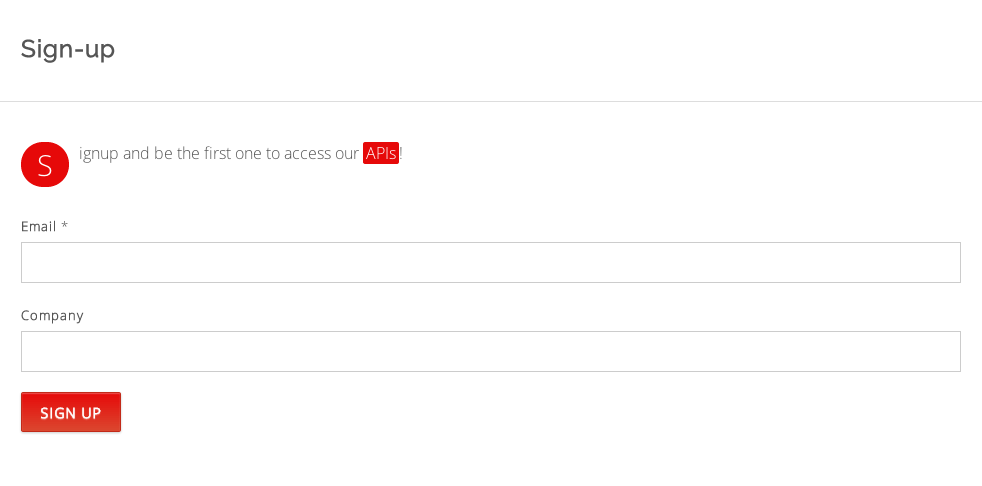
A form in a standard page - uses the LaunchRock Plugin 
The same form loaded in a modal dialog using the Modal plugin.
Installation
- Install Modal either via the WordPress.org plugin directory, or by uploading the files to your server
- Activate Modal,
- Insert the [modal …] short-code wherever you want the modal page/post to appear.
This is an example use (using the Contact Form plugin CSS classes to style the form):
[modal class="mt-button"
       slug="sign-up"
       content_selector="div.content div.container"
       title_selector="div.page-title h2"
       width="1000"
       height="370"
       load_scripts="no"]

Sign-up now!

[/modal]
Reviews
There are no reviews for this plugin.
Contributors & Developers
“Modal” is open source software. The following people have contributed to this plugin.
Contributors
Translate “Modal” into your language.
Interested in development?
Browse the code, check out the SVN repository, or subscribe to the development log by RSS.
Changelog
1.0.7
- Fix: fix description error in plug-in page.
1.0.6
- Fix: fix typo in plug-in page.
1.0.5
- Other: add screenshots to the plug-in page.
1.0.4
- Feature: add a close button to the modal dialog.
1.0.3
- Fix: remove html escaping from link label.
1.0.2
- Feature: add support for class attribute.
1.0.1
- Fix: remove font style definition which may conflict with the theme styles.
1.0.0
- Initial release