
Description
Create a talk style design in the block editor.
Gutenberg Editor Blocks Plugin. Compatible with AMP.
Settings
- Avatar, Name
- Direction: Left, Right
- Design: Default, Bubble, Square, Dashed, Shadow, Borderless
- Size: Default, Small, Large
- Options: Default, Short, Vertical
- Background color, Text color
- latest information on LIQUID PRESS.
Screenshots
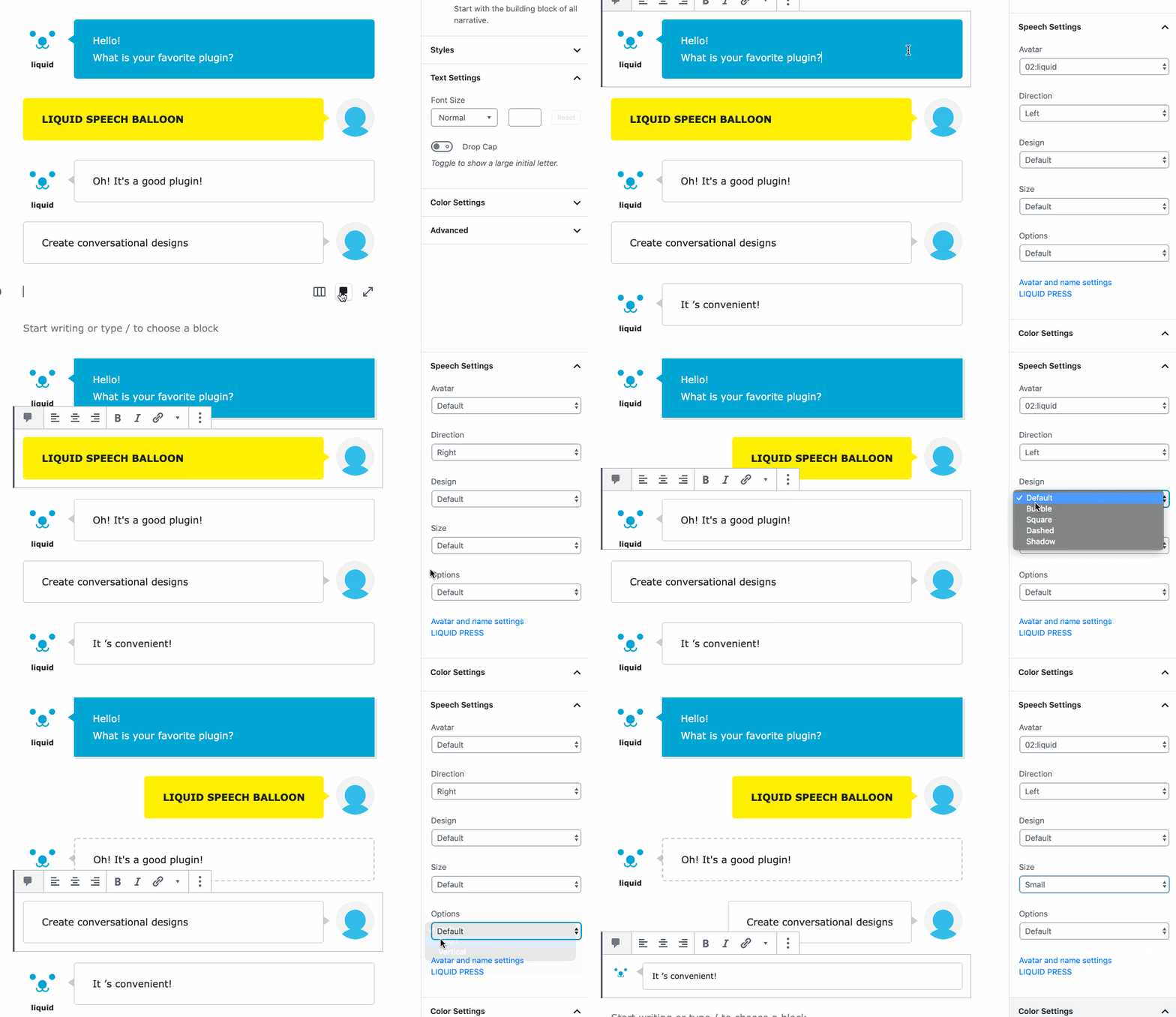
Block editor. 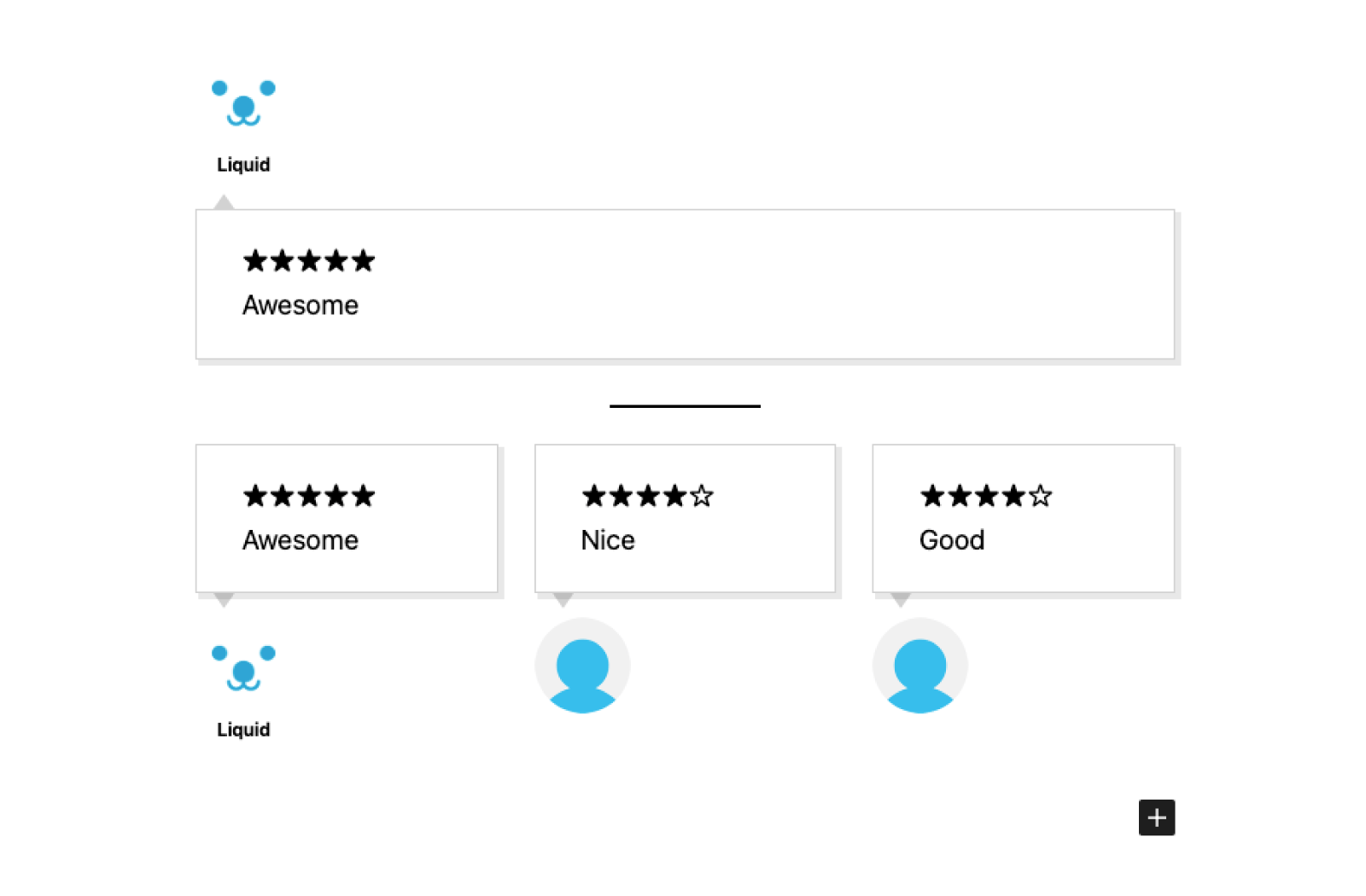
Block editor. 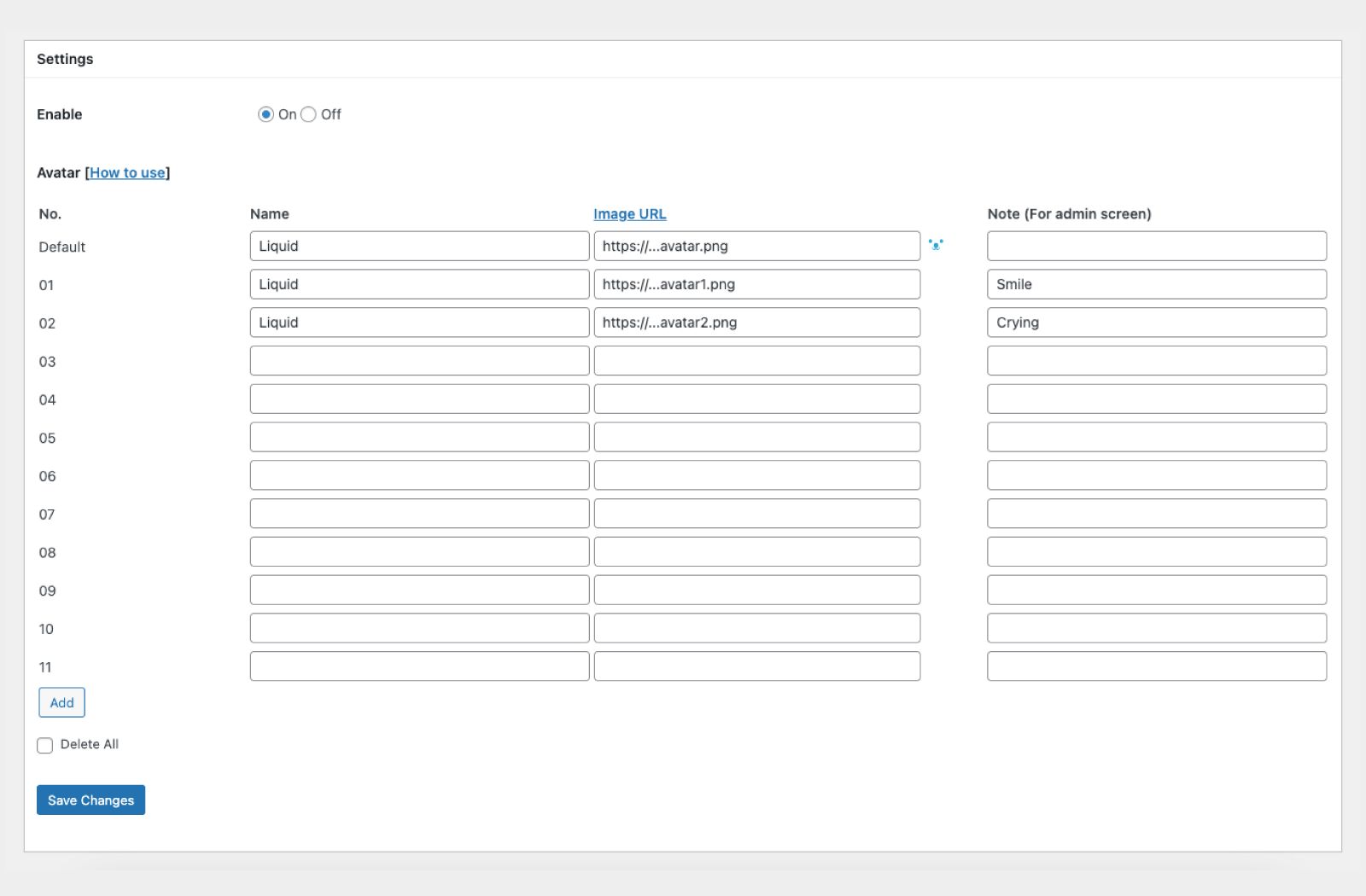
Settings.
Blocks
This plugin provides 1 block.
- Speech Balloon
Installation
- Upload ‘liquid-speech-balloon’ to the ‘/wp-content/plugins/’ directory
- Activate the plugin through the ‘Plugins’ menu in WordPress
- Set ‘LIQUID SPEECH BALLOON’ in the ‘Settings’ menu
FAQ
-
Q: This block contains unexpected or invalid content?
-
A: Try More options > Attempt Block Recovery.
Reviews

Abril 11, 2023
Excellent plugin

Hunyo 8, 2020
Obviously useful and cool-looking.

Setyembre 7, 2019
It's useful and easy to use!

Hulyo 21, 2019
Create fashionable chat designs.

Hulyo 8, 2019
吹き出しプラグインを使いたいがために、ブロックエディタに乗り換える方々の背中を押していることが多いです。非常に使いやすくて満足しています。ありがとうございます!!

Mayo 13, 2019
It's easy to set up and easy to use!
Contributors & Developers
“LIQUID SPEECH BALLOON” is open source software. The following people have contributed to this plugin.
Contributors
“LIQUID SPEECH BALLOON” has been translated into 8 locales. Thank you to the translators for their contributions.
Translate “LIQUID SPEECH BALLOON” into your language.
Interested in development?
Browse the code, check out the SVN repository, or subscribe to the development log by RSS.
Changelog
1.2.4
- Minor bug fixes.
1.2.3
- Live preview support.
1.2.2
- Added “Note” setting for avatars.
1.2.1
- Minor bug fixes.
1.2
- Fixed security issue related to input in setting forms.
1.1.8
- Minor bug fixes.
1.1.7
- Minor bug fixes.
1.1.6
- Add design and options.
1.1.4
- Minor bug fixes.
1.1.1
- Minor bug fixes.
1.1.0
- Minor bug fixes.
1.0.9
- Compatible with AMP.
1.0.8
- Minor bug fixes.
1.0.7
- Fixed security issue related to input in setting forms.
1.0.6
- Add Borderless design.
1.0.5
- Add design and options.
1.0.4
- Expand avatar settings.
1.0.0
- A first version.