
Description
Use our plugin to display your SERP rankings right within any WordPress page or post using the popular Serpbook SEO rank tracker.
Customise the rankings table to suit your websites branding and layout.
Screenshots

KIJO Serpbook API Settings 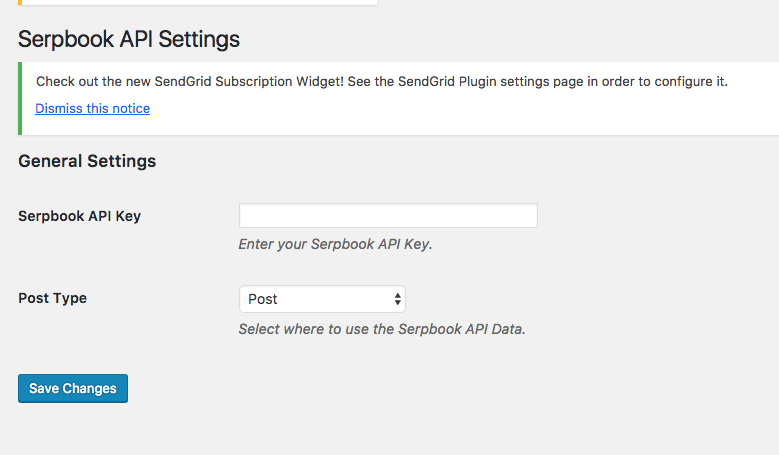
KIJO Serpbook API Results 

Installation
- Sign up for a Serpbook account here https://goo.gl/TE5boK
- Add your API key to the settings page and select which post type you would like the data to appear on
- Next step is to select the Serpbook category you want to display
- Drop the handy shortcode [sbapi_serp_table] into your post where you want to the SERP table to appear.
FAQ
- Installation Instructions
-
- Sign up for a Serpbook account here https://goo.gl/TE5boK
- Add your API key to the settings page and select which post type you would like the data to appear on
- Next step is to select the Serpbook category you want to display
- Drop the handy shortcode [sbapi_serp_table] into your post where you want to the SERP table to appear.
Reviews
There are no reviews for this plugin.
Contributors & Developers
“KIJO Serpbook API” is open source software. The following people have contributed to this plugin.
Contributors
Translate “KIJO Serpbook API” into your language.
Interested in development?
Browse the code, check out the SVN repository, or subscribe to the development log by RSS.