
Description
Invitations for Slack lets you use convenient shortcodes to show “Join us on Slack.” buttons or Slack badges. Just add
your Slack token and use the shortcodes wherever you want your visitors to be able to invite themselves from.
Features:
- Easy to use:
- Visit https://api.slack.com/web to generate your Slack token.
- Add the token to the plugin settings.
- Use the [invitations_for_slack] or [invitations_for_slack_badge] shortcodes.
- Invitations are performed using the WP REST API which in turn communicates with the Slack API. No page reloads.
Requirements:
- A Slack team and the team’s access token.
- A self-hosted WordPress website (Not a WordPress.com website.)
Screenshots

Normal button version : [invitations_for_slack]. 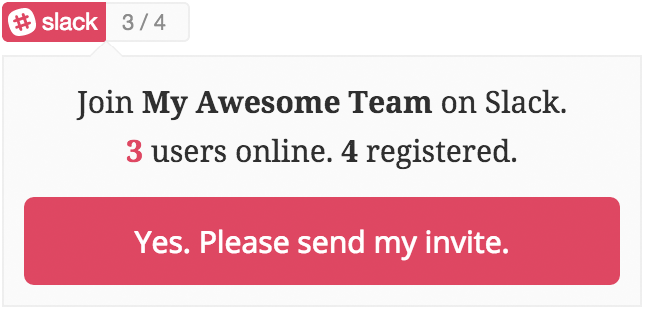
Badge version: [invitations_for_slack_badge]. 
Restricted to logged in users (as per settings). 
Logged in user and alternate e-mail allowed OR unrestricted, anyone can register. 
Already part of the team. Other errors have similar appearance. 
Invitation sent successfully! 
Plugin setup screen.
Installation
To get Invitations for Slack working, please follow these steps.
- Upload the plugin files to the
/wp-content/plugins/plugin-namedirectory, or install the plugin through the WordPress plugins screen directly. - Activate “Invitations for Slack” through the ‘Plugins’ screen in WordPress
- Once activated, click on the new “Invitations for Slack” menu item to configure your settings.
- Make sure you get your Slack API token from https://api.slack.com/web
Now just use the [invitations_for_slack] and/or [invitations_for_slack_badge] shortcodes where you want your users to register from.
Reviews


Contributors & Developers
“Invitations for Slack” is open source software. The following people have contributed to this plugin.
Contributors
“Invitations for Slack” has been translated into 3 locales. Thank you to the translators for their contributions.
Translate “Invitations for Slack” into your language.
Interested in development?
Browse the code, check out the SVN repository, or subscribe to the development log by RSS.
Changelog
1.0.2
- Better handling of channel names to join.
- Reset link for invite form now shows and hides appropriately.
1.0.1
- Popup now shows above elements with overflow set to hidden.
1.0.0
- First public release.
0.1
- Initial plugin release.