
Description
Enhance your comparable data display with animated graphic pie chart. Styled data table included, with a lot of further styling options.
Insert anywhere in the post or page via shortcode.
How it looks like? Check here: Test Preview: Animated Pie Chart – How to use and examples
Adventages
- easy to use – supply shortcode with minimum two data pairs and you are ready to go
- responsive design – graph will fit any screen size automatically
- mobile friendly – it will look nice on mobile devices
- customizable – lots of options to make your graph outlook unique
- theme friendly – tested on various WordPress themes (but we strongly recommend you to test plugin in your own theme)
Complete list of shortcode options at official plugin page: Goo Pie Chart
Screenshots

Plugin settings page 
Pie Chart in action 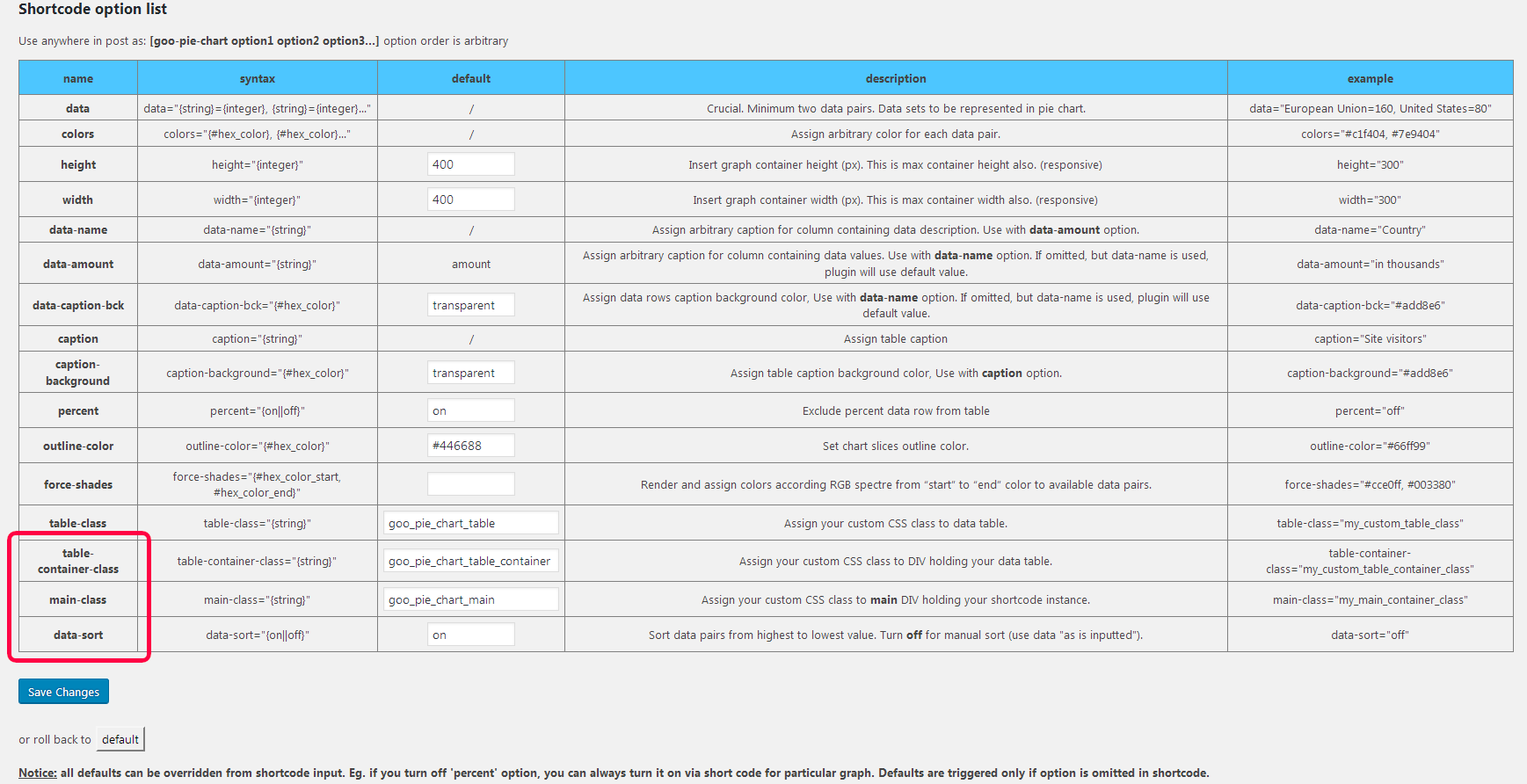
v1.1.5 new options
Installation
This section describes how to install the plugin and get it working.
- Download
Goo Pie Chart - Upload the
Goo Pie Chartdirectory to your/wp-content/plugins/directory, using your favorite method (ftp, sftp, scp, file manager etc.), and decompress it. - Activate
Goo Pie Chartfrom your Plugins page - Access plugin settings from
admin panel > Goo Tools Plugins > Goo Pie Chart
FAQ
- How to reorder colors in force-shades option
-
Switch places of data pairs in data option.
- If I change defaults, would it propagate through all charts?
-
Yes, only if shortcode is not supplied with that option. To prevent any changes, supply shortcode with all possible data & options.
Reviews


Contributors & Developers
“Goo Pie Chart” is open source software. The following people have contributed to this plugin.
Contributors
Translate “Goo Pie Chart” into your language.
Interested in development?
Browse the code, check out the SVN repository, or subscribe to the development log by RSS.
Changelog
1.1.5
- New option: ( table-container-class ) – add your custom class to DIV container holding your table (eg. override default 300px width)
- New option: ( main-class ) – assign your custom CSS class to main DIV holding your shortcode instance (various troubleshooting issues with your theme layout, if default options are inadequate)
- New option: ( data-sort ) – Turn off for manual sort (use data “as is inputted”)
- fixed minor issues