
Description
By default, WooCommerce provides 1 bank transfer payment gateway for all your bank accounts. With this plugin, you can add additional bank transfer payment gateways. So you can separate your bank accounts into multiple payment gateways, for example 1 payment gateway for 1 bank company.
Notes:
– On the screenshot you can see there are icons next to the payment gateway’s name. You can add the icon using Fr Custom Payment Gateway Icon for WooCommerce plugin.
Screenshots

Plugin option 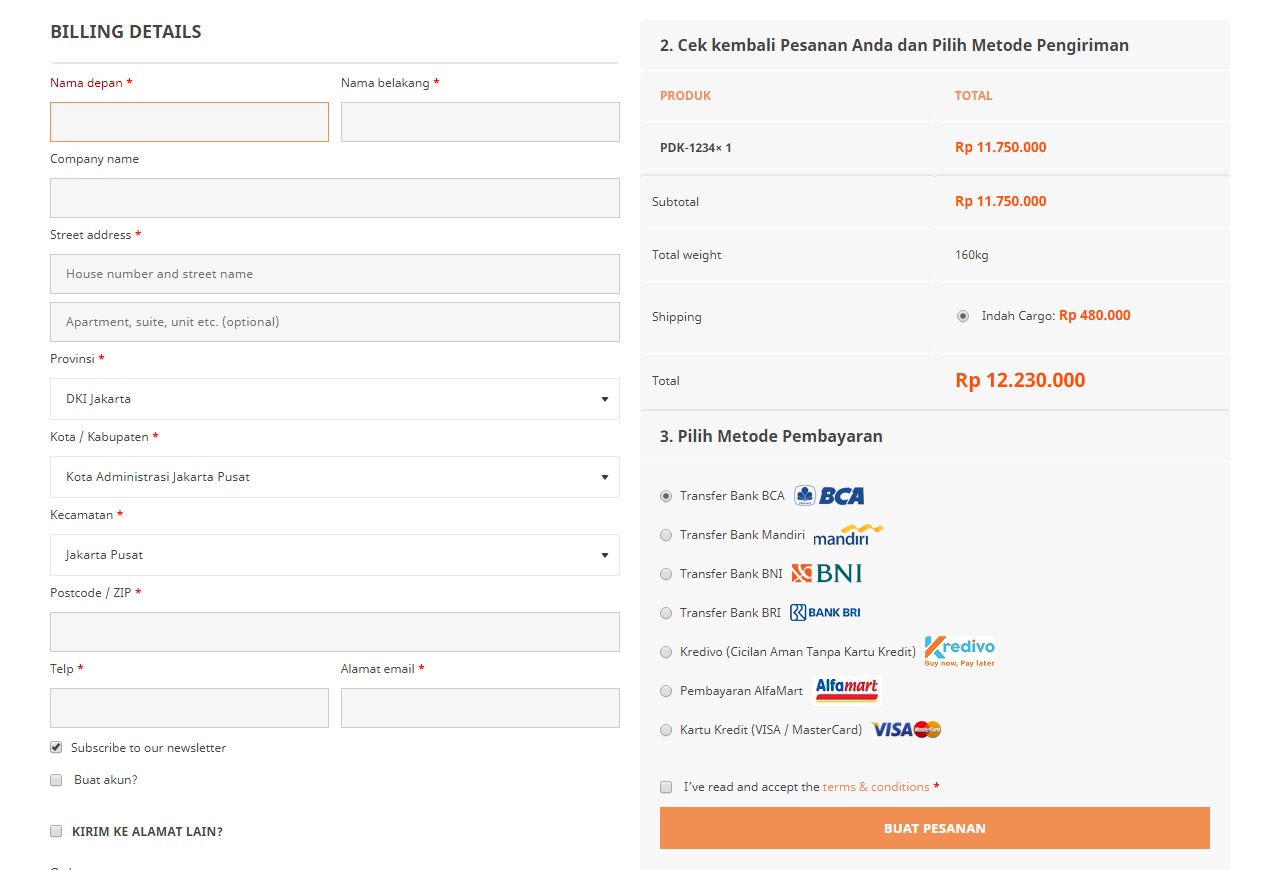
Multiple bank transfer payment gateways are displayed on the checkout page
Installation
- Upload
fr-multi-bank-transfer-payment-gateways-for-woocommercefolder to the/wp-content/plugins/directory - Activate the plugin through the Plugins menu in WordPress
- Go to WooCommerce → Settings → Payments → and enter the number of additional bank transfer gateways. The additional bank transfer payment gateways will be added after you save the settings.
FAQ
-
Uninstallation Instructions
-
- Deactivate and delete the plugin through the Plugins menu in WordPress
Reviews


Contributors & Developers
“Fr Multi Bank Transfer Payment Gateways for WooCommerce” is open source software. The following people have contributed to this plugin.
Contributors
“Fr Multi Bank Transfer Payment Gateways for WooCommerce” has been translated into 2 locales. Thank you to the translators for their contributions.
Translate “Fr Multi Bank Transfer Payment Gateways for WooCommerce” into your language.
Interested in development?
Browse the code, check out the SVN repository, or subscribe to the development log by RSS.
Changelog
1.1.1
- Declare HPOS compatibility.
1.1.0
- Add ability to add unlimited bank transfer payment gateways.
- Refactor code.
1.0.2
- Update installation instructions.
- Add “settings” action link in the plugins list table.
1.0.1
- Clean up.