Description
WordPress Export Import Menus lets you export and import your WordPress Menus. The WordPress Export Import Menus plugin also support the uber menu plugin. Import must be done on the same domain from where we have export the file.
Screenshots
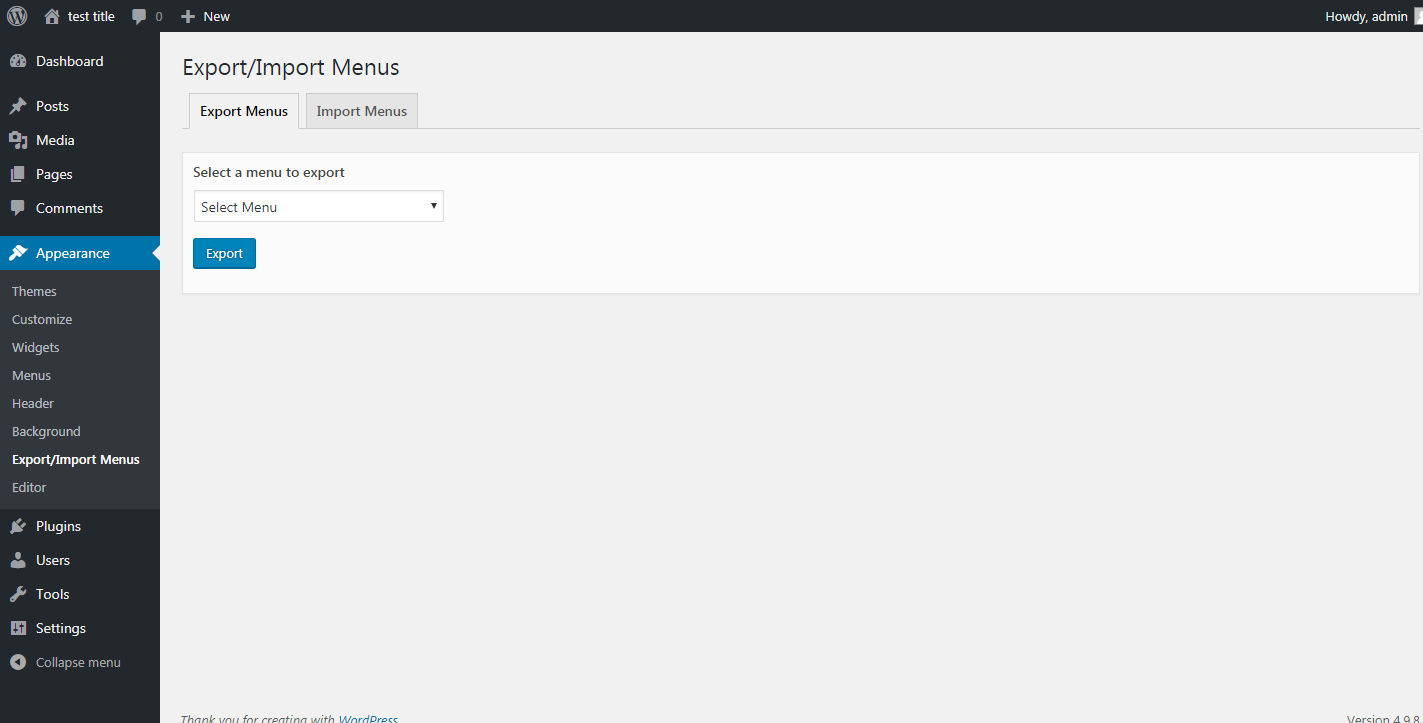
Exporting a json file of menu 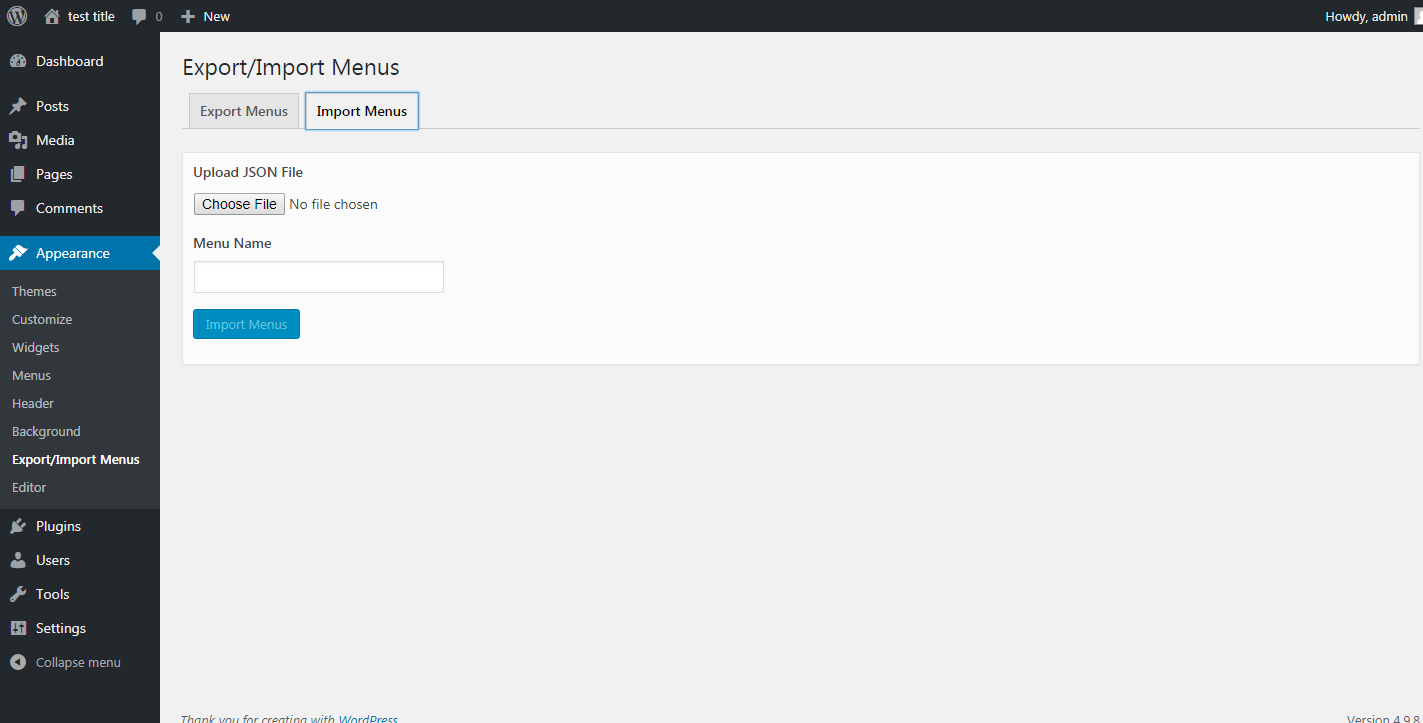
Importing a new backup menu from the exported json file
Installation
- Download
dsp-menus-export-import.zip - Unzip
- Upload the
dsp-menus-export-importfolder to the/wp-content/plugins/directory - Activate the Export Import Menus plugin through the ‘Plugins’ menu in WordPress
- Export/Import your menus via Appearance -> Export/Import Menus in the WordPress admin
Reviews

Pebrero 2, 2024
This not work not waste your time.

Enero 29, 2024
I'm on a mac with MAMP with multiple localhosts, using Firefox, an it worked without any issue. I don't understand the bad reviews... Probably people trying to use it with different domains on different servers...

Disyembre 17, 2023
Works perfectly and just saved me hours of work. Thank you!

Nobyembre 29, 2023
Export Import Menus is a game-changer! This plugin effortlessly streamlines menu management, making it an essential tool for anyone looking to enhance their WordPress site with seamless menu export and import functionality

Nobyembre 28, 2023
The plugin works ok for me. Thank you!

Mayo 4, 2023
This is very usefull plugin
Contributors & Developers
“Export Import Menus” is open source software. The following people have contributed to this plugin.
Contributors
“Export Import Menus” has been translated into 4 locales. Thank you to the translators for their contributions.
Translate “Export Import Menus” into your language.
Interested in development?
Browse the code, check out the SVN repository, or subscribe to the development log by RSS.
Changelog
1.0.1
- Bug Fixes
1.0.2
- Compatibility with WordPress 5.0.1
1.1.0
- Compatibility with WordPress 5.0.2
1.2.0
- Compatibility with WordPress 5.1
- Mozilla Firefox JSON import issue
- Other bug fixes
1.3.0
- Compatibility with WordPress 5.2.1
1.4.0
- Bug fixes – Unable to delete Plugin files on delete
1.5.0
- Compatibility with WordPress 5.3.2
- Fix Custom menu CSS classes import issue
- Fix JSON illegal character issue
- Fix invalid JSON file issue
1.6.0
- Compatibility with WordPress 5.4.2
- Added menu description field in the menu import
- Fix plugin delete undefine constant issue
1.7.0
- Compatibility with WordPress 5.7
1.8.0
- Compatibility with WordPress 6.0
- Other Bug fixes
1.9.0
- Compatibility with WordPress 6.3.2
- Fixed file upload vulnerabilities issues
- Added file type check to only allow .json files upload and restricting other file types
- Other bug fixes