Deskripsyon
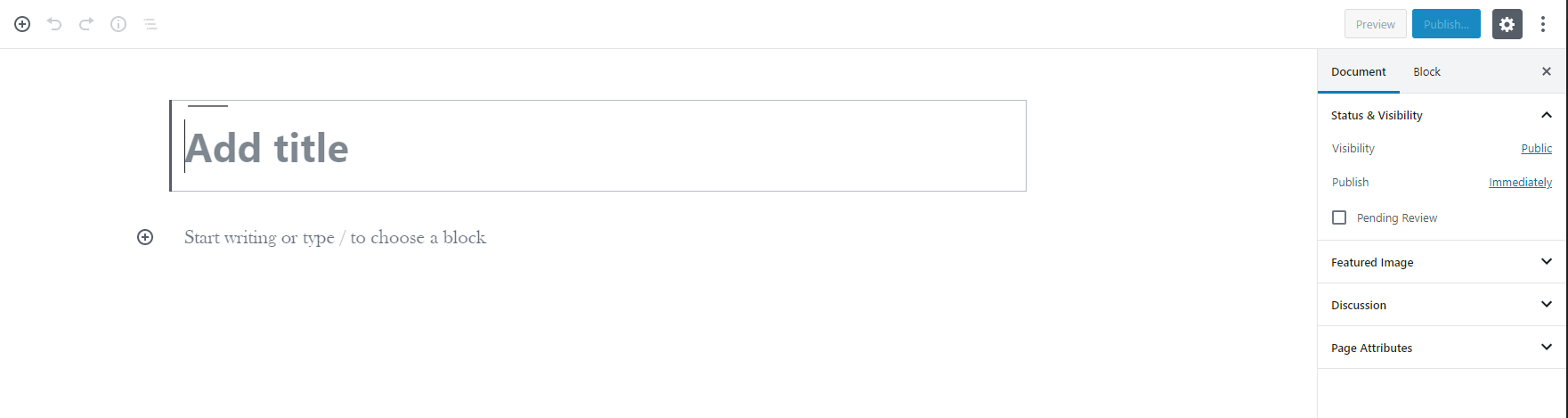
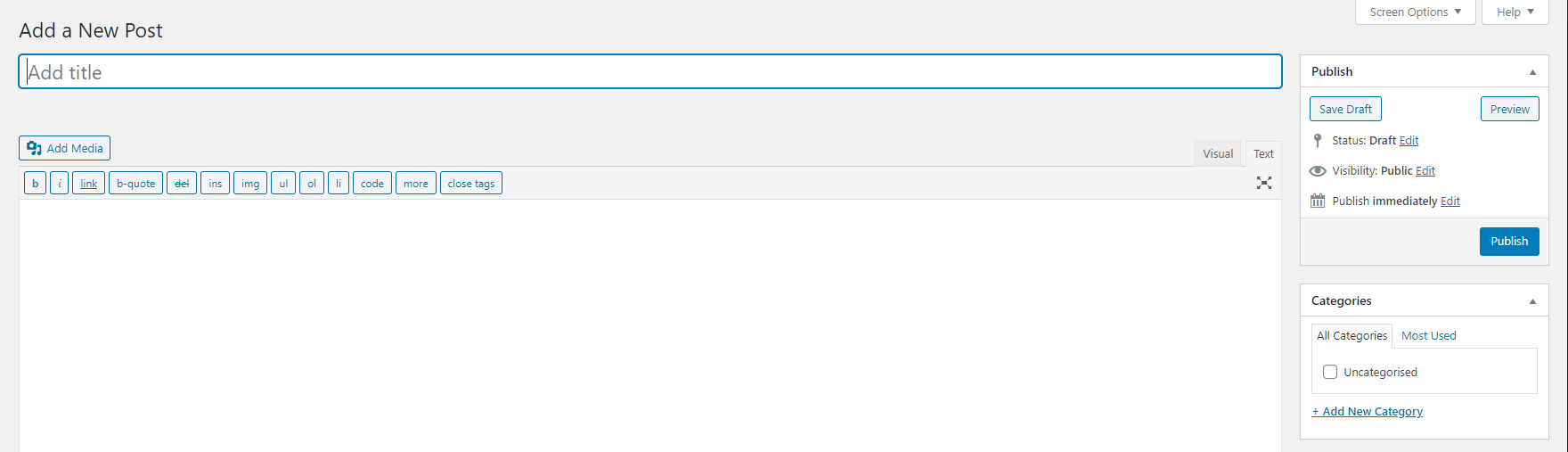
This is a lightweight Classic Editor plugin that gives you complete control over when to use the Classic Editor vs the Block Editor (Gutenberg). Despite the introduction of Gutenberg, a brand new block editor with WordPress 5.x, many users still prefer the Classic Editor due to its compatibility and ease of use.
What does this plugin do?
- Disables the Gutenberg Block Editor (with granular control)
- Reverts back to the Classic WordPress Editor
- Reverts to Classic Widgets section
- Configure which post types use Classic Editor
- Configure which user roles use Classic Editor
- Simple mode for quick setup or Advanced mode for granular control
- Modern, user-friendly settings interface
How to use this plugin?
- Simple Mode: Just activate the plugin and it works immediately (default)
- Advanced Mode: Enable “Advanced Settings” to configure per post type and user role
Mga Screenshot
FAQ
-
How can I get back the Gutenberg Editor?
-
You can either disable this plugin, or use the new settings page to configure which post types or user roles should use the Block Editor.
-
The plugin doesn’t seem to be working?
-
Make sure you have at least PHP version 5.6. For the plugin to work, it requires WordPress 4.9 or greater with the Gutenberg installed.
-
How do I access the advanced settings?
-
After activating the plugin, go to Settings > Classic Editor+ to access the configuration options.
Mga Review
Mga Contributor at Developer
Ang “Enable Classic Editor & Widgets” ay open source software. Ang mga sumusunod na tao ay nag-ambag sa plugin na ito.
Mga ContributorAng “Enable Classic Editor & Widgets” ay naisalin na sa 2 (na) mga locale. Salamat sa mga tagasalin para sa kanilang mga kontribusyon.
Isalin ang “Enable Classic Editor & Widgets” sa iyong wika.
Interesado sa development?
Tingnan ang code, i-check ang SVN repository, o mag-subscribe sa development log sa pamamagitan ng RSS.
Changelog
3.2
- New Feature: Animated save button with success confirmation
- New Feature: Toast notifications for better user feedback
- New Feature: Unsaved changes detection with warning before navigating away
- New Feature: Select All/Deselect All buttons for post types and user roles
- New Feature: Dynamic selection count for post types and user roles
- New Feature: Contextual help tooltips with detailed explanations
- New Feature: Last saved timestamp display
- Improvement: Per-Post Toggle now properly disabled when main plugin is OFF
- Improvement: Advanced Settings now properly disabled when main plugin is OFF
- Improvement: Settings validation warnings for conflicting configurations
- Improvement: “Default” editor choice now shows what editor will actually be used
- Improvement: Post list column shows actual editor (not just setting) with visual distinction
- Improvement: Classic Widgets setting includes theme compatibility note
- Improvement: Custom modal dialog for Reset Defaults (replaces browser confirm)
- Improvement: Better visual feedback with disabled setting styling
- Code quality: Improved inline documentation and code organization
- Major refactoring: Per-Post Toggle and Classic Widgets toggles are now truly independent
- Fixed critical bug: Classic Widgets toggle now works correctly in simple mode
- Fixed critical bug: Per-Post Toggle now works correctly in simple mode when Advanced Settings is disabled
- Improved UX: Added visual mode indicator (Simple vs Advanced) on settings page
- Improved UX: Enhanced help text for all settings
- Improved UX: Better JavaScript to prevent auto-enabling Advanced Settings
- Fixed: Reset Defaults button now correctly resets all toggles including Classic Widgets
- Code quality improvements and better inline documentation
- And of course, General maintenance
3.1
- General maintenance
3.0
- Added advanced settings page
- Added post type control
- Added user role control
- Added simple/advanced mode toggle
- Maintained backward compatibility
- Redesigned settings page with modern UI
- Added toggle switches for better user experience
- Improved layout for post type and user role selection
- Added Reset Defaults button
- Fixed uninstall process to clean up post meta
- Various code improvements and optimizations
2.7
- Compatibility Update
- Fixes blank page when editing
2.6
- Compatibility Update
2.5
- General maintenance & upgrades
2.4
- General maintenance & upgrades
2.3
- General maintenance & upgrades
2.2
- General maintenance & upgrades
2.1
- General maintenance & upgrades
2.0
- General maintenance & upgrades
1.96
- General maintenance
1.95
- Compatibility update
1.94
- General maintenance
1.91
- General maintenance
1.90
- Restores classic Widgets from block widgets brought from 5.8
1.85
- General maintenance
1.80
- Latest WordPress version compatibility
1.75
- General maintenance
1.7
- Latest WordPress version compatibility
1.6
- Version & Support updates
1.5
- Version update
1.4
- Updated to support WordPress 5.4
1.3
- Improved plugin security
1.2
- Minor code changes
1.1
- Minor security patch to prevent direct access.
1.0
- The first release.