
Description
You can choose how the author is being displayed without changing the theme.
You can currently choose from these options:
- Default – What the user selected to display publicly
- First Name Last Name
- Last Name First Name
- Nickname
- Username
- First Name
- Last Name
Screenshots
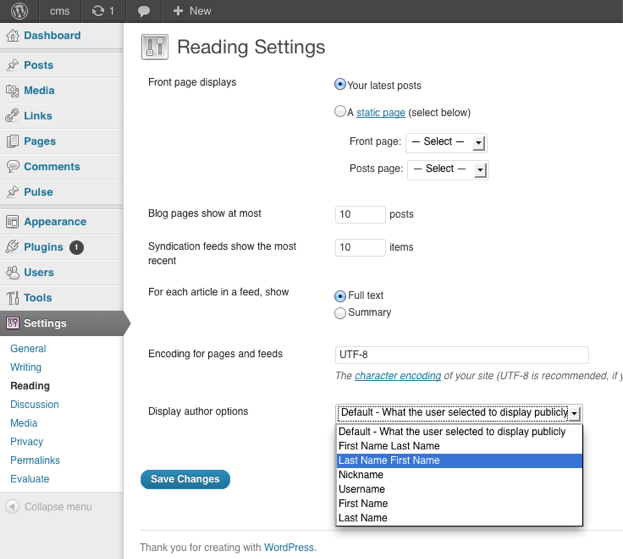
A view at the settings.
Installation
The usual WordPress install.
- Upload
plugin-name.phpto the/wp-content/plugins/directory - Activate the plugin through the ‘Plugins’ menu in WordPress
- Go to Settings > Reading to change the settings
FAQ
- Where are the settings located for the plugin?
-
You can find them under
Dashboard > Settings > Reading
- How can I contribute to the plugin ?
-
The plugin author is accepting pull request.
The repository can be found at
https://github.com/ubc/display-author-option/
Reviews
There are no reviews for this plugin.
Contributors & Developers
“Display Author Option” is open source software. The following people have contributed to this plugin.
Contributors


Translate “Display Author Option” into your language.
Interested in development?
Browse the code, check out the SVN repository, or subscribe to the development log by RSS.
Changelog
1.0
- Initial Release