
Description
This plugin disables right click on images in WordPress. All you need to do is activate the plugin and visitors on your site will not be able to right-click on any image.
This is very useful for websites where you have a lot of images and you don’t want visitors to easily save them by right-clicking on it.
For detailed documentation please visit the Disable Right Click Images plugin page
Screenshots
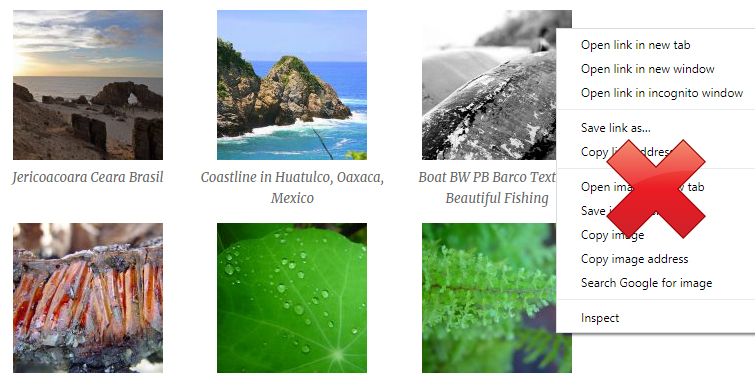
Disable Right Click on Images in WordPress
Installation
- Go to the Add New plugins screen in your WordPress Dashboard
- Click the upload tab
- Browse for the plugin file (disable-right-click-images.zip) on your computer
- Click “Install Now” and then hit the activate button
FAQ
-
Can I use this plugin to disable right click on images in WordPress?
-
Yes.

Contributors & Developers
“Disable Right Click Images” is open source software. The following people have contributed to this plugin.
Contributors
Translate “Disable Right Click Images” into your language.
Interested in development?
Browse the code, check out the SVN repository, or subscribe to the development log by RSS.
Changelog
1.0.1
- First commit