
Description
Are you a web designer or developer? Or are you creating a plugin or a theme? Are you finding hard to keep track of your tasks or your notepad is just untidy?
Add this useful tool to your WordPress website, create a to-do list from within the main Admin Dashboard and display it on your website.
Keep your list in one place and specific to your website/project.
Plugin Features
- Easily edit your To-Do list from the Admin Dashboard.
- Allow Editors to view and edit the dashboard To-Do list widget as well as Administrators.
- Display the To-Do list as a floating widget on the frontend of your website.
- Choose the position of the floating widget.
- Restrict the visibility of the floating widget to logged in Administrators and/or Editors only.
Simply install and activate the plugin, open your Admin Dashboard and write your list.
Screenshots
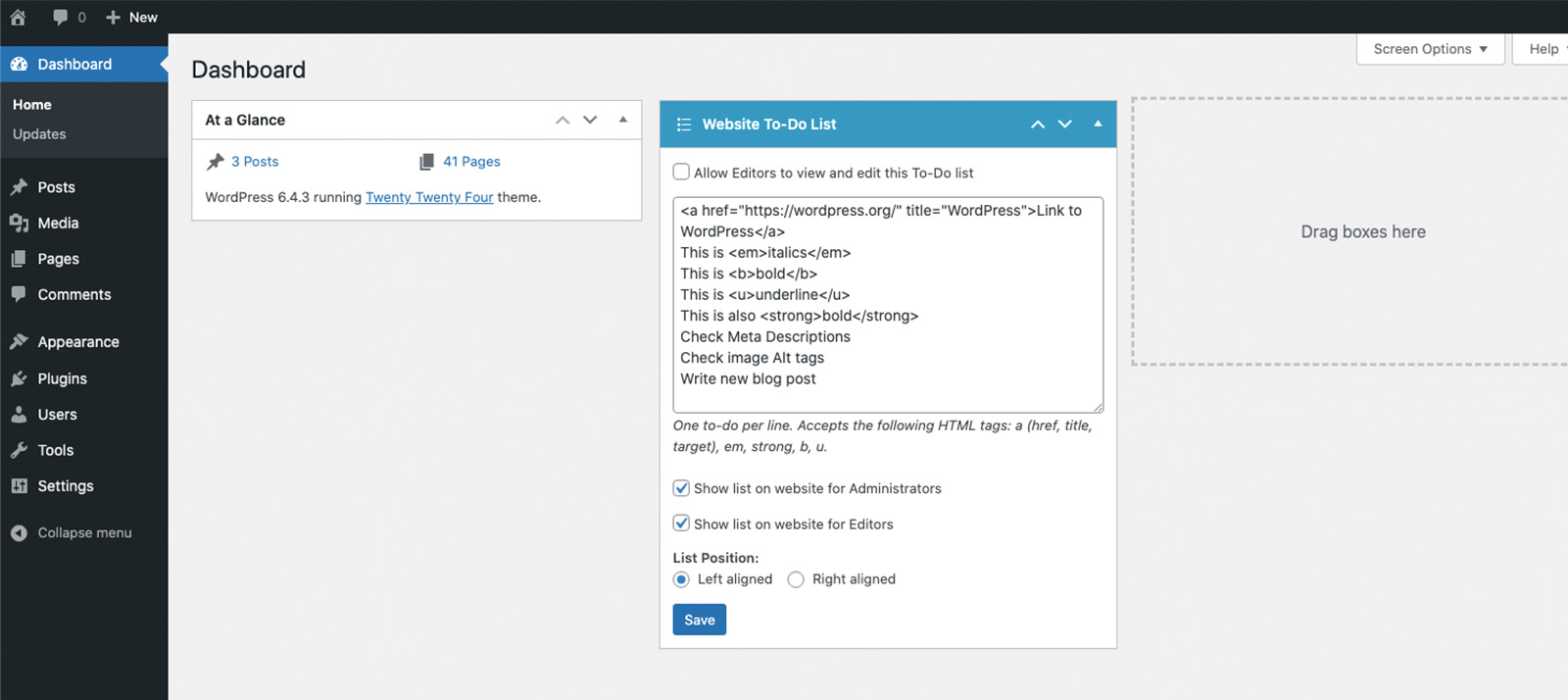
Administrator's view of the Dashboard Website To-Do List Widget 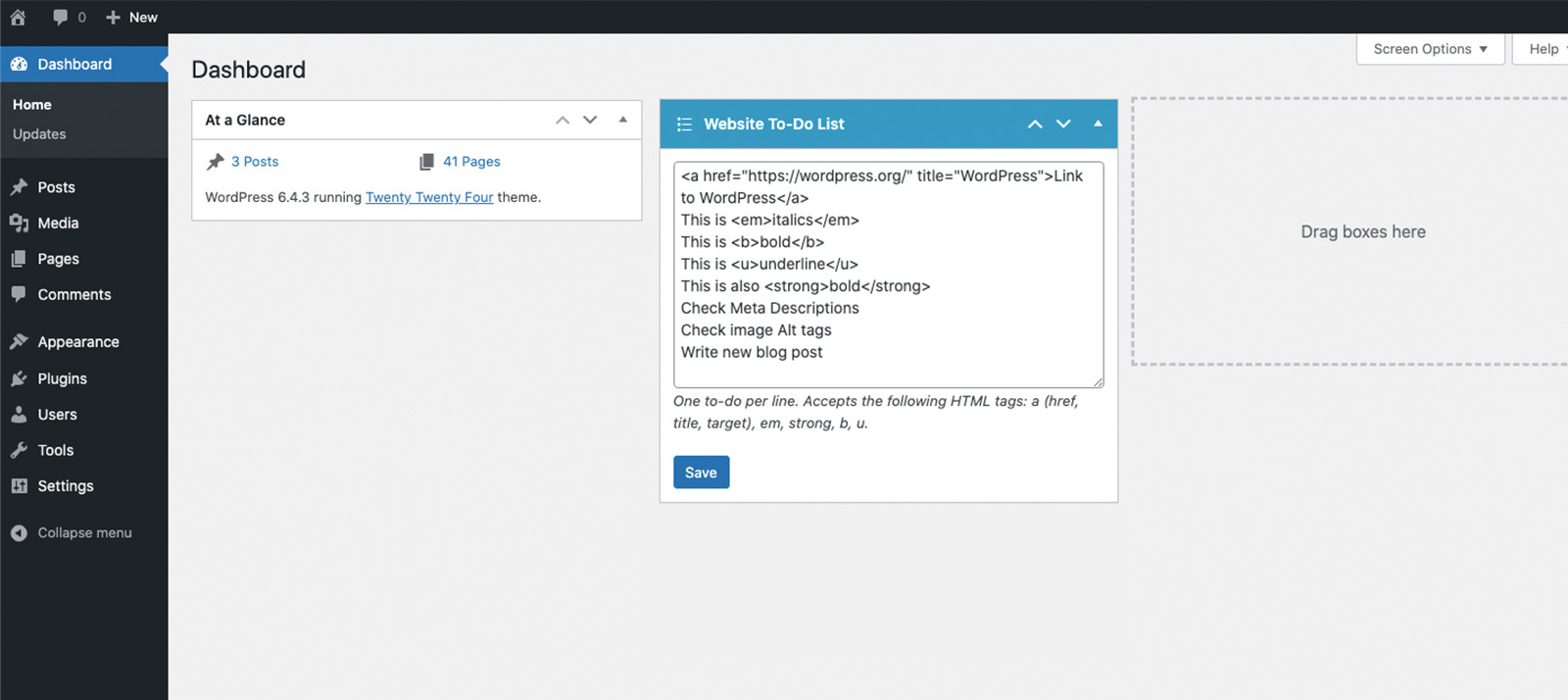
Editor's view of the Dashboard Website To-Do List Widget
Installation
Via WordPress
- From the WordPress Dashboard, go to Plugins > Add New
- Search for ‘Dashboard To-Do List’ and click Install. Then click Activate.
- Go to the WordPress Dashboard to create your to-do list.
Manual
- Upload the folder /dashboard-to-do-list/ to the /wp-content/plugins/ directory.
- Activate the plugin through the ‘Plugins’ menu in WordPress.
- Go to the WordPress Dashboard to create your to-do list.
FAQ
-
How do I use Dashboard To-Do List
-
Once Dashboard To-Do List is installed, simply go to the Admin Dashboard page and you’ll see the Website To-Do List widget. Use the textbox to write your list, one to-do per line.
-
I need help with something else
-
If your question is not answered here, please create a new topic in the WordPress support forum.
Reviews


Contributors & Developers
“Dashboard To-Do List” is open source software. The following people have contributed to this plugin.
Contributors
“Dashboard To-Do List” has been translated into 4 locales. Thank you to the translators for their contributions.
Translate “Dashboard To-Do List” into your language.
Interested in development?
Browse the code, check out the SVN repository, or subscribe to the development log by RSS.
Changelog
1.3.2
- Patched reported Cross Site Request Forgery (CSRF) vulnerability when saving the dashboard widget.
1.3.1
- Fixed capabilities bug when saving the widget if switching between user roles (thanks to chrslcy).
1.3.0
- Fixed bug where any authenticated user (subscriber+) could modify the To-Do list widget
- Added option for Administrators to allow Editors to view and edit the To-Do list widget
- Edited option to allow only Administrators to view the To-Do list on the frontend
- Added option to allow Editors to view the To-Do list on the frontend
- Visibility options on widget hidden from Editors.
- Styling updates
1.2.0
- Added German translation (thanks to m266)
- Added Japanese translation (thanks to Naoko Takano)
- Added UK translation
- Styling updates
1.1.2
- Translation updates
- General bug fixes
1.1.1
- Enabled translation
- Description added to textarea
- Bug fix with the checkbox option
1.1.0
- Added option to position the widget left or right on the website.
- You can now use the following HTML tags in your list: a, em, strong, b, u.
- Fixed issue with slashes being added to the text on save.
1.0.2
- Made dashboard widget full width
- Bug fixes
1.0.1
- Donate link added to Readme.txt
- Stable version updated
- Update to public css as some themes were showing bullet points in the list
1.0.0
- Initial release