
Description
Create sessions (specific date) and organize them in a group of sessions linked to your Sensei course. Sessions are displayed in between the course Modules and / or Lessons. The plugin also lets you restrict Module access before a certain date (for example, the previous session date).
Made for the Sensei Learning Management System plugin for WordPress.
Screenshots
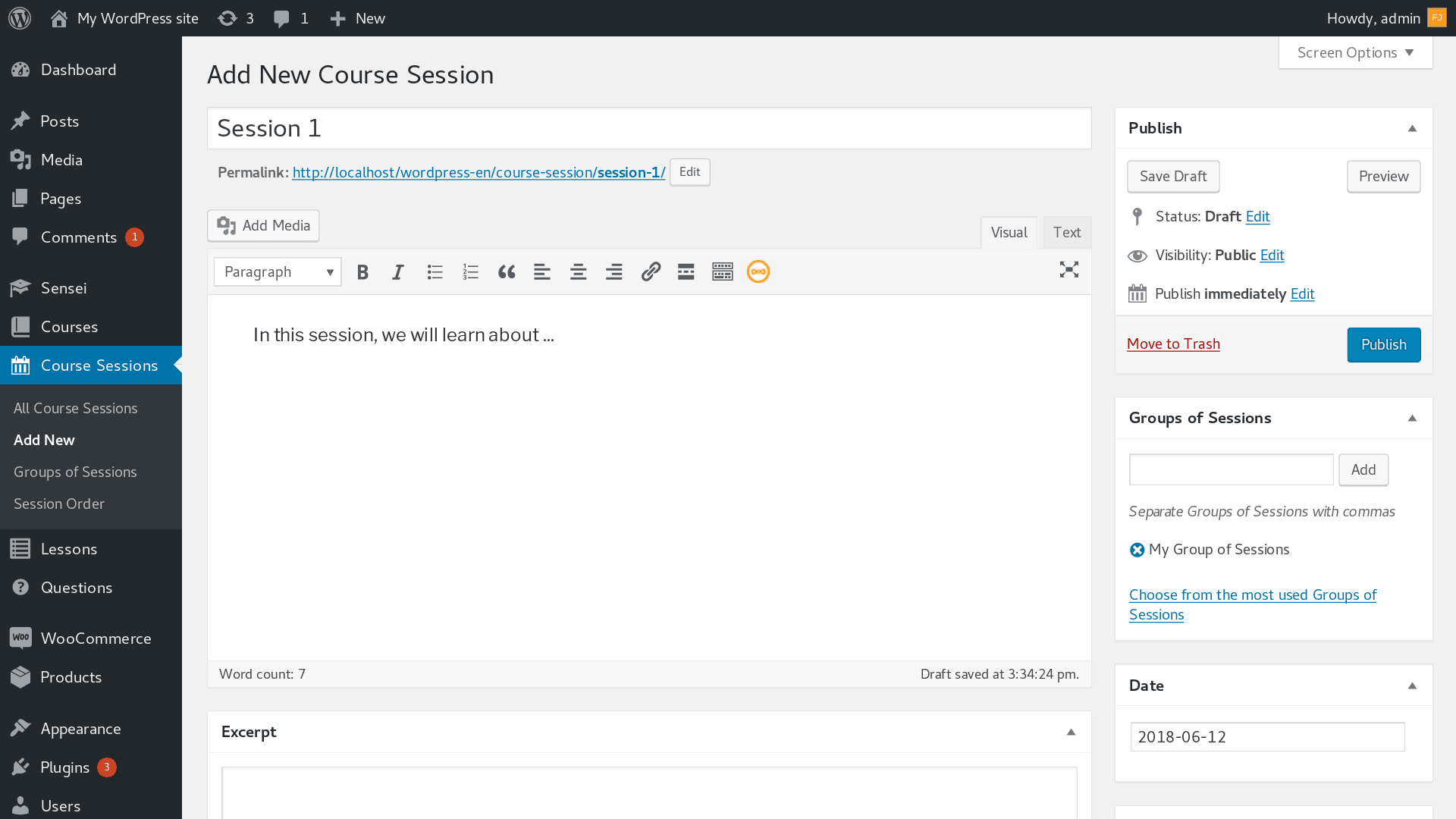
Add New Course Session screen. 
Group of Sessions screen. Add and manage Group of Sessions. 
Session Order screen. Drag and drop sessions and place it in between the course lessons and modules. 
Session display in Course view, front side. 
Restrict Module access. Here It will not be available to students before the 21st of June.
Installation
Installing “Course Session For Sensei” can be done either by searching for “Course Session For Sensei” via the “Plugins > Add New” screen in your WordPress dashboard, or by using the following steps:
- Check the ‘Sensei’ plugin is active through the ‘Plugins’ menu in WordPress or install it
- Download the plugin via WordPress.org
- Upload the ZIP file through the ‘Plugins > Add New > Upload’ screen in your WordPress dashboard
- Activate the plugin through the ‘Plugins’ menu in WordPress
FAQ
- Does this plugin depend on any others?
-
Yes. It depends on the Sensei plugin. It was tested with Sensei 1.9.16 & 1.9.19.
- Does this create new database tables?
-
No. There are no new database tables with this plugin.
- Does this load additional JS or CSS files ?
-
Yes. It loads the
admin.css,jquery-ui.css,admin.min.js, andadmin-order.min.jsfiles on the admin side and thefrontend.cssfile on the front side. - Is the plugin compatible with WordPress Multisite (MU)?
-
Yes. The Wizard plugin was successfully tested on WordPress Multisite. You will have to activate the plugin separately for each site.
- How can I add a Session to a Group of Sessions?
-
First, add a Group of Sessions and associate it to an existing Sensei course. Then, add or edit a Session. On the right side of the screen, you will notice a box where you can select the Group of Sessions.
- How can I restrict module access so students cannot view its content before the opening date?
-
You can restrict the module access so students cannot view its content before a specific date. Go to the ‘Courses > Modules’ menu and edit the module. On this screen, you can both set the opening date and whether the content access is restricted. Those options are available for every course associated to the module.
- Is the plugin translated?
-
Yes. It is translated in French (fr_FR).
You will find the translation files in thelang/folder.
New translations are welcome at https://translate.wordpress.org/projects/wp-plugins/course-session-for-sensei - Where can I get support?
-
Buy support packs at https://www.open-dsi.fr
Reviews
There are no reviews for this plugin.
Contributors & Developers
“Course Session For Sensei” is open source software. The following people have contributed to this plugin.
Contributors
Translate “Course Session For Sensei” into your language.
Interested in development?
Browse the code, check out the SVN repository, or subscribe to the development log by RSS.
Changelog
1.2.6
- 2018.10.29
- Fix Course Sessions template (order when before module)
1.2.5
- 2018.10.25
- Fix Sensei plugin detection (now detects sensei/woothemes-sensei.php)
1.2.4
- 2018.09.19
- Fix all Course Sessions displaying when none added yet
1.2.3
- 2018.09.18
- Fix Course Session display when no or empty module
1.2.2
- 2018.09.14
- Fix Unordered Course Session display
1.2.1
- 2018.09.13
- Fix Restricted module lesson access
1.2.0
- 2018.06.21
- Fix Group of Sessions template display when no Sessions
- Display Group of Sessions description
- Fix French translation
1.1.0
- 2018-06-12
- Initial release